Vigor2925 Series User’s Guide
11
N
N
o
o
t
t
i
i
f
f
i
i
c
c
a
a
t
t
i
i
o
o
n
n
s
s
f
f
o
o
r
r
A
A
n
n
t
t
e
e
n
n
n
n
a
a
I
I
n
n
s
s
t
t
a
a
l
l
l
l
a
a
t
t
i
i
o
o
n
n
(
(
f
f
o
o
r
r
V
V
i
i
o
o
g
g
r
r
2
2
9
9
2
2
5
5
L
L
n
n
)
)
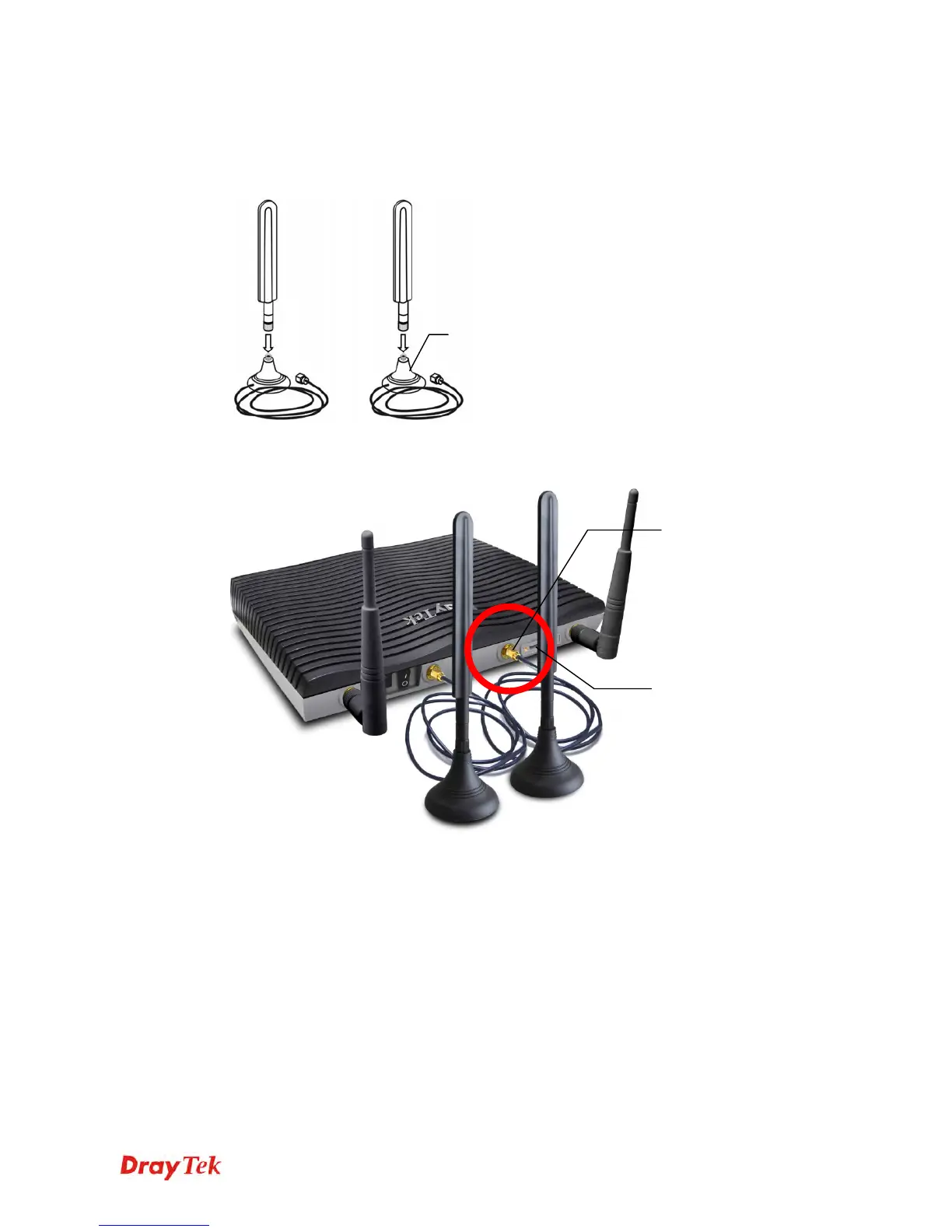
Both magnetic antennas must be installed on the antenna socket before connecting to Vigor
router.
There are two mounting holes for installing antennas with sockets on Vigor router. Please
install them as shown below.
Note, if only one antenna shall be installed, please use the mounting hole (major signal
transmitted hole) near to the SIM card slot.
Antenna
Socket
SIM Card
Slot
Major Signal
Transmitted Hole












 To Next Page