■■■■■■■■■■■■■■■■■■■■■■■■■■■■■■■■■■■■■■■■■■■■■■■■■■■■■■■■■■■■■■■■■■■■■■■■■■■■■■■■■■■■■■■■■■
▼
Using the AutoBoot Option
DS1103 Hardware Installation and Configuration March 2004
147
▲
■■■■■■■■■■I
▲■■■■■■■■■■■■■■■
How to Install the AutoBoot
Hardware in the Expansion Box
Before you can use AutoBoot Option, you have to install the PC card
reader in the expansion box.
C
WARNING! Hazardous voltages.
Risk of electric shock and/or damage to the hardware.
■ Before you install the PC card reader:
• Turn off the host PC and the expansion box.
• Disconnect the host PC and the expansion box from the power
supplies.
■ Do not connect any devices while installing the PC card reader.
To install the PC card reader in an expansion box
1 Familiarize yourself with the information provided in Safety
Precautions for Using Expansion Boxes on page 22.
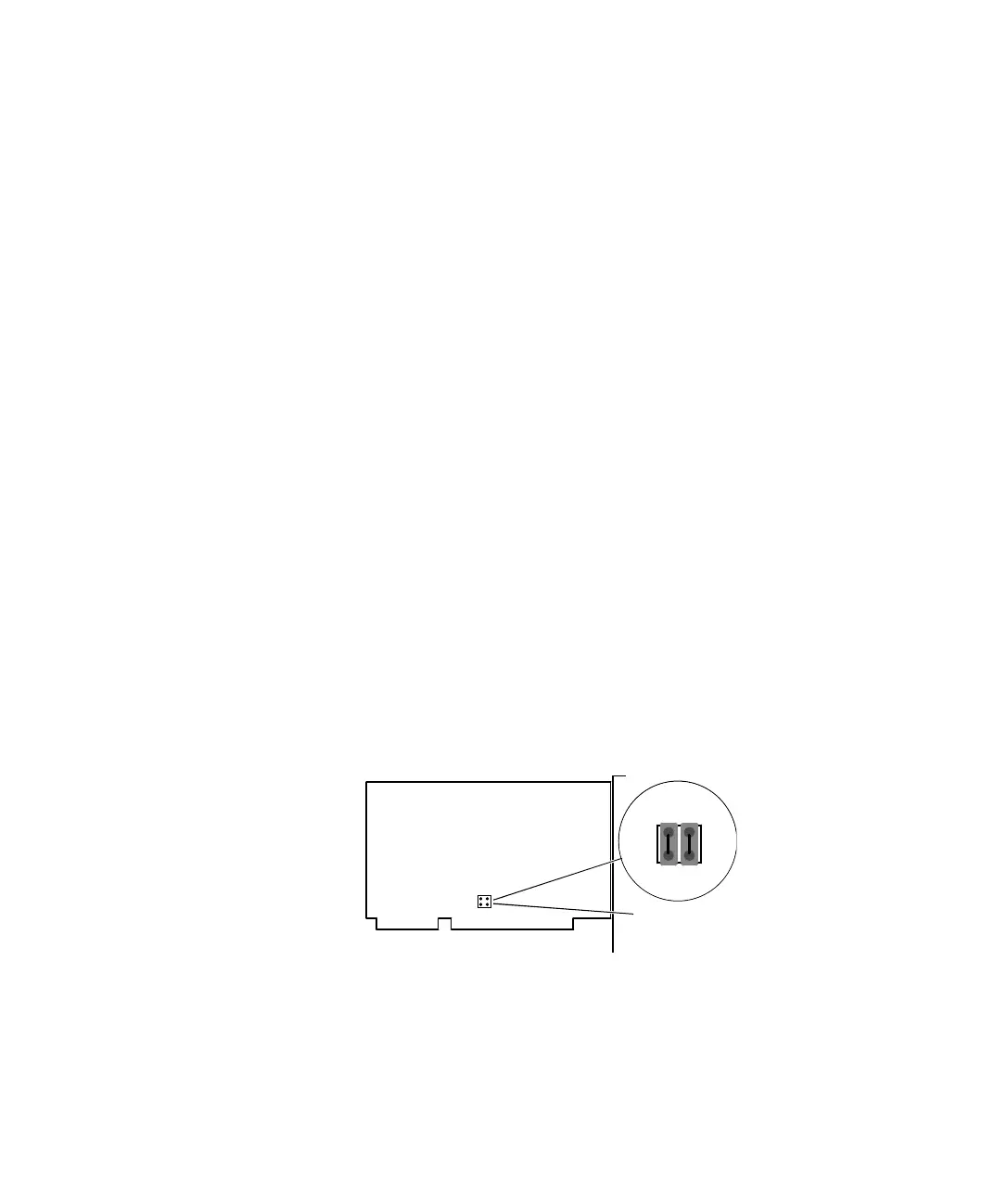
2 Make sure that the boot ROM of the PC card reader is disabled.
You can disable the boot ROM by shorting pins 1 and 2, and pins 3
and 4 via jumpers on the PC card reader.
For further instructions, refer to the PC Card Reader User’s Manual.
3 Remove the cover of the expansion box.
4 Insert the PC card reader into an empty slot, and fix it to the
mounting bracket with the screw.
1
2
3
4
Jumpers (JP3)


 To Next Page
 Loading...

