Operation - Starting
ICA134-3EN2.pdf 2012-04-13
Instruments and lamps - Checking
2
22
1
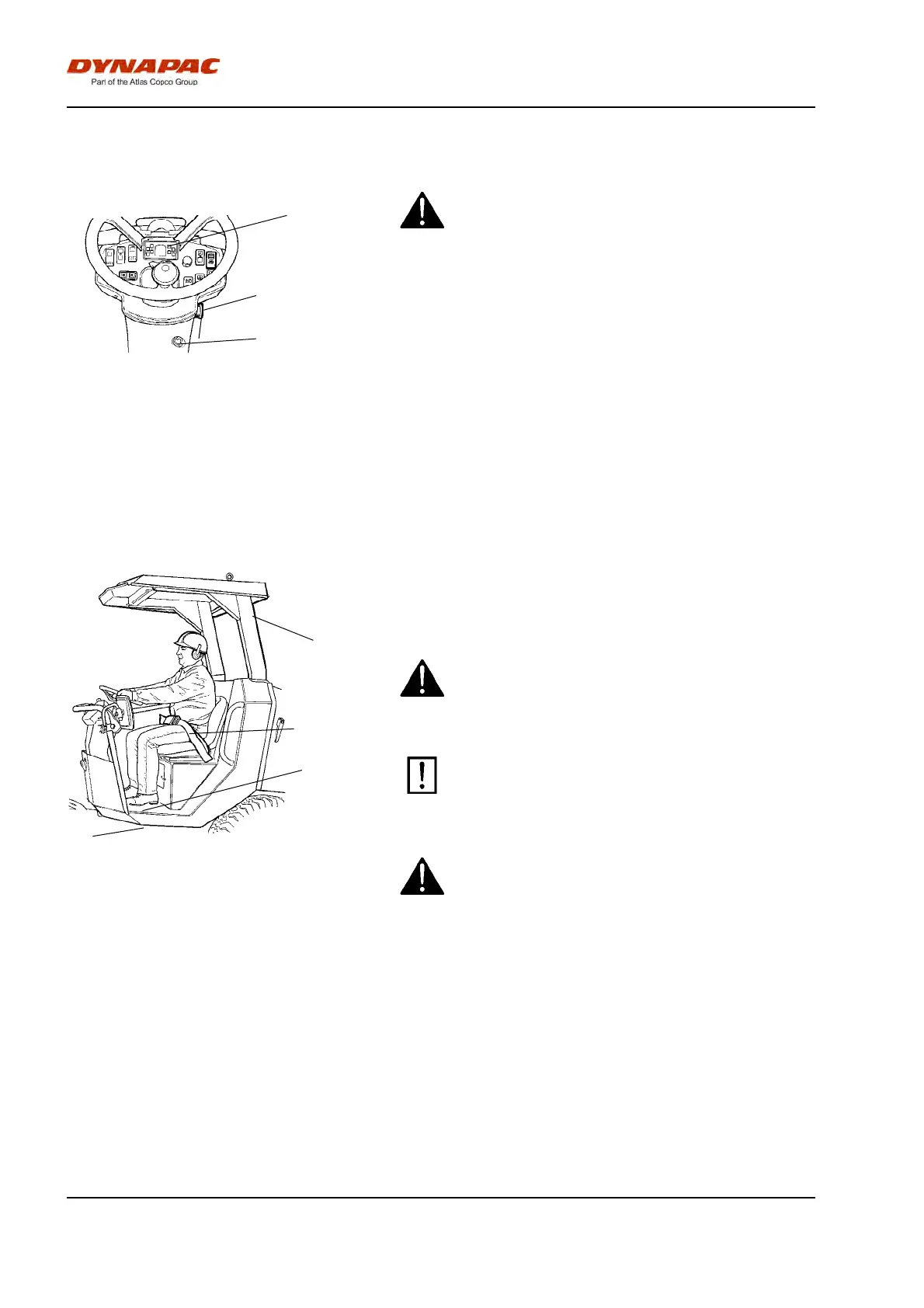
Fig. Instrument panel
1. Starter switch
2. Emergency stop
22. Warning panel
Make sure that the emergency stop (2) is pulled
out. When the roller is in neutral or there is no load
on the operator seat, the automatic brake function
is engaged.
Make sure that the emergency stop (2) is pulled
out. When the roller is in neutral or there is no load
on the operator seat, the automatic brake function
is engaged.
Pull out the emergency stop (2).
Turn the switch (1) to position 3a.
Check that the warning lamps in the warning panel
(22) come on.
Operator position
1
3
2
4
Fig. Driver's seat
1. Seat belt
2. ROPS
3. Rubber element
4. Anti-slip
If a ROPS (2) (Roll Over Protective Structure) is fitted
on the roller, always wear the seat belt (1) provided
and wear a protective helmet.
Replace the seat belt (1) if it shows signs of
wear or has been subjected to high levels of
force.
Replace the seat belt (1) if it shows signs of
wear or has been subjected to high levels of
force.
Check that the rubber elements (3) on the
platform are intact. Worn elements will impair
comfort.
Check that the rubber elements (3) on the
platform are intact. Worn elements will impair
comfort.
Ensure that the anti-slip (4) on the platform is in
good condition. Replace where anti-slip friction is
poor.
Ensure that the anti-slip (4) on the platform is in
good condition. Replace where anti-slip friction is
poor.
40


 To Next Page