113
support@edgeovens.com
Technical Support: +1 (724) 628 3050
SERVICE
SERVICE MENU
ACCESSING THE SERVICE MENU
The SERVICE level SETTINGS MENU provides access to:
• Model Type
• Belt MIN/MAX Times and Adjustment
• Temperature MIN/MAX and Cool Down Procedure
MANUAL
470°F
F-L►R
06:00
R-L►R
04:30
MODEL
✔
✖
6
7
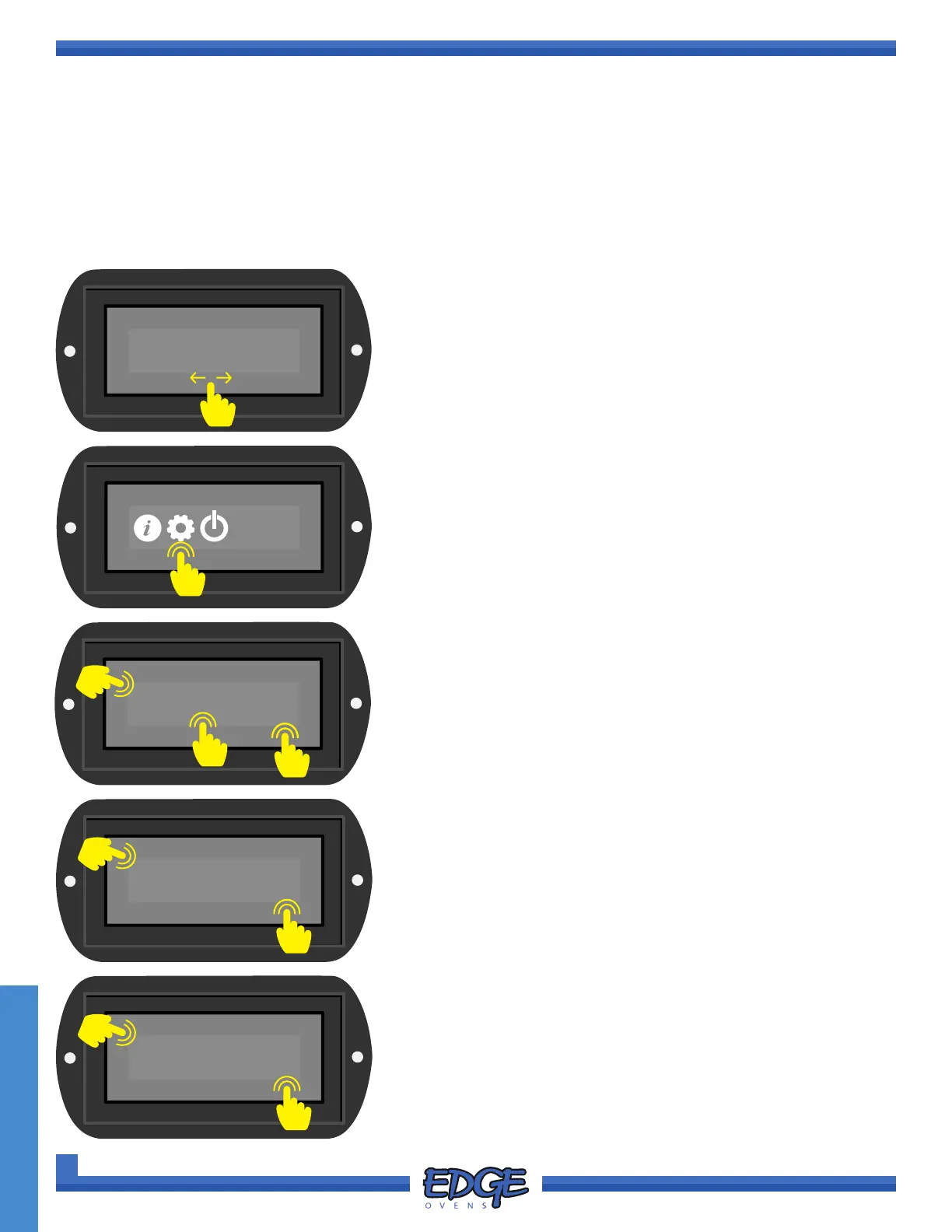
3. When prompted, enter the Factory PIN, the code for which is
6453. Touch the tick (✔) icon to conrm.
To ENTER the Service PIN:
a. Touch the digit you wish to adjust.
b. Adjust the value by using the UP () and DOWN () arrows
on the right hand side of the screen (numerical value 0-9).
c. Once the PIN has been entered correctly, press the tick (✔)
icon to accept or the cross (✖) icon to cancel.
4. Use the UP () or DOWN () arrows to navigate to the desired
operator level. The Service PIN will grant access to both
CUSTOMER and SERVICE level options.
5. Touch the tick (✔) icon to conrm selection.
SERVICE
✔
✖
4
5
6. Use the UP () or DOWN () arrows to navigate to the desired
option.
7. Touch the tick (✔) icon to conrm selection.
1. To access the SERVICE MENU swipe the screen to change to
the SYSTEM MENU screen.
2. Touch the GEAR icon to navigate to the SETTINGS MENU.
• Bypass Activation Temperature
• Belt/Burner and Circular Fan Isolation
• Oven Conguration Download and Upload
This menu is protected by the Service PIN, the code for which is 6453.
6453
✔
✖
B
A
C
1
2



 To Next Page