42
support@edgeovens.com Technical Support: +1 (724) 628 3050
INSTALLATION
END PANEL BAFFLES, when installed, lower the height of the
oven mouth opening. Installing the end panel bafes prevents
unnecessary heat escape which reduces energy usage and
keeps the environment around the oven cooler.
END PANEL BAFFLES (OPTIONAL)
OVEN ASSEMBLY
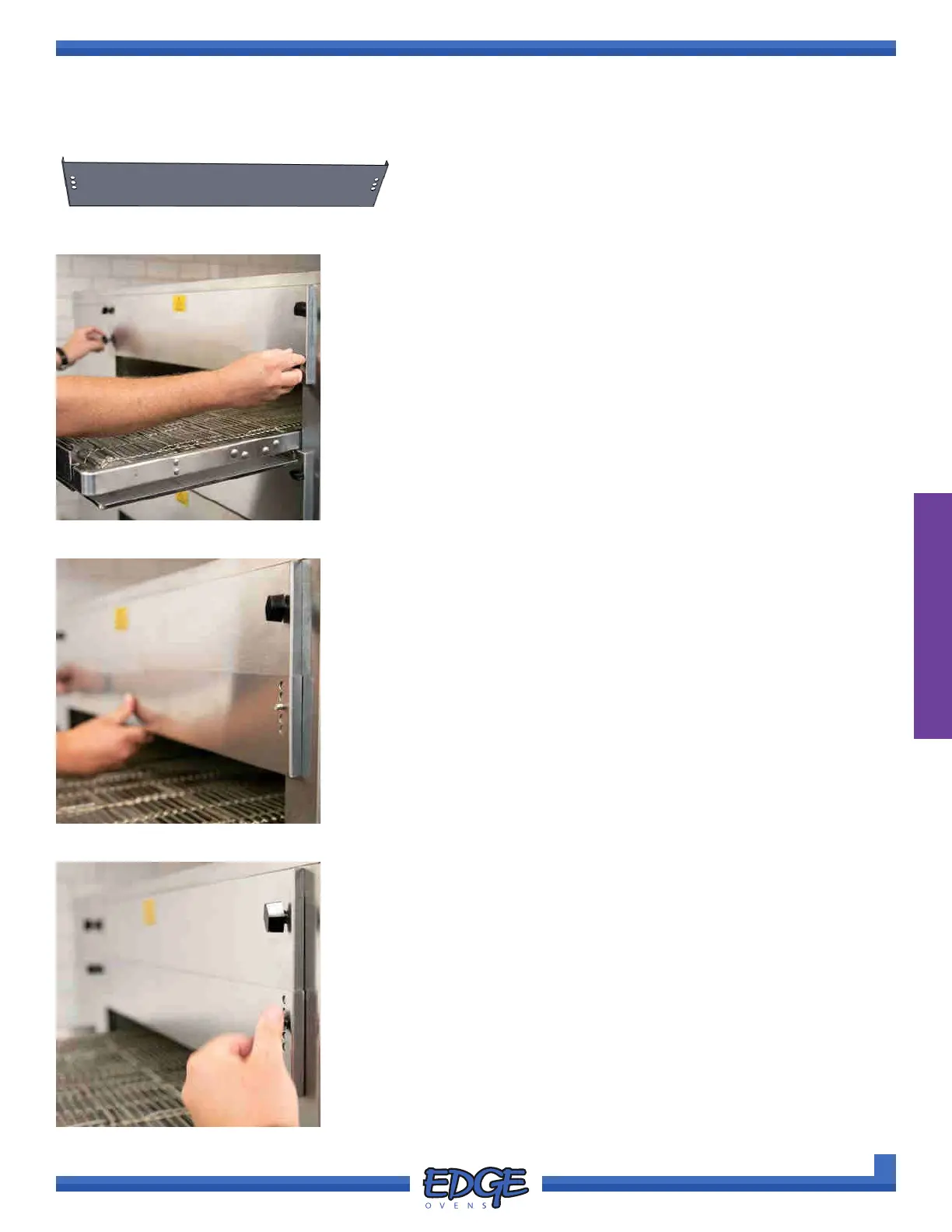
1. Remove the END PANEL BAFFLES from supplied hardware pack.
2. Begin by removing the two (2) lower wingnuts from the TOP end
panels, leaving the two (2) top wingnuts in place. (Figure 2-96)
FIGURE 2-96
3. Install the END PANEL BAFFLE at the desired height. (Figure 2-97)
FIGURE 2-97
4. Install the previously removed wingnuts to secure in place. DO NOT
over tighten the wingnuts. (Figure 2-98)
5. Repeat process for the opposing oven side.
FIGURE 2-98



 To Next Page