70
support@edgeovens.com Technical Support: +1 (724) 628 3050
PREFACEOPERATION
SERVICE
OVEN OPERATION
ADVANCED OPERATION (CONTINUED)
EDITING A SAVED RECIPE
1. To EDIT a RECIPE, ensure the recipe you wish to edit is active
(see SELECTING A SAVED RECIPE OR MANUAL MODE for
instruction of how to do so). Touch and HOLD the RECIPE
name space above the displayed temperature until the PIN code
entry screen appears.
2. Follow steps 4 to 9 of the “CREATING A NEW RECIPE” section
to make the required adjustments.
3. Once completed your edited recipe will remain active.
PIZZA
475°F
F-L►R
05:45
60.0Hz
DELETING A SAVED RECIPE
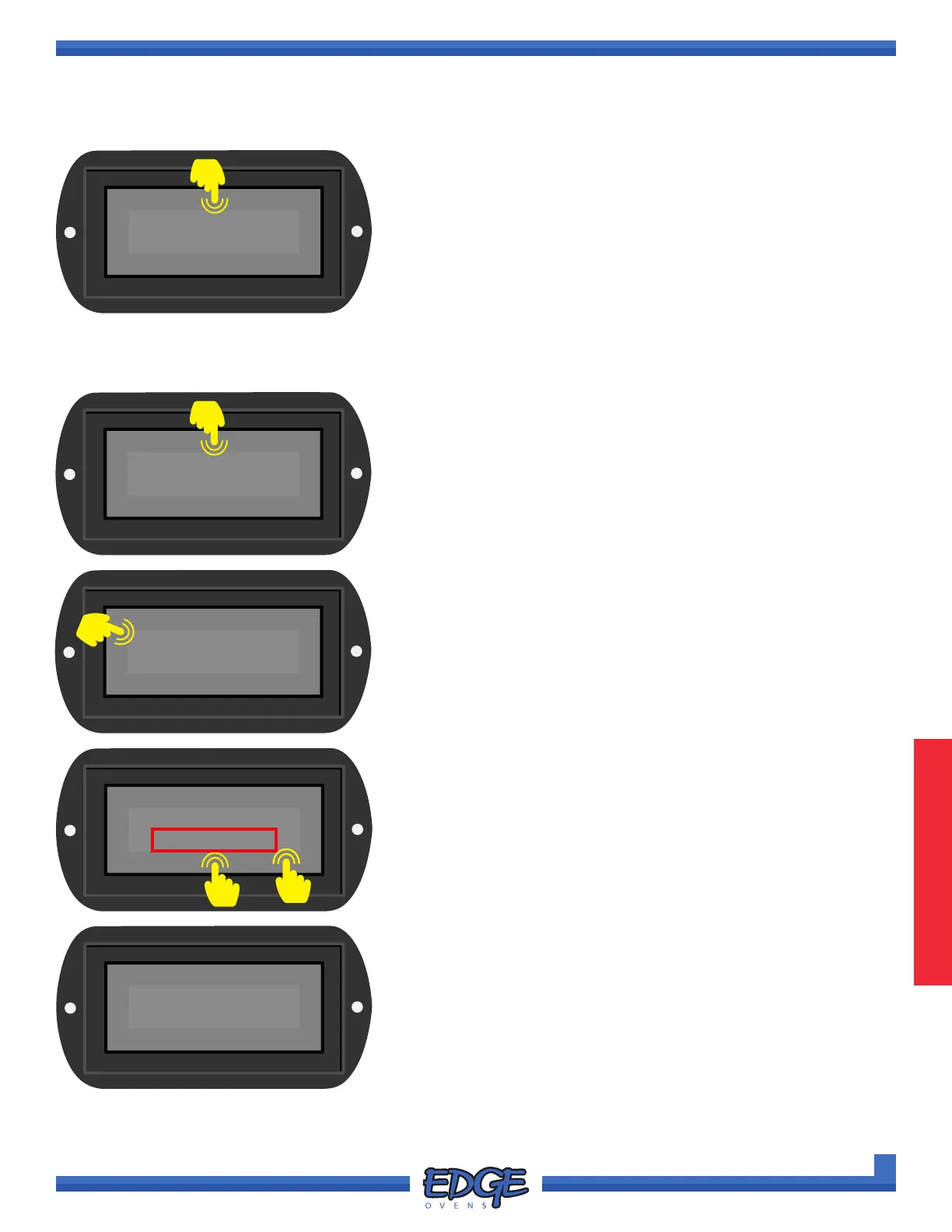
1. To DELETE a RECIPE, ensure the recipe you wish to edit
is active (see SELECTING A SAVED RECIPE OR MANUAL
MODE for instruction of how to do so). Touch and HOLD the
RECIPE name space above the displayed temperature until the
PIN code entry screen appears.
PIZZA
475°F
F-L►R
05:45
60.0Hz
0000
✔
✖
2. When prompted, enter the Customer PIN, default value is 0000.
Touch the tick (✔) icon to conrm.
✔
✖
PIZZA
<DEL RCP>
3. To engage the DELETE RECIPE option:
a. Use the UP () or DOWN () arrows to navigate to the
<DEL RCP> option.
b. Touch the <DEL RCP> selection (boxed in RED) to conrm
deletion.
A
B
MANUAL
470°F
F-L►R
06:00
60.0Hz
4. Once deletion has completed the oven will default back to
MANUAL mode.
1
2
1



 To Next Page