67
support@edgeovens.com
Technical Support: +1 (724) 628 3050
OPERATION
OVEN OPERATION
ADVANCED OPERATION
CREATING A NEW RECIPE (FROM MANUAL MODE)
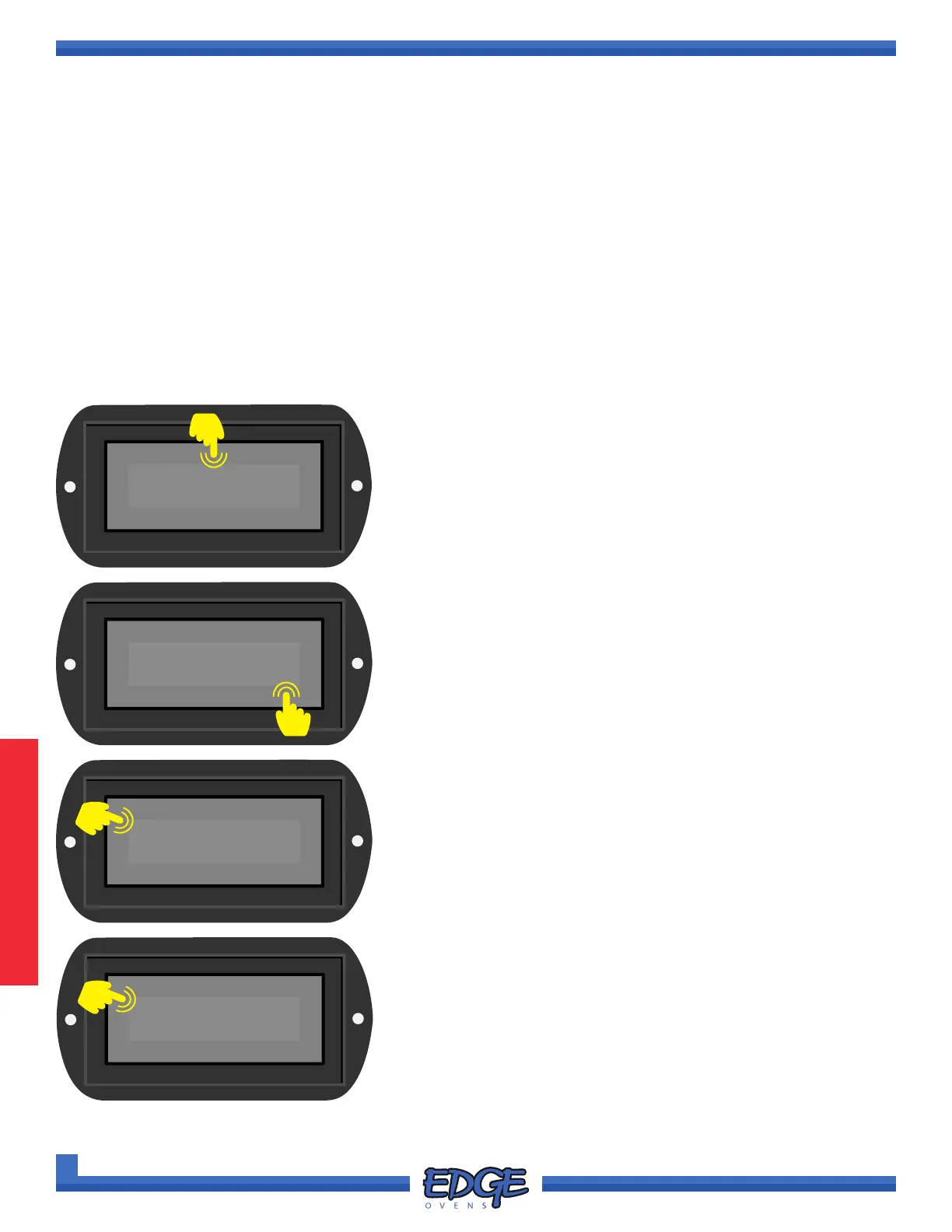
1. Touch and hold the RECIPE name space (when working from
manual mode MANUAL will be displayed) above the displayed
temperature for two (2) seconds and release.
<NEW>
✔
2. Use the UP () or DOWN () arrows to navigate to <NEW>.
3. Touch the tick (✔) icon to conrm selection.
✖
RECIPES
Each oven can store up to 30 recipes. RECIPES allow the oven operator to create, name, save and lock oven
baking parameters, these include bake times, temperature and where the feature is available, main fan speed.
RECIPES can be easily switched by using the user interface (UI) and can be downloaded and uploaded between
different ovens via the USB port on the back of the oven control cabinet.
Once you have nalized your preferred settings in MANUAL mode (see BASIC OPERATION in the previous
section for further details) follow the below instructions to save and create your RECIPE.
MANUAL
470°F
F-L►R
06:00
60.0Hz
MANUAL
✔
✖
0000
✔
✖
4. When prompted to enter the Customer PIN, default value is
0000. Touch the tick (✔) icon to conrm and progress.
1
2
3
4



 To Next Page