65
support@edgeovens.com
Technical Support: +1 (724) 628 3050
OPERATION
06:00
✔
MANUAL
470°F
F-L►R
06:00
BAKE TIME ADJUSTMENT (MANUAL MODE)
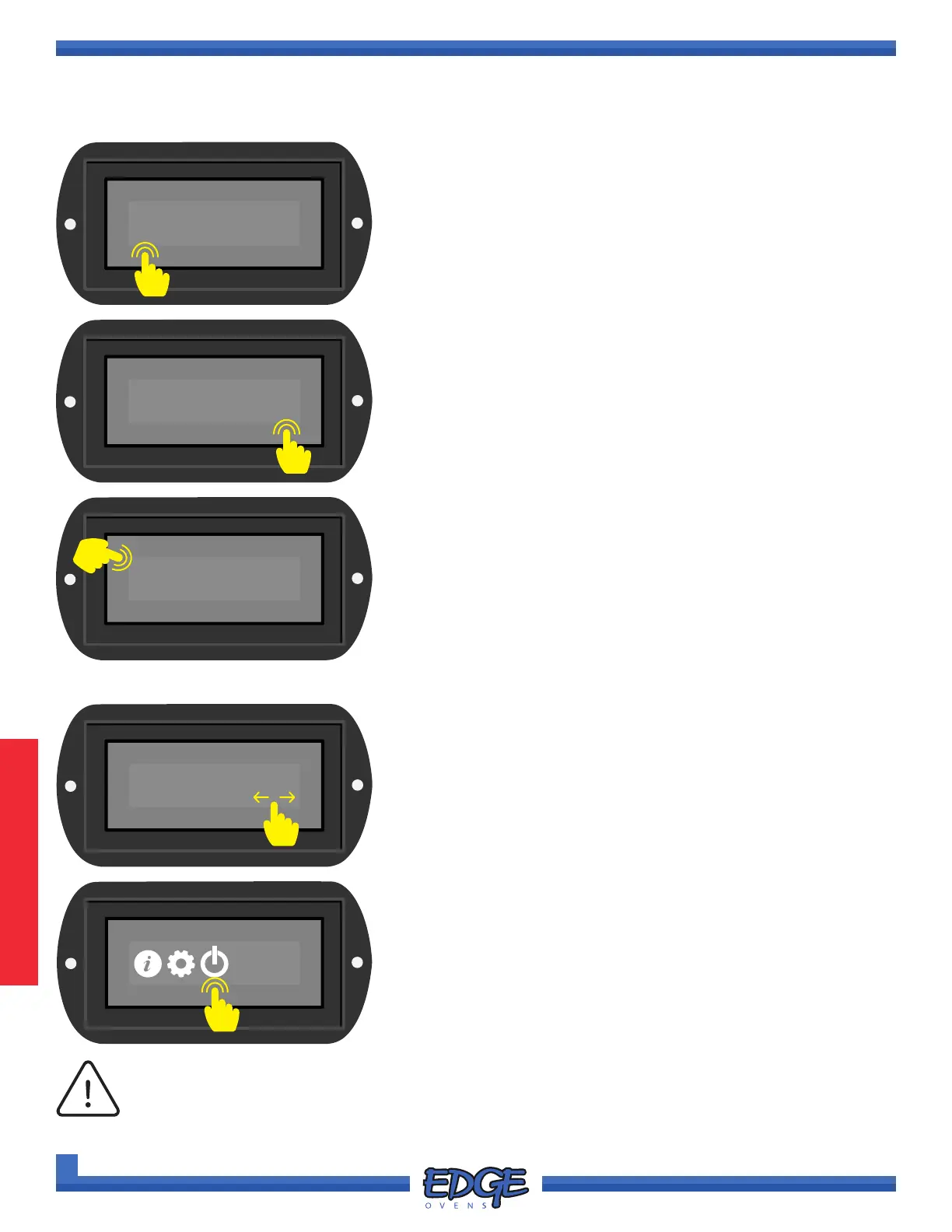
1. Touch the displayed BAKE TIME to access adjustment screen.
✖
05:45
✔
2. Adjust the bake time by using the UP () and DOWN () on
the right hand side of the screen.
3. Conrm you desired bake time by touching the tick (✔) icon.
4. For split-belt ovens, repeat the above process by touching the
additional BAKE TIME option on the opposing side of the screen.
MANUAL
470°F
F-L►R
06:00
POWER DOWN
1. Swipe the screen to change to the SYSTEM MENU screen.
2. Touch the POWER icon for one (1) second to turn your oven OFF.
Alternatively, the MAIN POWER switch can be turned to the OFF
position and the oven will automatically engage the cool down
procedure.
B-L►R
04:30
The oven is equipped with a cool down circuit. The MAIN BLOWER FAN and CONTROL
SYSTEM will remain ON until the oven has cooled to 223°F/106°C. It is important that the
oven completes its cooling procedure to avoid any heat related damage to oven components.
Damaged caused as a result of improper power down WILL NOT be covered under warranty.
NOTICE
OVEN OPERATION
BASIC OPERATION (CONTINUED)
✖
1
2
1
2
3



 To Next Page