63
support@edgeovens.com
Technical Support: +1 (724) 628 3050
OPERATION
OVEN OPERATION
BASIC OPERATION
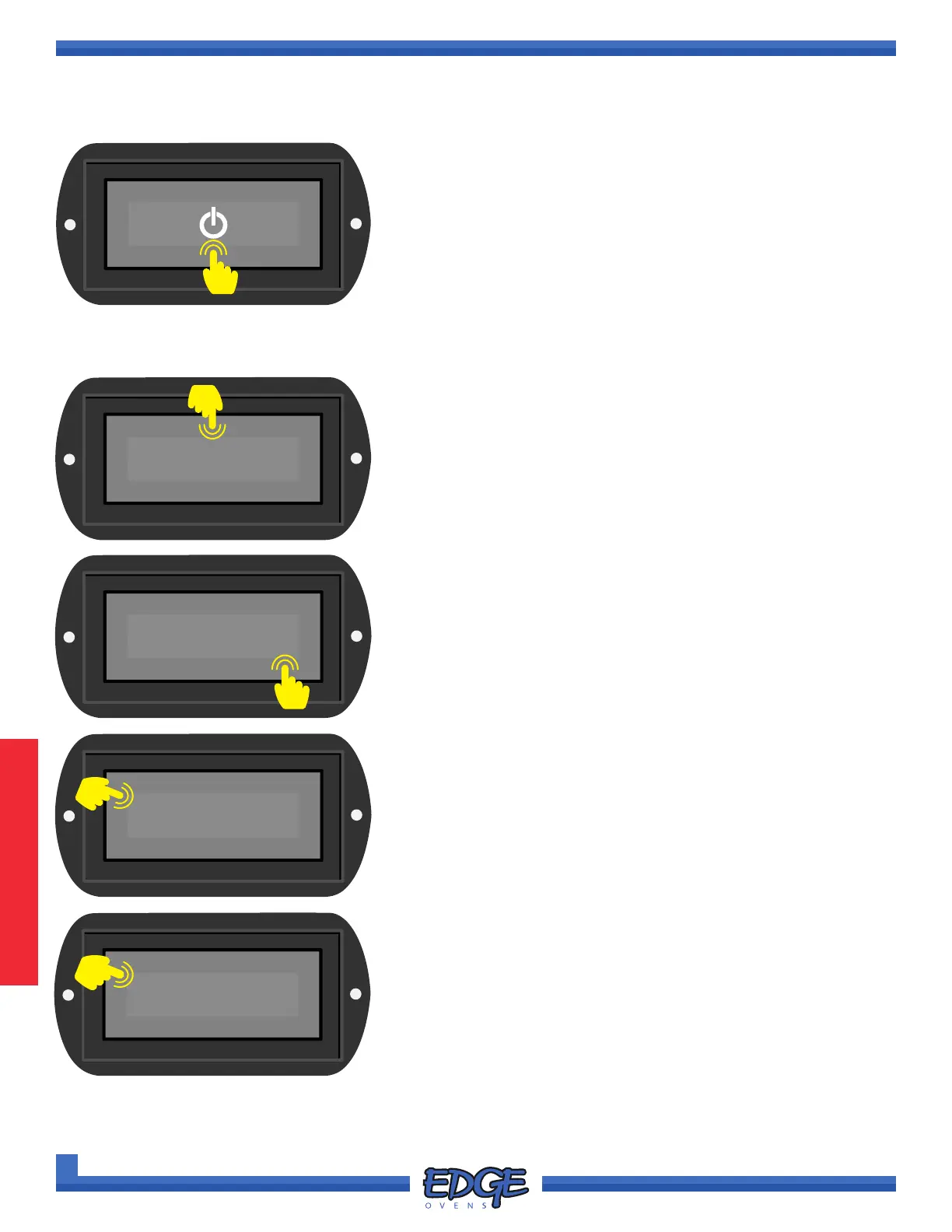
POWER UP YOUR OVEN
1. Turn the MAIN POWER switch to ON. Allow ve (5) seconds for
the system to power up.
2. Touch and hold the POWER icon on the display screen for one
(1) second.
3. Once you oven has reached temperature the SET POINT
REACHED INDICATOR (SP) will be displayed next to the oven
temperature display.
MANUAL MODE
MANUAL operation is needed to actively adjust the TIME and
TEMPERATURE of the oven. This mode is protected by the
Customer PIN, default Customer PIN is 0000.
1. If your oven is not in MANUAL mode touch and hold the
RECIPE name (for example PIZZA) above the displayed
temperature for two (2) seconds and release.
PIZZA
470°F
F-L►R
05:45
PIZZA
✔
✖
2. Use the UP () and DOWN () arrows to navigate to
MANUAL.
0000
✔
✖
4. You will be prompted to enter the Customer PIN, default value
is 0000. Touch the tick (✔) icon to conrm and return to the
main OPERATING screen.
MANUAL
✔
✖
3. Touch the tick (✔) icon to conrm selection.
SP
4
3
2
1
2



 To Next Page