CONFIGURING THE SURVEILLANCE SOFTWARE
NETWORK CAMERA CONFIGURATION OPTIONS
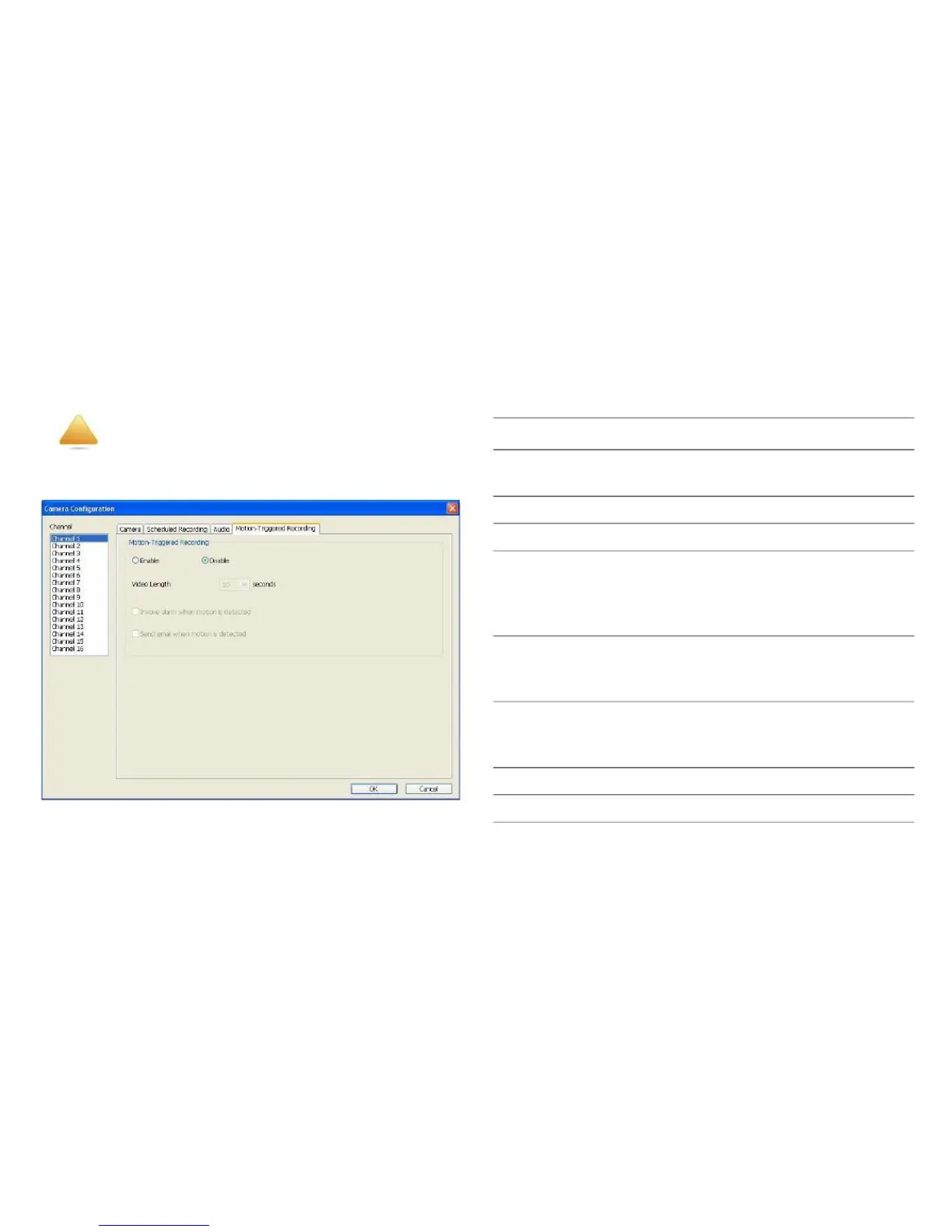
Motion-Triggered Recording
disk storage space on images you don‟t need to pay atten-
tion to.
Select the channel number you wish to
set.
Enable the motion record feature.
Disable the motion record feature.
Select from the dropdown menu the
time duration in seconds that the cam-
era will record when motion has been
detected.
Send an alarm when motion has been
detected by the camera.
Send an email to a pre-defined address
when motion has been detected by the
camera.
Save settings in this tab.
Discard all changes in this tab.
WARNING!
For applications where security is of primary
importance, it is not recommended to use this
feature.
Invoke alarm
when motion is
detected
Send mail when
motion is
detected
With this feature activated, only motions captured by the
camera will be recorded, so you don‟t have to waste hard



 To Next Page