CONFIGURING THE SURVEILLANCE SOFTWARE
INSTALLING THE 16-CHANNEL VIEWER SOFTWARE
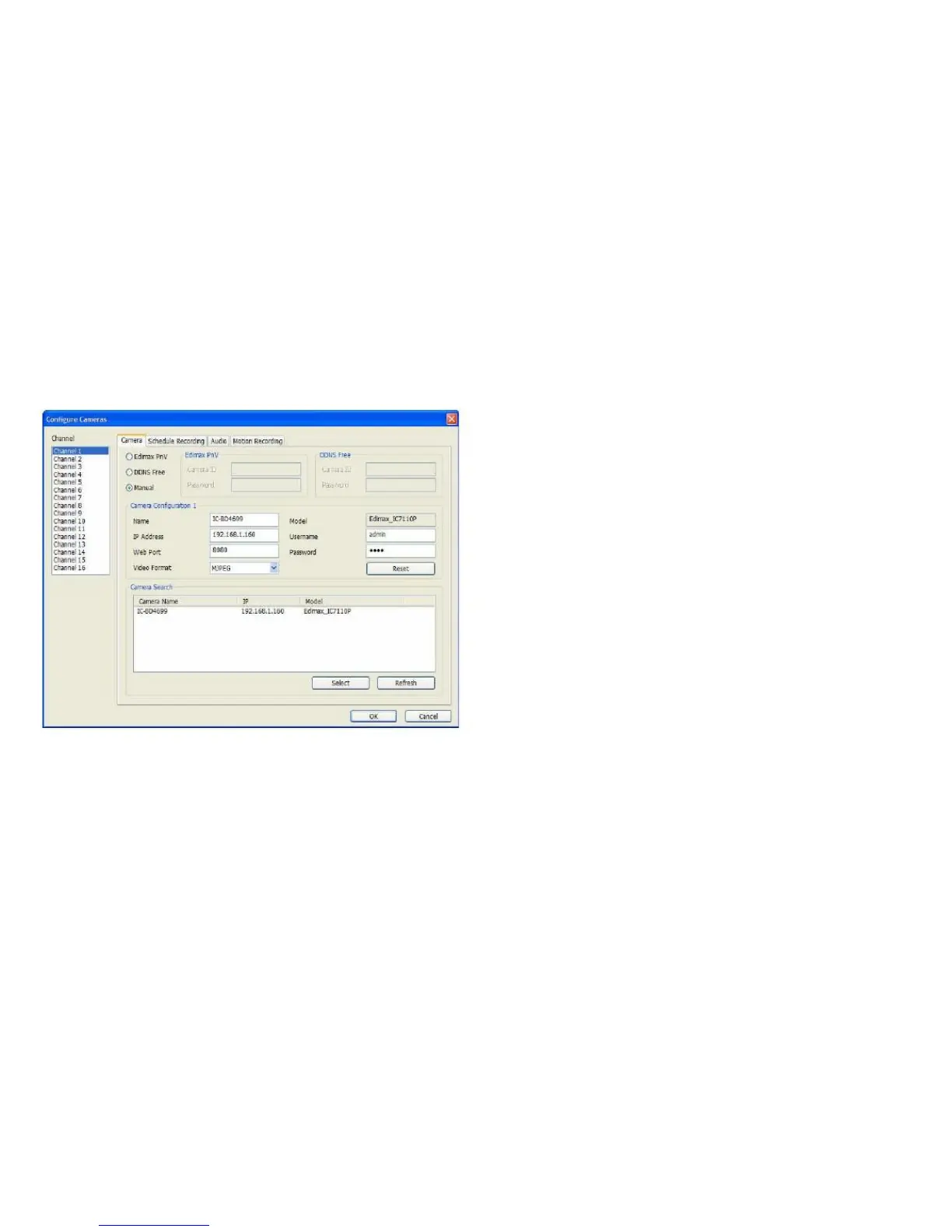
2. Click Configure Cameras to show the configuration
screen.
Alternatively, click on a camera in the Camera Search
box and click Select to automatically enter the infor-
mation for that camera into the relevant fields. How-
ever, in the event the software cannot detect the
network camera on the LAN automatically, you will
have to enter the settings manually.
7. Click OK to save the changes or Cancel to discard.
3. Select a Channel from one to sixteen.
4. Select the Camera tab.
5. Click Manual to select manual mode.
6. In Camera Configuration 1 (where 1 is the name
of the selected camera), enter the following:
Adding a Network Camera on the Cloud in
Edimax PnV Mode
Plug-n-View (PnV) network cameras connect to the cloud
automatically when they're powered on. These cameras can
be accessed from anywhere an Internet connection is avail-



 To Next Page