CONFIGURING THE SURVEILLANCE SOFTWARE
SURVEILLANCE SOFTWARE CONFIGURATION OPTIONS
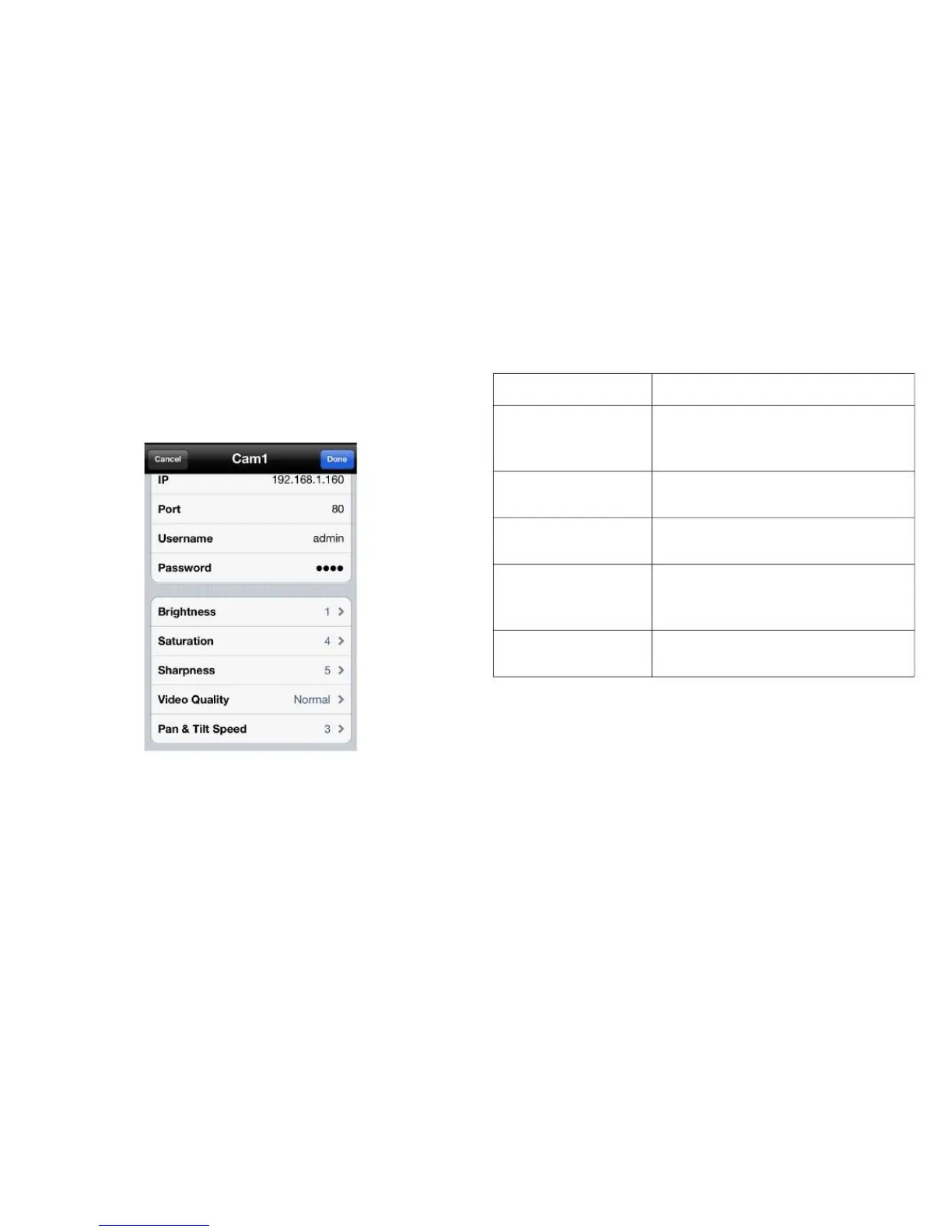
Configuring Video Display Parameters
1. Tap the parameter and enter the new information to
change the video display configuration settings.
Set the brightness level of the
video (1 is darkest and 5 is bright-
est)
Set the saturation level of the video
(1 is lowest and 5 is highest)
Set the sharpness level of the
video (1 is lowest and 5 is highest)
Set the video quality level of the
video (lowest, low, normal, high
and highest)
Set the pan & tilt speed level (1 is
lowest and 5 is highest)
Use a lower video quality when network bandwidth is
low.
2. Tap Done to add the network camera to the camera list
or Cancel to discard changes.



 To Next Page