CONFIGURING THE SURVEILLANCE SOFTWARE
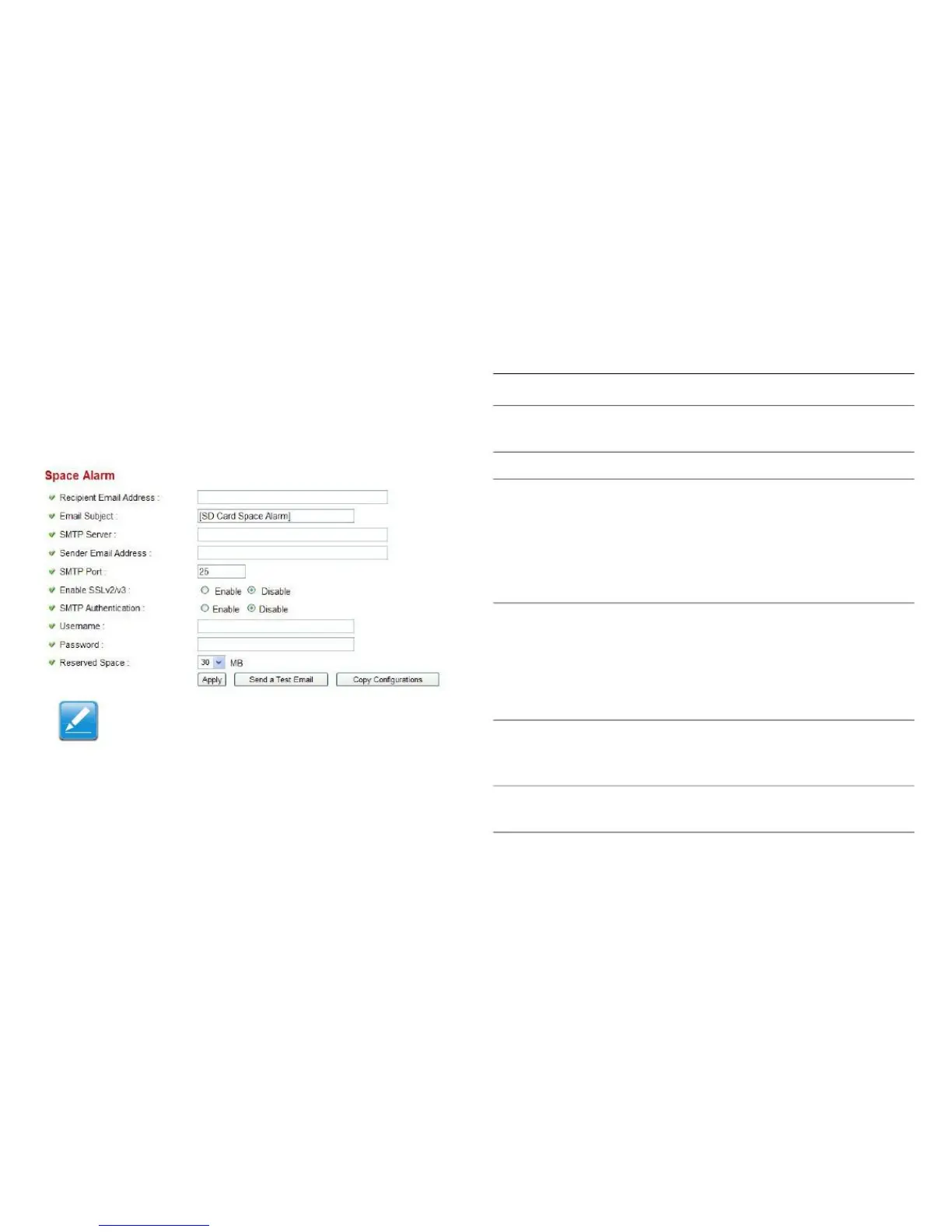
When an SD card is close to full capacity, the camera can
send an alert email.
Enter the recipient's email address.
Enter the subject of the outbound email.
Enter the IP address or host name of
the SMTP server. If you don't know,
please refer to the SMTP server you're
using in your email software, such as
Outlook or Outlook Express, or ask
your network administrator or ISP.
Enter the sender's email address.
Note:
Some mail servers reject emails from
unknown senders. It is recommended
you enter your own email address here.
Enter the port number of the SMTP
server. The default setting (and the set-
ting of most SMTP servers) is 25.
Select Enable if your SMTP server
supports SSLv2/v3.
Note:
If email has been configured in the Motion
Detection section, click Copy Configura-
tions to import the same settings.



 To Next Page