CONFIGURING THE SURVEILLANCE SOFTWARE
INSTALLING THE IOS SURVEILLANCE SOFTWARE
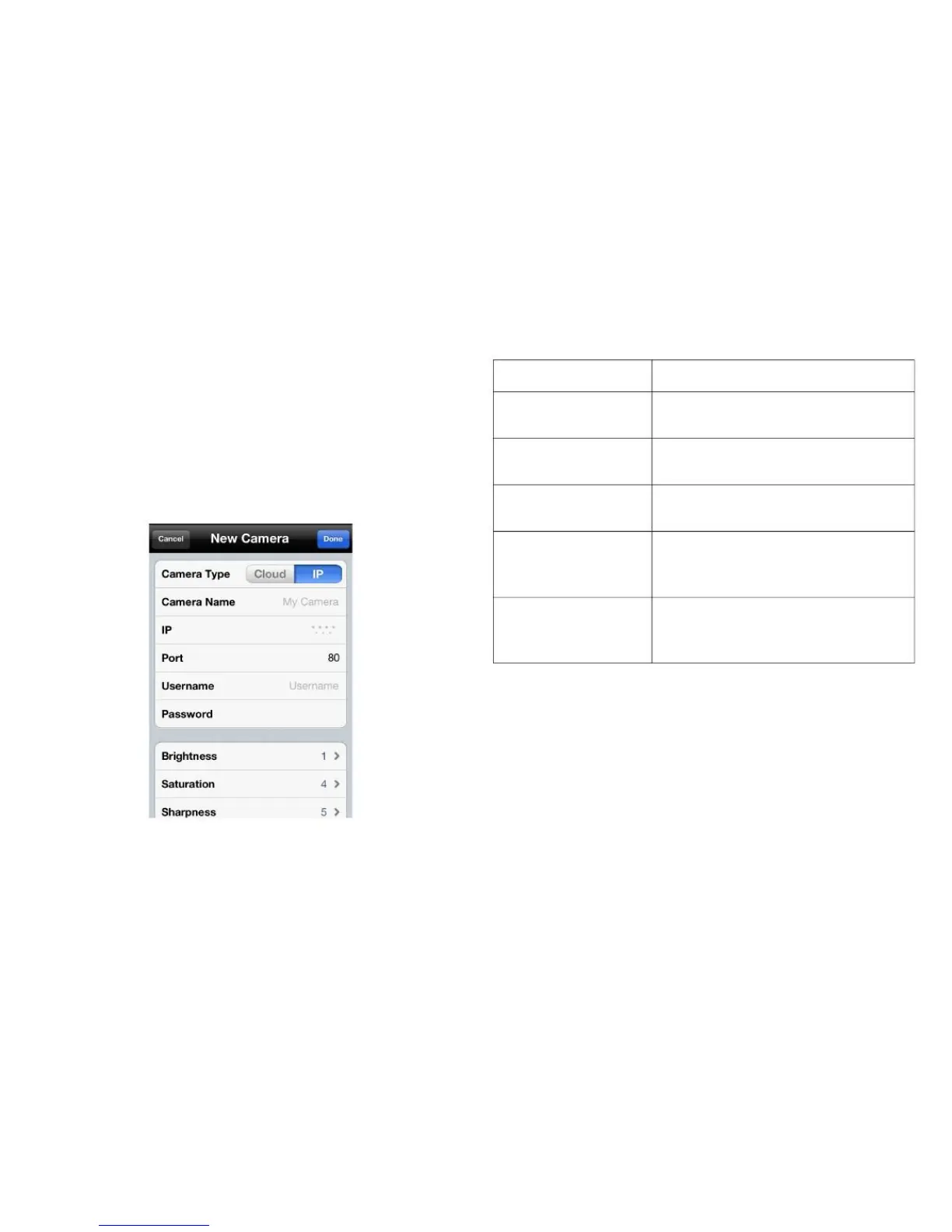
Manually Adding a Network Camera on a LAN
in IP Mode
Cameras added in IP mode can only be accessed on
the local network.
1. Tap the Cloud/IP Mode button to set the mode to IP.
Define a name for the camera that
is displayed in the camera list.
Enter the IP address of a network
camera.
Enter the port number of the cam-
era.
Enter the username of the network
camera. The default value is
admin.
Enter the password to access the
network camera. The default value
is 1234.
3. Tap Done to add the network camera to the camera list.
Tap Cancel to discard changes.
2. Enter information into the following fields:



 To Next Page