CONFIGURING THE SURVEILLANCE SOFTWARE
CONFIGURING MOTION DETECTION
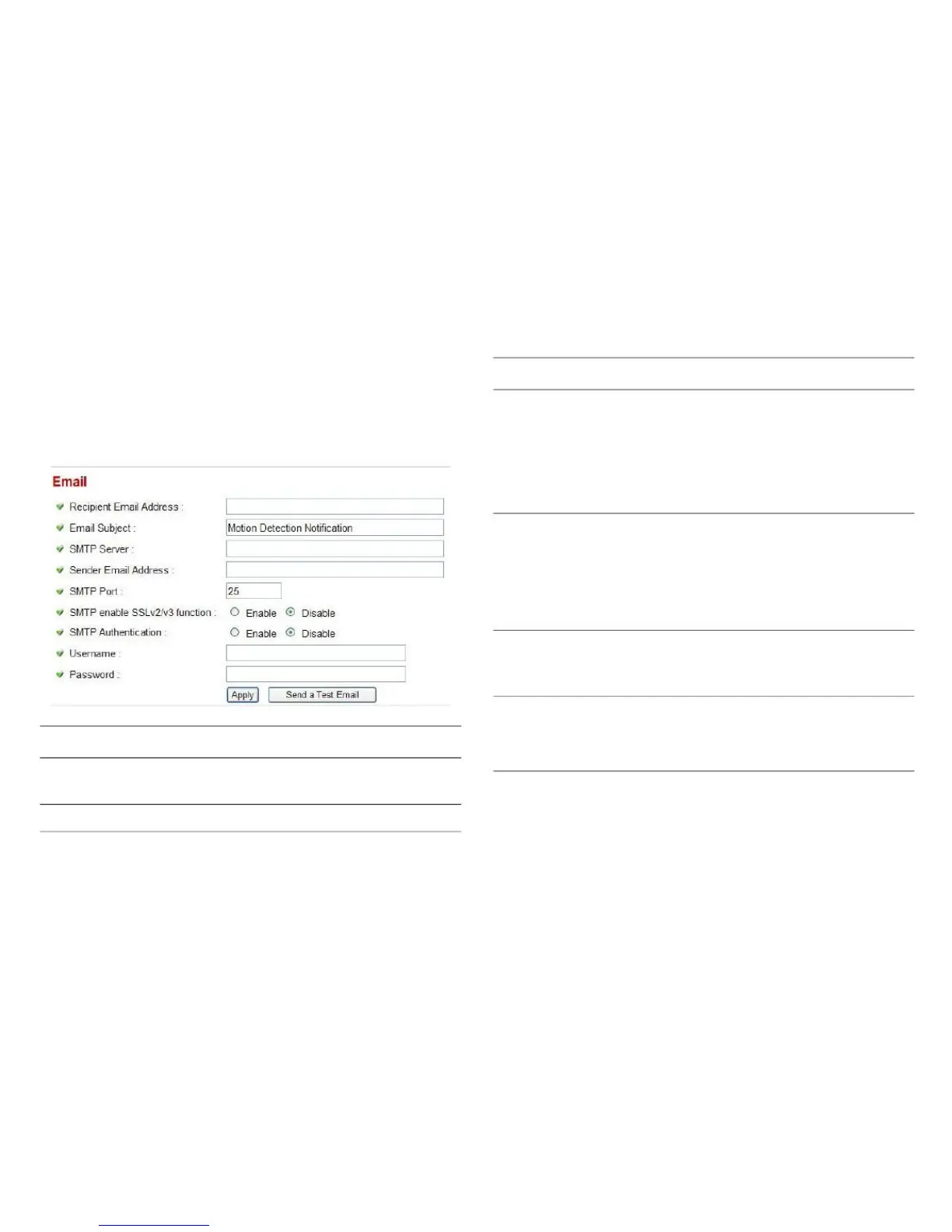
You can define the destination address for sending email as
well as mail server parameters here.
Enter the IP address or host name of
the SMTP server. If you don't know,
please refer to the SMTP server you're
using in your email software, such as
Outlook or Outlook Express, or ask
your network administrator or ISP.
Enter the sender's email address.
Note:
Some mail servers reject emails from
unknown senders. It is recommended
you enter your own email address here.
Enter the port number of the SMTP
server. The default setting (and the set-
ting of most SMTP servers) is 25.
Select Enable if your SMTP server
supports SSLv2/v3.
Enter the recipient's email address.
Enter the subject of the outbound email.



 To Next Page