Installation 2-7
IQ 2000/5000 Installation Manual
IQ-5000
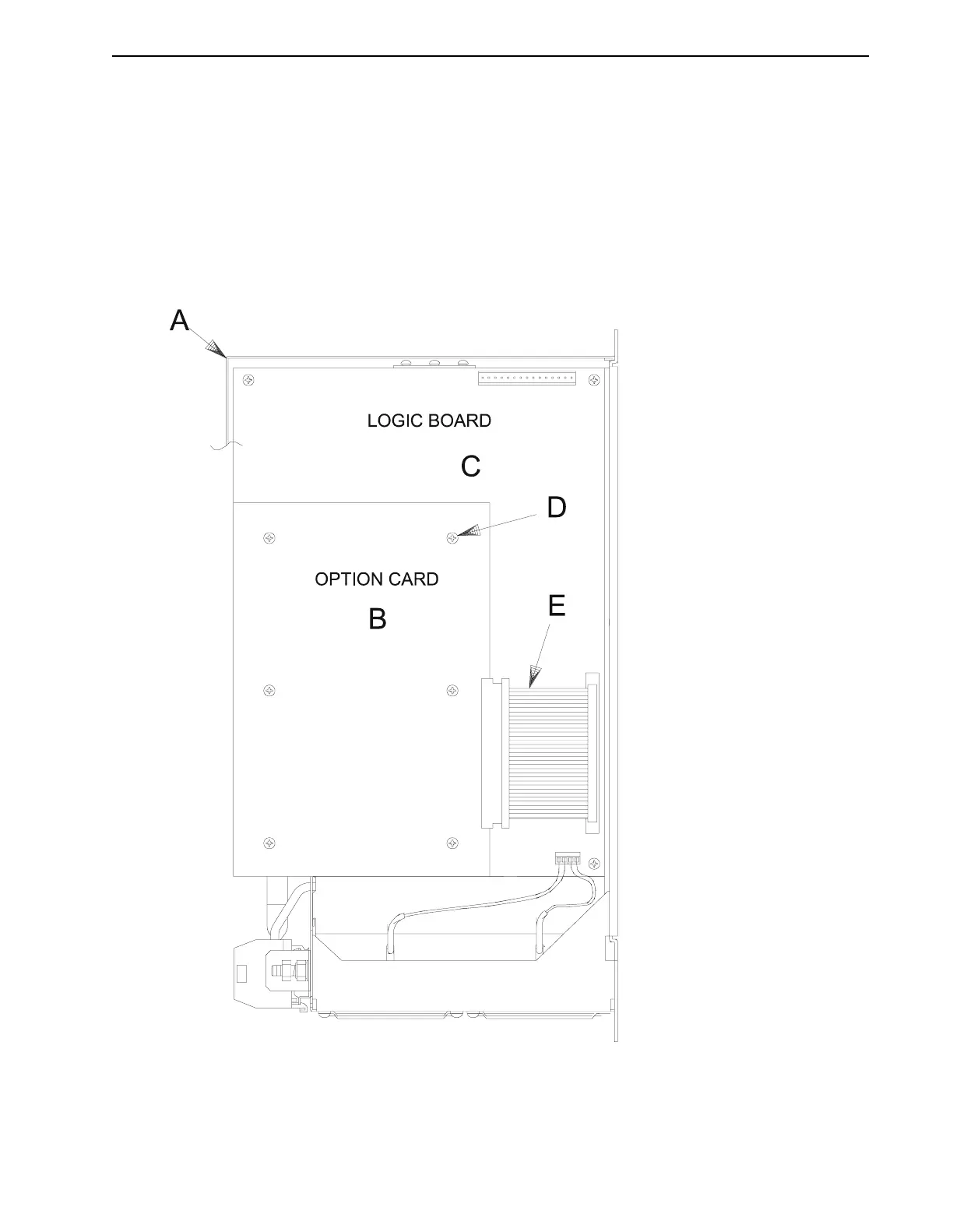
Figure 2.5 illustrates the IQ-5000 option card. Follow these steps to install the card on the PDM
logic board:
1. Remove cover
A
from drive module. From inside the cover, remove the filler panel and
its two mounting nuts.
2. Install option card
B
onto IQ-5000 logic board
C
, using screws
D
.
3. Install ribbon cable
E
between logic board and option card.
4. Install cover
A
back onto drive module.
FIGURE 2.5 IQ-5000 Option Card Installation
NOTE:
Mating connectors are provided with the option card for
customer connections to the option card connectors.


 To Next Page