IQ 2000/5000 Installation Manual
CHAPTER 5: Diagnostics/Troubleshooting
The IQ 2000/5000 system is designed to provide troubleshooting aids that help isolate any
problems to a “module” in the system. A module may be incoming power, PSM (IQ-5000 only),
PDM, Personality Module, motor and encoder, cables, or the mechanical system. The IQ 2000/
5000 circuitry is designed to prevent problems in any one module from damaging any other
module. The modular package allows very simple field replacement. If a PDM is replaced, the
personality module is transferred to the replacement module and all programs, parameters, and
other information are moved to the new PDM. The Personality Module, system firmware, and
fuses are the only field replaceable items in the system.
Maintenance of the IQ 2000/5000 system is virtually unnecessary. The primary consideration
is to ensure that the fans are operational and PDM is operated in a properly sized and ventilated
enclosure with proper fusing.
Light Emitting Diodes (LED)
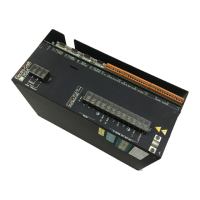
The PDM and PSM each have LEDs on the front. These LEDs provide a first level of diagnostics.
Positioning Drive Module STATUS LED
All PDMs have a STATUS LED on the top, front, right hand corner. This LED may appear green,
red, or opaque (OFF).
Green
The LED on the IQ 2000/5000 PDM indicates the present status of the PDM. During normal
operation, when no fault conditions exist, this LED is green. This LED turns red to indicate that
the PDM has detected a fault.
Red
If a fault is detected, the LED turning red indicates there is a fault in the system. This does not
indicate that the PDM should be replaced immediately; many fault conditions are caused by
problems external to the PDM. The specific fault information is available from the serial ports.
Fault messages are displayed on the operator terminal screen if the operator terminal is present.
The LED labeled SYS FAULT on the operator terminal also will turn on (red) to indicate that a
fault has occurred.
Opaque (OFF)
When power to the PDM is off, the STATUS LED is not lit and is opaque. If the PDM DC BUS
LED is ON and the STATUS LED is OFF, there may be a failure in the logic power supply.
DC Bus Power (IQ-2000)
Above terminal block 1 is a DC BUS LED. This LED indicates that the DC Bus is charged.


 To Next Page