Diagnostics/Troubleshooting 5-3
IQ 2000/5000 Installation Manual
Personality Module Default Initialization
An inoperable NVRAM may be recovered by initializing the PM to the factory default settings.
This command zeroes the NVRAM and performs a series of NVRAM integrity tests before
installing factory default NVRAM settings.
NOTE:
This selection erases the existing Personality Module parameters and motion programs. If the
PM was programmed, be prepared to restore the PM settings and motion programs from your
backup files. Refer to Chapter 4, “Applying Power for the First Time” to initialize the PM with
drive and motor data and the IQ Master Instruction Manual, Chapter 2,
File menu > Save Program to IQ (F7).
To reinitialize a Personality Module to the factory default settings perform the following:
1. Select Initialize PM from the File menu. The Initialize Personality Module window will
appear.
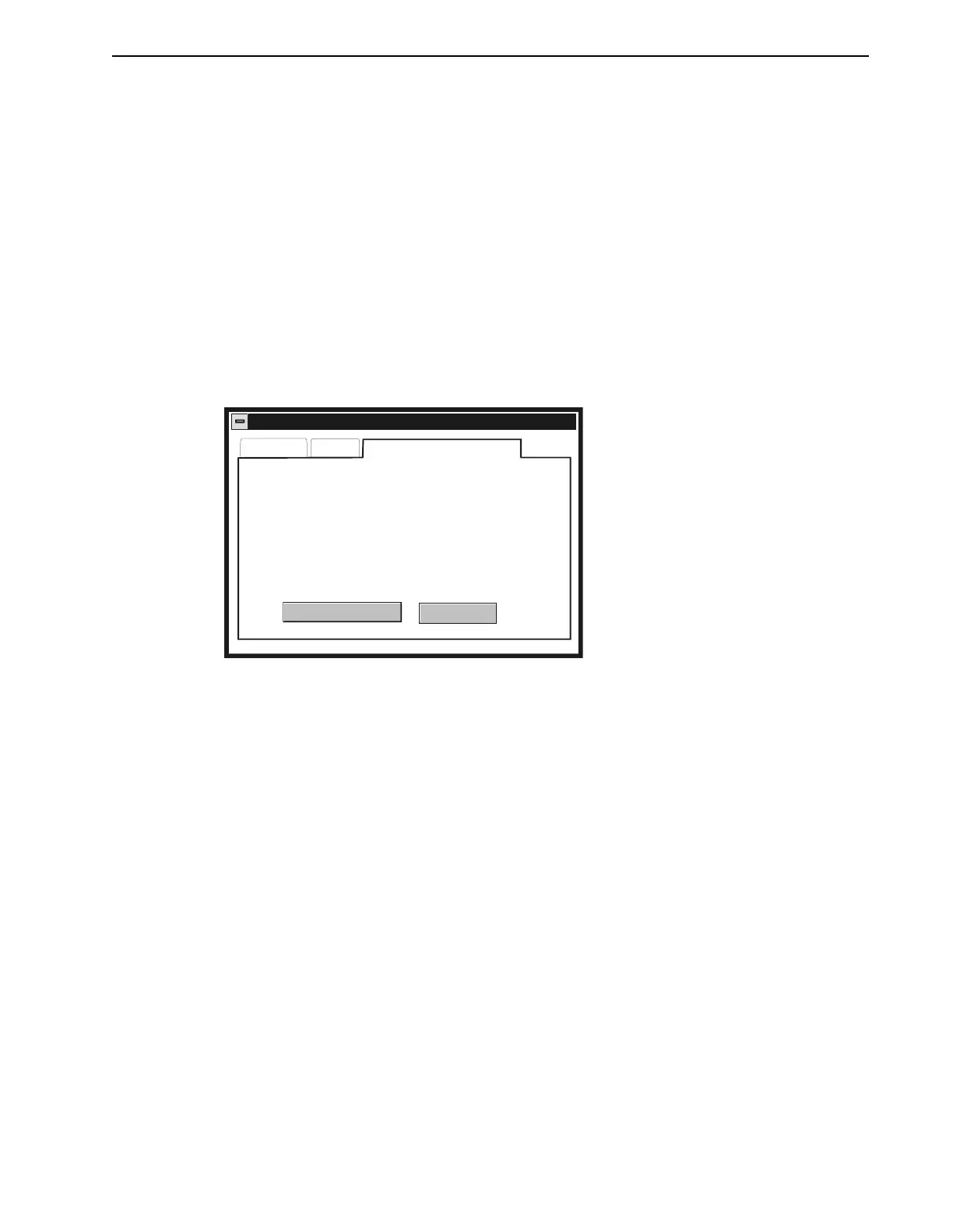
2. Click the Factory Default Initialization tab to display the window in Figure 5.1.
3. Click the Factory Initialize PM button to initialize the PM. The Percent Complete indica-
tor displays the status of the initialization.
Error Messages and Error Output (08)
If there is a fault, IQ Master can provide specific error messages. If a personal computer running
IQ Master is connected to the P6 connector, the error message can be displayed in the Monitor
menu, Status dialog box. The error messages are also displayed on the optional Operator
Terminal.
The Error output may be disabled and used as a general purpose output. Therefore, this output
may not be available for diagnostic purposes. The remainder of the discussion about the Error
output assumes that output 8 is assigned as the Error output. The output can be assigned in the
Parameter menu, Outputs dialog box of IQ Master. Refer to the IQ Master Instruction Manual,
Chapter 2, Parameter menu > Outputs for more information.
The Error output becomes active whenever the IQ detects a fault. The IQ will not begin to execute
motion programs while a fault is present. After removing the cause of the fault, toggling the
ENABLE input OFF and back ON, or issuing a RESET command will clear the fault and allow
execution of motion programs. Some faults, however, can only be cleared by an HRESET com-
mand. These faults include numbers 42, 45–54, 68, 69, 73, and 74. Refer to Table 5.3 for a
description of each fault.
FIGURE 5.1 Initialize Personality Module window
Initialize Personality Module
IQ Series
WARNING
All personality module information, parameters, and
programs residing in the IQ are PERMANENTLY
REMOVED by this operation. If you wish to save
he existing personality module data, choose Close
and perform a file transfer.
Percent complete: 0%
IQ 550
Factory Default Initialization
Factory Initialize PM
Close


 To Next Page