131
ELSPEC
G
G
4
4
K
K
F
F
i
i
x
x
e
e
d
d
P
P
o
o
w
w
e
e
r
r
Q
Q
u
u
a
a
l
l
i
i
t
t
y
y
A
A
n
n
a
a
l
l
y
y
z
z
e
e
r
r
U
U
S
S
E
E
R
R
&
&
I
I
N
N
S
S
T
T
A
A
L
L
L
L
A
A
T
T
I
I
O
O
N
N
G
G
U
U
I
I
D
D
E
E
The Start Time field sh ows t he la st time t he compliance en gine was
restarted. T he e ntire s tate & o bservation w indow h istory is s tored o n t he
internal non-volatile memory, so even after powering down; the Engine will
continue it s ev aluation & m aintain all i ndications. ( Start t ime r emains
unchanged after device powered up.)
The Window Time On/Off fields s pecify h ow m uch aggregated t ime is
already in the o bservation w indow. ON refers t o t he ag gregated w indow
time the d evice was p owered on & OFF refers t o the a mount of w indow
time the device p ower w as o ff. T he f ormat pr esented i s [D ays: H ours:
Minutes: Seconds]. Ideally the OFF time is all zeroes & the ON time is 7 days
(which is t he t ypical f ull o bservation p eriod in m ost o f t he c ompliance
types). Once the observation window reaches 7 days, it will start to slide in
steps o f 2 h ours. S liding m eans t he in formation f rom the o ldest 2 h ours i s
being dr opped, w here a n ew u p-to-date 2 -hour interval is b eing u sed f or
calculations.
The Measurement Flag field in dicates w hether t here is a p ower q uality
event such as a DIP/SWELL or INTERRUPTION at the moment.
NOTE NOTE NOTE
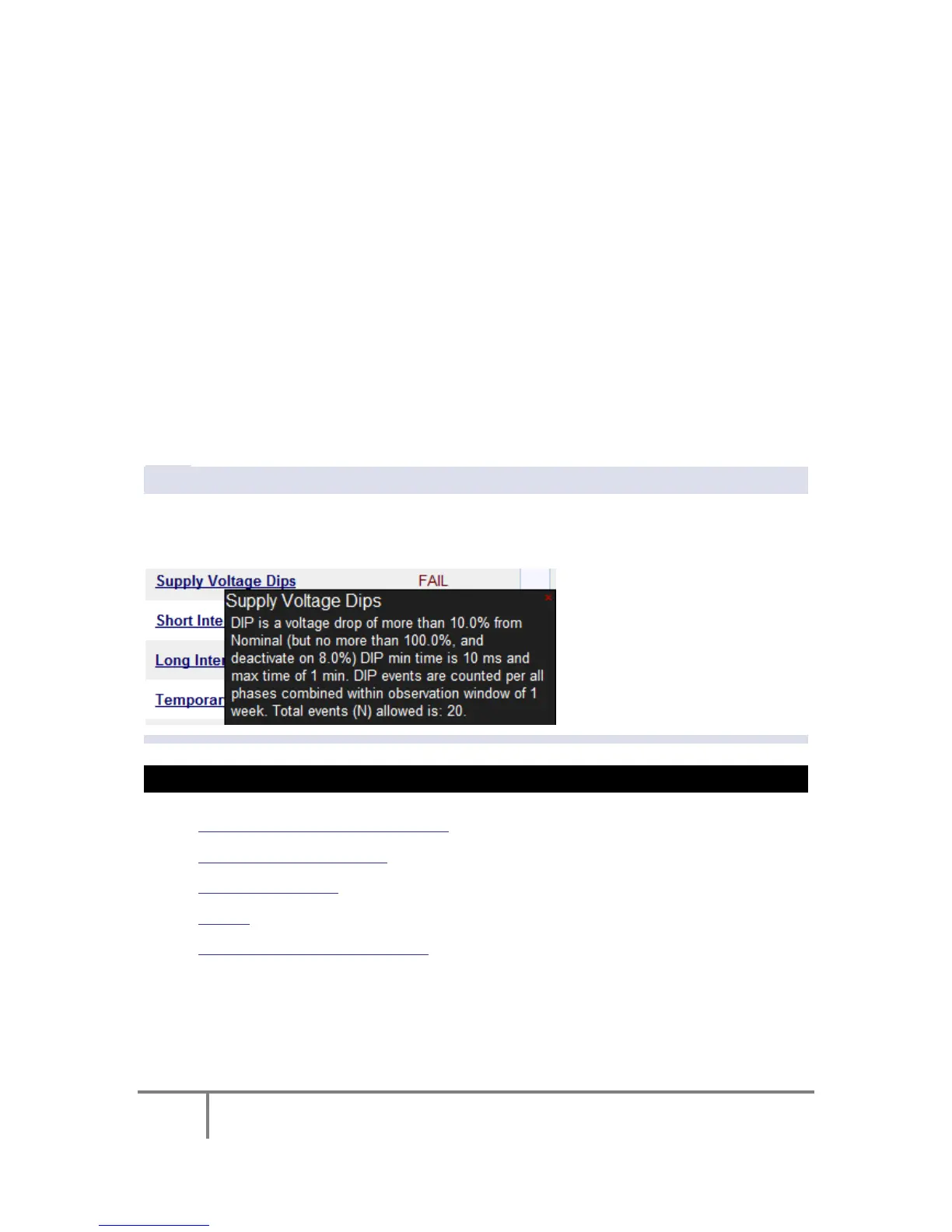
All u nderlined parameters ar e ac companied b y a T ool T ip, R ight-click o n t he
command to open the Tool Tip & x to close the Pop-up:
SEE ALSO:
About Power Quality Monitoring
Compliance Information
Compliance Chart
Events
PQ Compliance Configuration
www.GlobalTestSupply.com
Find Quality Products Online at: sales@GlobalTestSupply.com



 To Next Page