188
ELSPEC
G
G
4
4
K
K
F
F
i
i
x
x
e
e
d
d
P
P
o
o
w
w
e
e
r
r
Q
Q
u
u
a
a
l
l
i
i
t
t
y
y
A
A
n
n
a
a
l
l
y
y
z
z
e
e
r
r
U
U
S
S
E
E
R
R
&
&
I
I
N
N
S
S
T
T
A
A
L
L
L
L
A
A
T
T
I
I
O
O
N
N
G
G
U
U
I
I
D
D
E
E
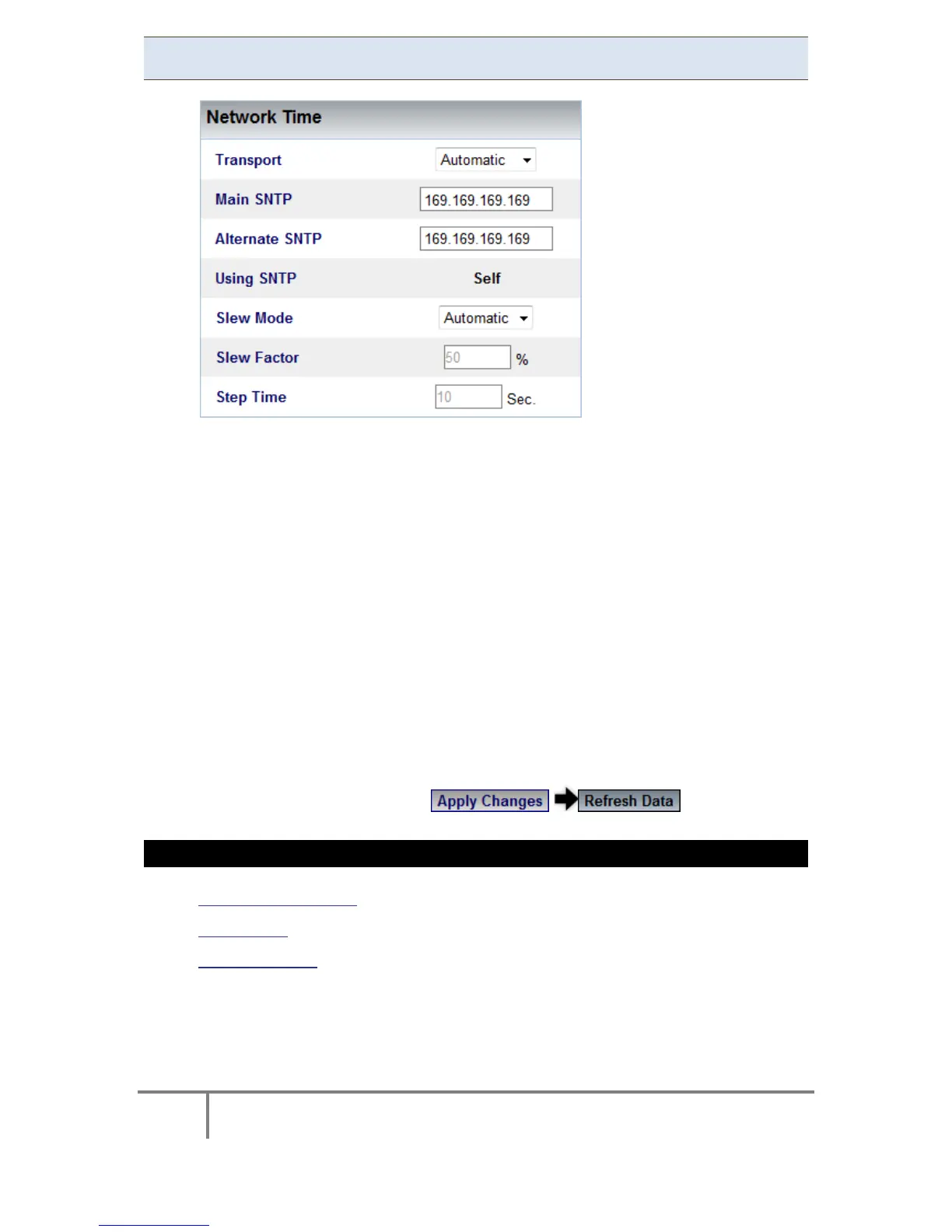
Network Time
This section c ontrols Time Synchronization with a v ariety of external t ime
sources. Make your changes according to your selection:
Transport: Utilize t his o ption t o f or t he T ime S ync Module t o s elect the
source Automatically, or to force the source Manually to NTP or GPS source
Main SNTP: Use t his opt ion i n or der to configure t he I P a ddress of t he
Primary SNTP server to be used
Alternate SNTP: Use th is o ption to configure t he IP address o f th e
secondary SNTP server to be used (A contingency should the Primary Server
become unavailable)
Slew Mode: Set t he type o f T ime S lewing/Adjustment t o b e u sed b y the
Time Sy nc module. T his w ill co mpensate f or t ime d eviations an d n etwork
communication jitters. The default & preferred mode is Automatic, as the
Slewing Factor is according to time source communication quality.
To apply your changes select to review them
SEE ALSO
About Time Settings
Time Setup
Daylight Saving
www.GlobalTestSupply.com
Find Quality Products Online at: sales@GlobalTestSupply.com



 To Next Page