190
ELSPEC
G
G
4
4
K
K
F
F
i
i
x
x
e
e
d
d
P
P
o
o
w
w
e
e
r
r
Q
Q
u
u
a
a
l
l
i
i
t
t
y
y
A
A
n
n
a
a
l
l
y
y
z
z
e
e
r
r
U
U
S
S
E
E
R
R
&
&
I
I
N
N
S
S
T
T
A
A
L
L
L
L
A
A
T
T
I
I
O
O
N
N
G
G
U
U
I
I
D
D
E
E
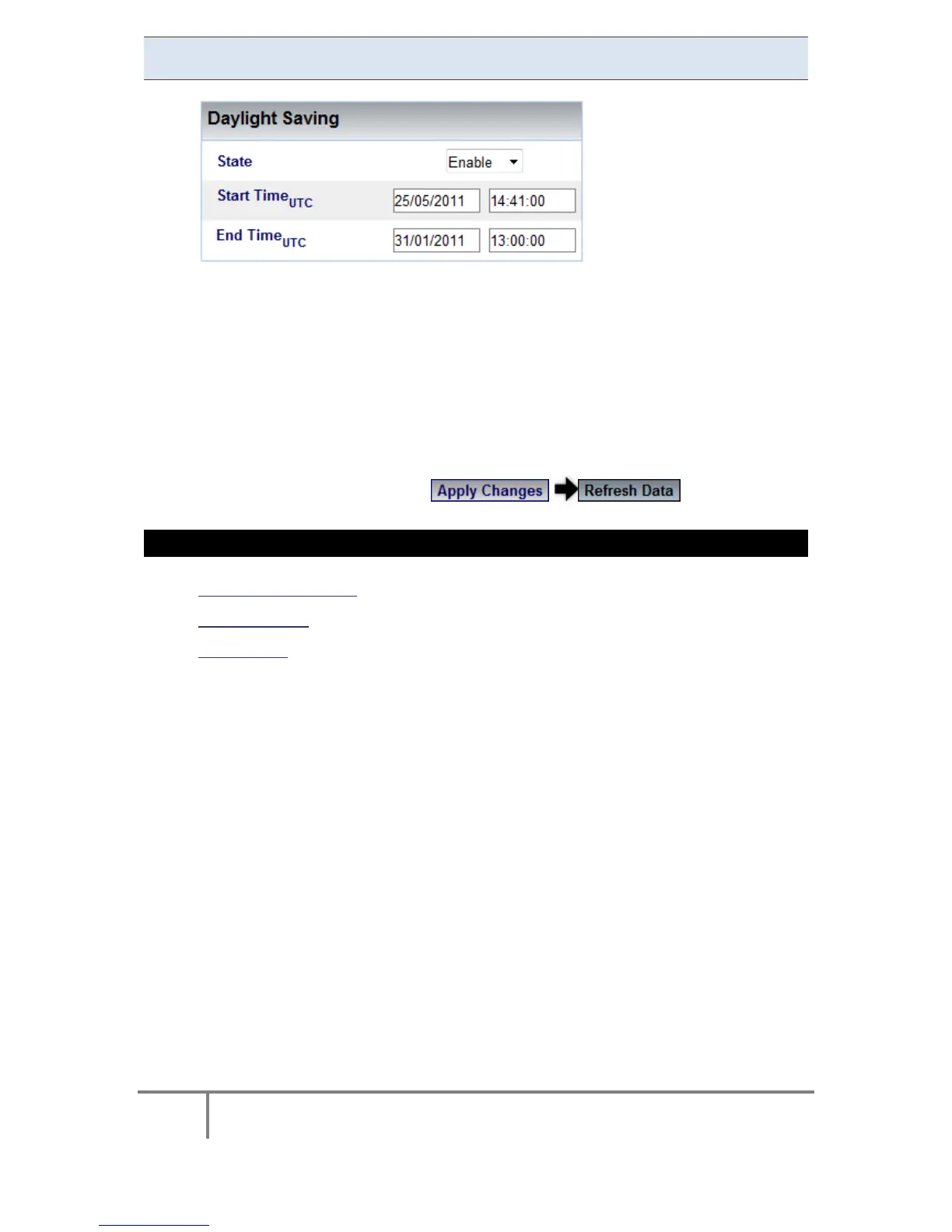
Daylight Saving
You c an Enable the daylight s aving time (Winter / Summer Clock) feature
and set the period in this section. This will cause the time to automatically
adjust t o d aylight s avings ti me d uring the p re-defined p eriod. T his
information is p assed t o t he P QSCADA together w ith all o ther i nformation
via PQZip where it is displayed to the user. To set the daylight saving time:
Select Enable
Enter Start / End Date & Time (UTC)
To apply your changes select to review them
SEE ALSO
About Time Settings
Network Time
Time Setup
www.GlobalTestSupply.com
Find Quality Products Online at: sales@GlobalTestSupply.com



 To Next Page