Compliance Chart
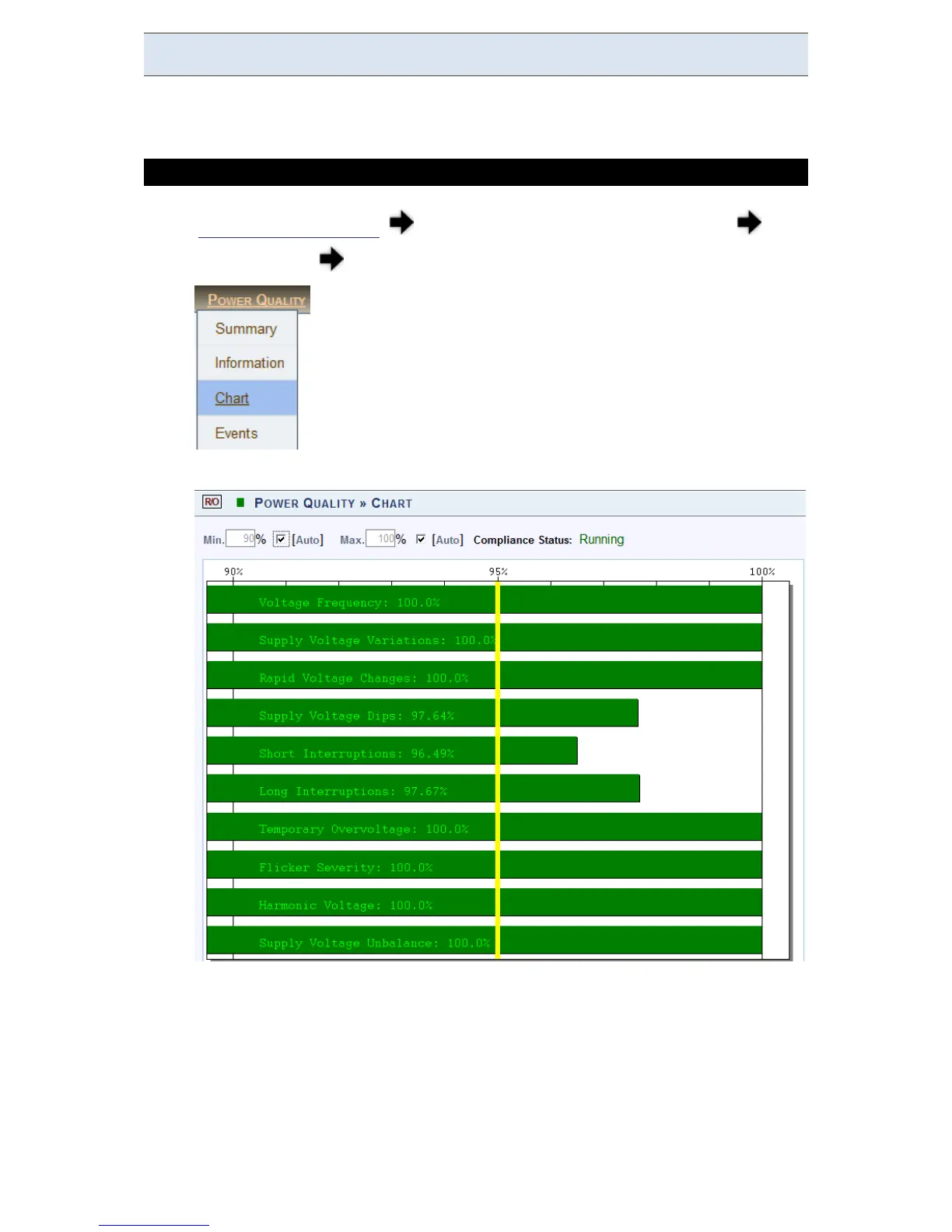
This p age d isplays g raphical b ars o f co mpliance l evels ( equals t o p ercentage o f
time OK).
ACCESS THE COMPLIANCE CHART WINDOW
Access y our G 4K U nit log o n a s the Viewer/Administrator under
Power Quality open the Chart Tab:
The Compliance Chart window will now open:
The m inimum an d m aximum v alues in t he chart m ay b e c onfigured b y
deselecting Auto for each value (Default = 90% Min / 100% Max)
www.GlobalTestSupply.com
Find Quality Products Online at: sales@GlobalTestSupply.com



 To Next Page