256
ELSPEC
G
G
4
4
K
K
F
F
i
i
x
x
e
e
d
d
P
P
o
o
w
w
e
e
r
r
Q
Q
u
u
a
a
l
l
i
i
t
t
y
y
A
A
n
n
a
a
l
l
y
y
z
z
e
e
r
r
U
U
S
S
E
E
R
R
&
&
I
I
N
N
S
S
T
T
A
A
L
L
L
L
A
A
T
T
I
I
O
O
N
N
G
G
U
U
I
I
D
D
E
E
Multiple Type Conditions
As mentioned previously, Multiple Type Conditions is the combination of 2 other
sub c onditions. I t n eeds t o be l inked t o 2 s ub c onditions, w hereas e ach 2 s ub
conditions can be either Multiple or Single type. Therefore, you need to configure
at least two Single types of conditions prior to proceeding in creating a h ierarchy
of Multiple Conditions.
CONFIGURE MULTIPLE TYPE CONDITIONS
Access your G4K Device log on as the Administrator (Manufacturer’s
Default Password is: 12345) under Configuration Advanced open the
Custom Events Tab
From the listed events in the Events List select the applicable event with 2
or m ore Single T ype C onditions & s elect to o pen the
Condition Window
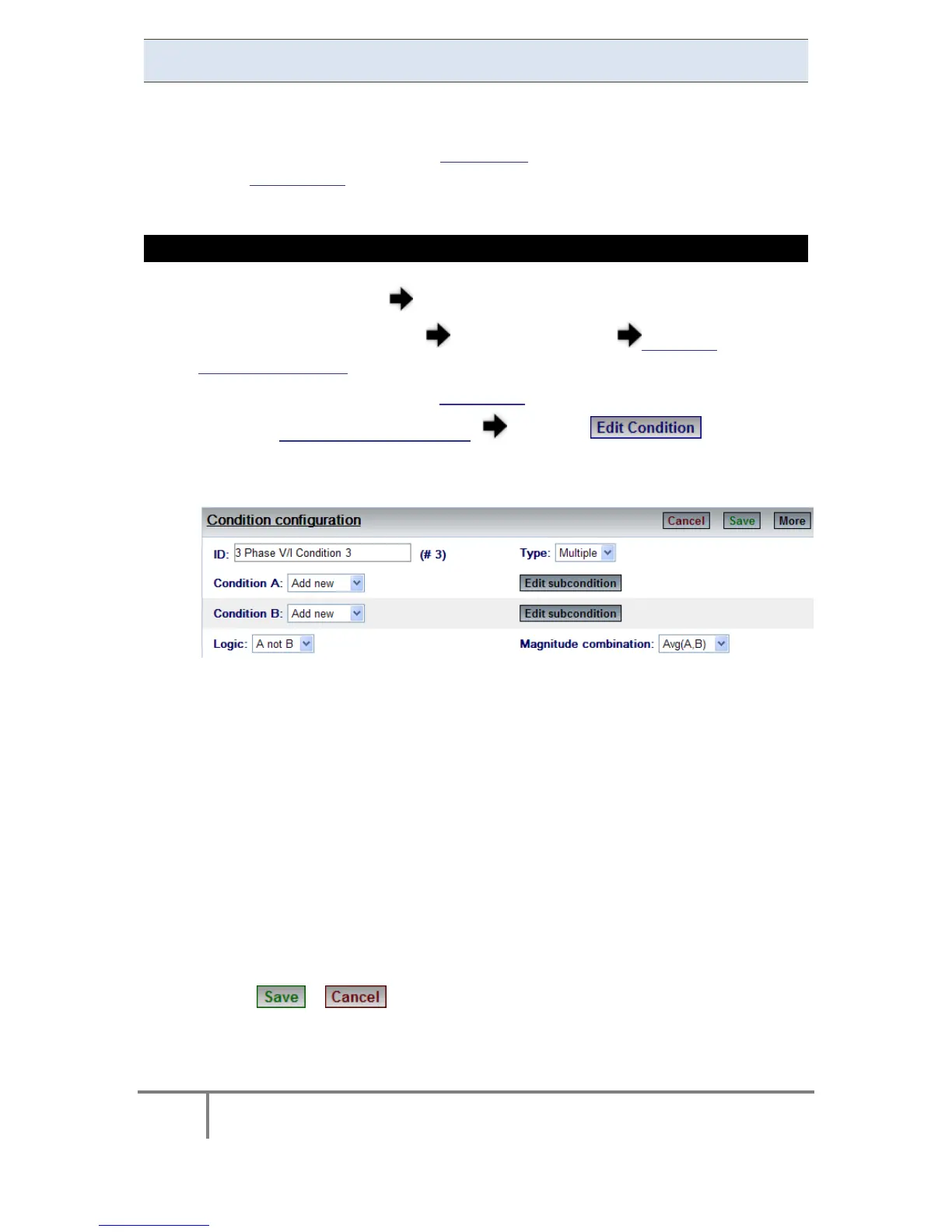
Select Multiple for the Type:
Configuration Options:
Condition A: Is used to select ID of first sub-condition
Condition B: Is used to select ID of second sub-condition
Logic: Is u sed to define t he c ombined lo gic st ate b etween th e tw o
sub-conditions A and B
Magnitude Combination: Instructs the events engine how to compute
the Magnitude resulting from a combined condition. For instance, say
condition A and condition B are both voltage parameters. In this case,
selecting A vg. ( Average) o r M ax ( Maximum) is p ractical. H owever i f
condition A is voltage and condition B is current, then AVG or MAX is
irrelevant, w hile an A-only o ption is m ore p ractical ( meaning only
magnitude of voltage from condition A will be taken)
Select / to S ave / C ancel y our c onfiguration i n Condition
Configuration
www.GlobalTestSupply.com
Find Quality Products Online at: sales@GlobalTestSupply.com



 To Next Page