217
ELSPEC
G
G
4
4
K
K
F
F
i
i
x
x
e
e
d
d
P
P
o
o
w
w
e
e
r
r
Q
Q
u
u
a
a
l
l
i
i
t
t
y
y
A
A
n
n
a
a
l
l
y
y
z
z
e
e
r
r
U
U
S
S
E
E
R
R
&
&
I
I
N
N
S
S
T
T
A
A
L
L
L
L
A
A
T
T
I
I
O
O
N
N
G
G
U
U
I
I
D
D
E
E
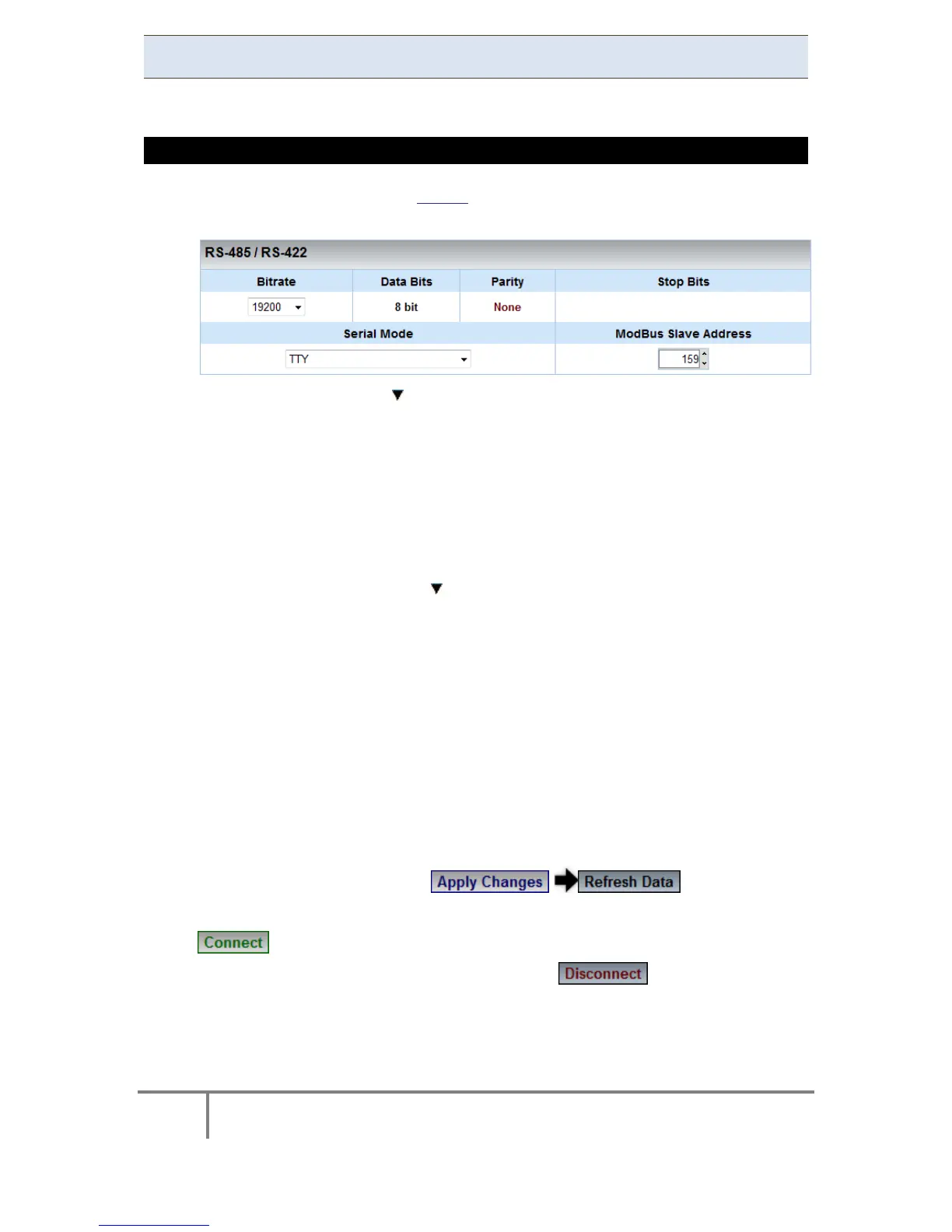
RS-485 / RS-422
The setup configures the parameters of RS-485/RS-422 serial interface.
HOW TO CONFIGURE RS-485 / RS-422 SERIAL INTERFACE
As per the p revious s tep Access the Serial Ports Window & i n the RS-
485/RS-422 Section complete the applicable Parameters:
Bitrate: With the adjust the transfer rate for data
Data Bits: (For information only) Indicates the number of data bits in
a byte
Parity: (For i nformation only) Parity code indicating error detection
(Movement of digital data from one location to another)
Stop Bits: (For i nformation on ly) N umber of s top bi ts u sed t o m ark
the end of a byte transmission
Serial Mode: With the select configuration from available Options:
TTY: Debug shell mode for PPP stream
Elcom : Elspec communication for connecting to the Equalizer
ModBus RTU: ModBus protocol (serving as a slave on a Modbus
network)
GPS: For GPS attachment to this serial port
PPP: Connection f or P PP c ommunication t hrough t his s erial
port
ModBus Slave Address: Unique I D o f th e BLA CKBOX on a M odbus
network
To apply your changes select to review them
In o rder t o es tablish co nnection as p er t he s etup c onfigurations s elect
In order to discontinue the connection select
www.GlobalTestSupply.com
Find Quality Products Online at: sales@GlobalTestSupply.com



 To Next Page