220
ELSPEC
G
G
4
4
K
K
F
F
i
i
x
x
e
e
d
d
P
P
o
o
w
w
e
e
r
r
Q
Q
u
u
a
a
l
l
i
i
t
t
y
y
A
A
n
n
a
a
l
l
y
y
z
z
e
e
r
r
U
U
S
S
E
E
R
R
&
&
I
I
N
N
S
S
T
T
A
A
L
L
L
L
A
A
T
T
I
I
O
O
N
N
G
G
U
U
I
I
D
D
E
E
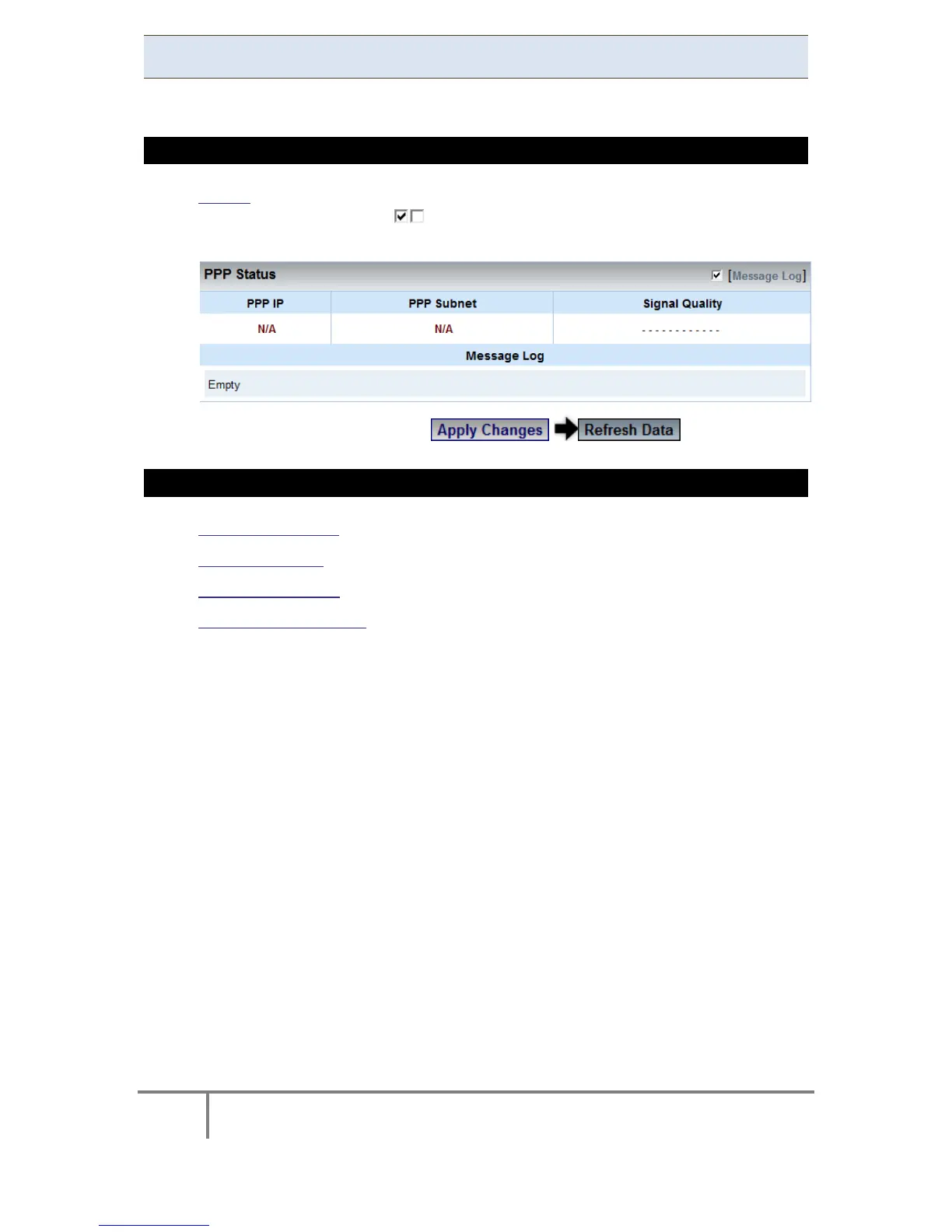
PPP Status
This indicates the status of the PPP with a Log.
HOW TO VIEW PPP STATUS
Access the Serial Ports Window & in the PPP Status section Select/Deselect
the Message Log with . This w ill E nable/Disable th e l ogging o f thi s
protocol’s activity in the log:
To apply your changes select to review them
SEE ALSO
About Serial Ports
RS-485 / RS-422
PPP Configuration
Modem Configuration
www.GlobalTestSupply.com
Find Quality Products Online at: sales@GlobalTestSupply.com



 To Next Page