219
ELSPEC
G
G
4
4
K
K
F
F
i
i
x
x
e
e
d
d
P
P
o
o
w
w
e
e
r
r
Q
Q
u
u
a
a
l
l
i
i
t
t
y
y
A
A
n
n
a
a
l
l
y
y
z
z
e
e
r
r
U
U
S
S
E
E
R
R
&
&
I
I
N
N
S
S
T
T
A
A
L
L
L
L
A
A
T
T
I
I
O
O
N
N
G
G
U
U
I
I
D
D
E
E
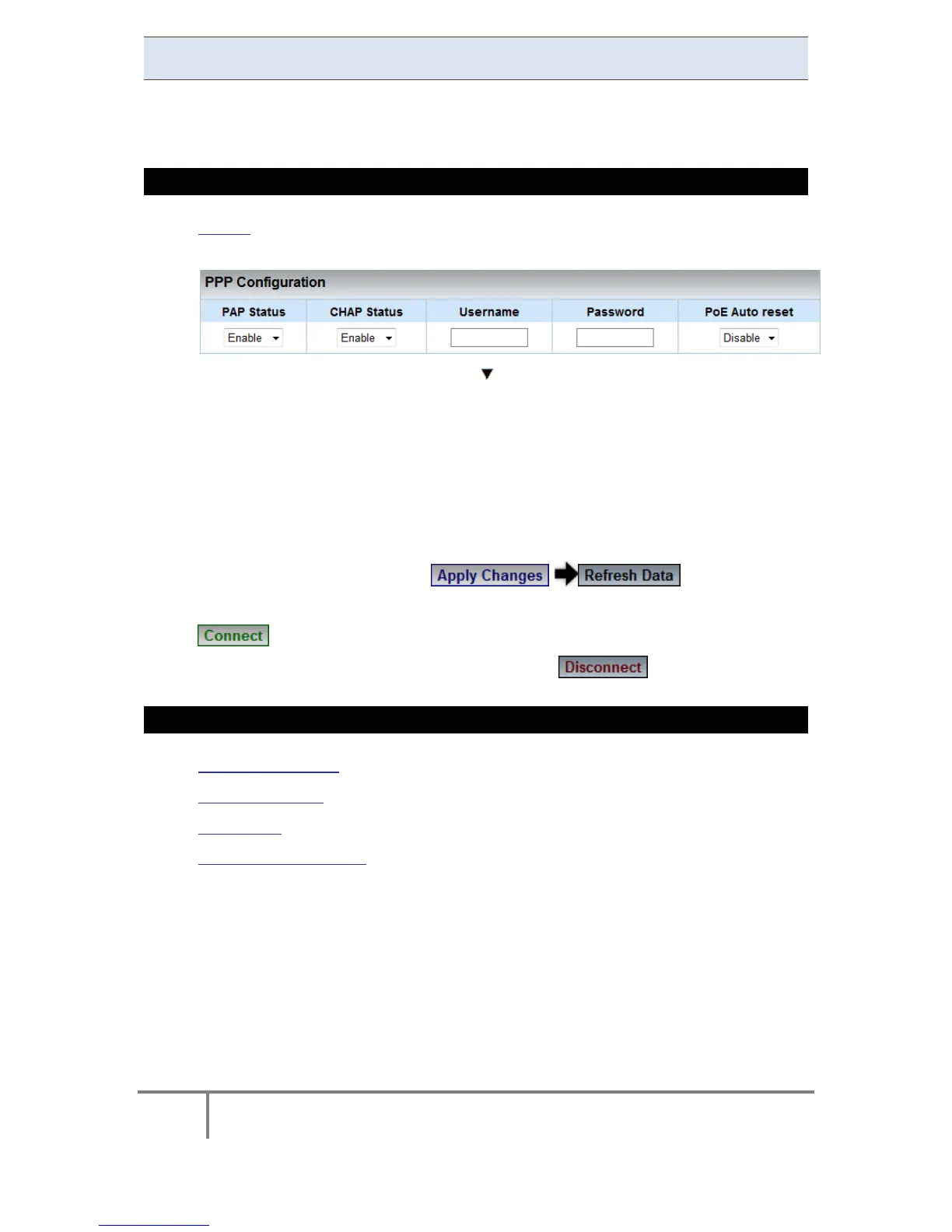
PPP Configuration
In this section you w ill be able t o co nfigure P PP ( Point-to-Point P rotocol)
parameters for serial communication.
HOW TO CONFIGURE PPP PARAMETERS
Access the Serial Ports Window & in the PPP Configuration Section
complete the applicable Parameters:
PAP Status: With t he Enable/Disable t he P AP ( Password
Authentication Protocol) feature
CHAP Status: Enable/Disable C HAP ( Challenge H andshake
Authentication Protocol) feature
Username: This is t he U sername that y ou r eceive f rom y our I SP
(Internet Service Provider)
Password: This is the Password that you receive from your ISP
To apply your changes select to review them
In o rder t o es tablish co nnection as p er t he s etup c onfigurations s elect
In order to discontinue the connection select
SEE ALSO
About Serial Ports
RS-485 / RS-422
PPP Status
Modem Configuration
www.GlobalTestSupply.com
Find Quality Products Online at: sales@GlobalTestSupply.com



 To Next Page