241
ELSPEC
G
G
4
4
K
K
F
F
i
i
x
x
e
e
d
d
P
P
o
o
w
w
e
e
r
r
Q
Q
u
u
a
a
l
l
i
i
t
t
y
y
A
A
n
n
a
a
l
l
y
y
z
z
e
e
r
r
U
U
S
S
E
E
R
R
&
&
I
I
N
N
S
S
T
T
A
A
L
L
L
L
A
A
T
T
I
I
O
O
N
N
G
G
U
U
I
I
D
D
E
E
System Log
The System Log displays existing user events. All events are created in the Custom
Events & the Energy & Parameter Logs are created in Reports. Within the Log you
can decide what data you would like to display & produce a report.
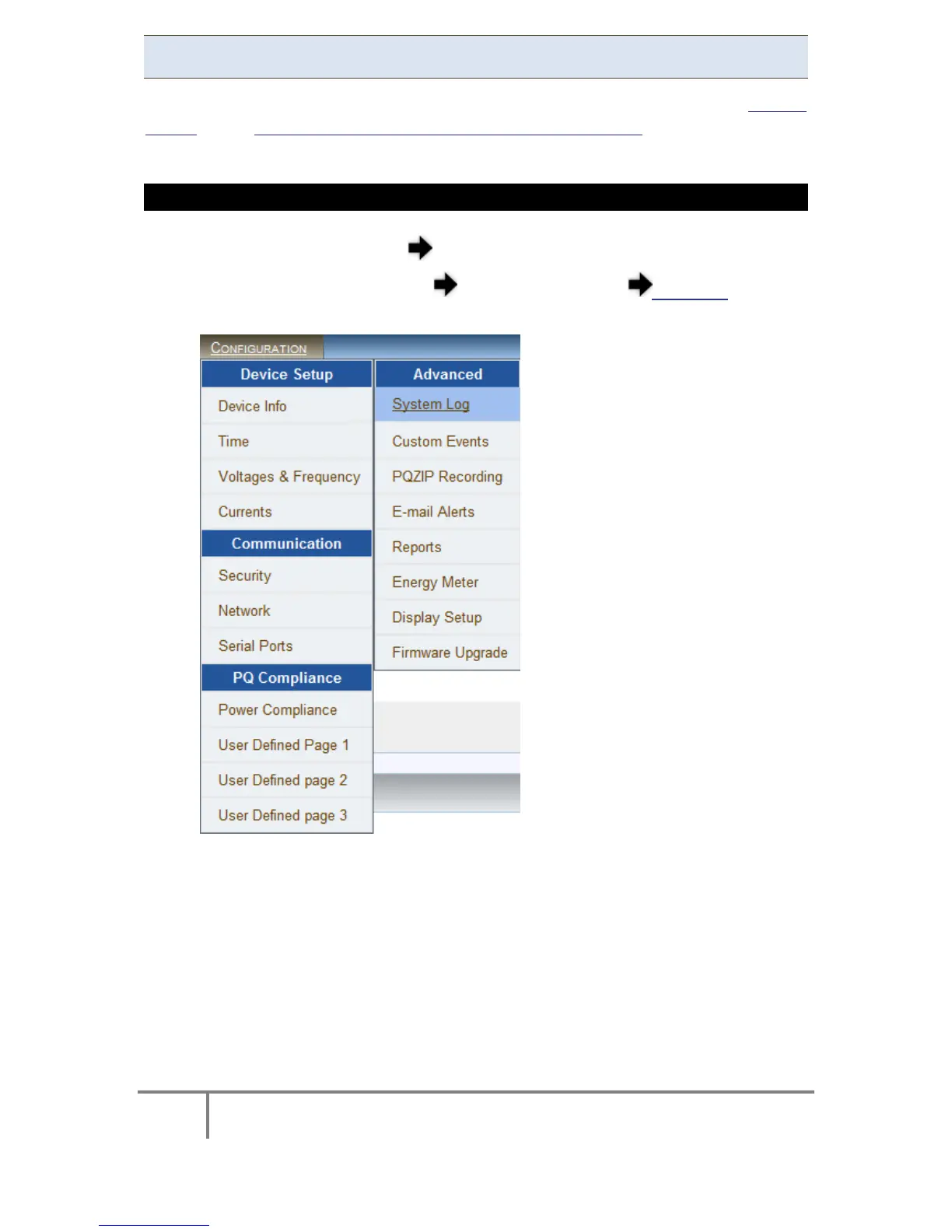
CONFIGURE THE SYSTEM LOG
Access y our G4K D evice log o n a s the Administrator (Manufacturer’s
Default Password is: 12345) under Configuration Advanced open the
System Log Tab:
www.GlobalTestSupply.com
Find Quality Products Online at: sales@GlobalTestSupply.com



 To Next Page