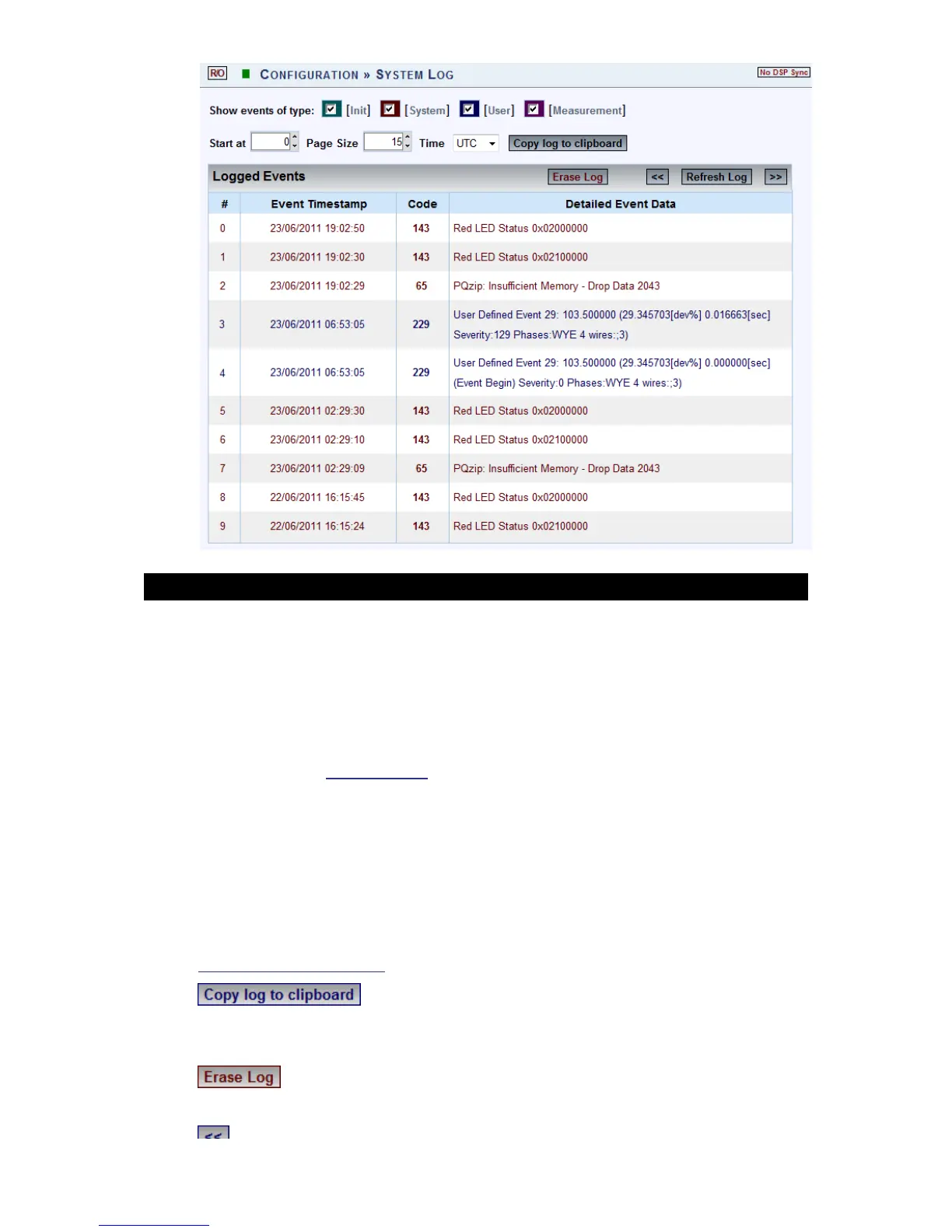
The System Log window will now open:
OPTIONS & FUNCTIONS:
Show Events of type (Color Coded) - You may choose the type of events to
display in the list:
Init: Data related to Modem initialization
System: All Flagged function & configurations related to your G4K
Device system
User: All User-Defined events
Measurement: All Flagged events related to recording &
measurements of your G4K Device
Start at: Specify the event range for # of entries per page
Time: Log entries will be displayed at specific time zone (UTC or Local
time)
Logged Events: Displays the event information (for Code definition see
Creating Custom Events & Alarms)
: Will copy the System Log over to common Windows
applications (Notepad, MS Outlook, Excel & Word). Simply select the
command & Paste it in one of these applications.
: Will clear all the log entries & restart the System log from the
time you select this option
: Go to previous page
www.GlobalTestSupply.com
Find Quality Products Online at: sales@GlobalTestSupply.com



 To Next Page