212
ELSPEC
G
G
4
4
K
K
F
F
i
i
x
x
e
e
d
d
P
P
o
o
w
w
e
e
r
r
Q
Q
u
u
a
a
l
l
i
i
t
t
y
y
A
A
n
n
a
a
l
l
y
y
z
z
e
e
r
r
U
U
S
S
E
E
R
R
&
&
I
I
N
N
S
S
T
T
A
A
L
L
L
L
A
A
T
T
I
I
O
O
N
N
G
G
U
U
I
I
D
D
E
E
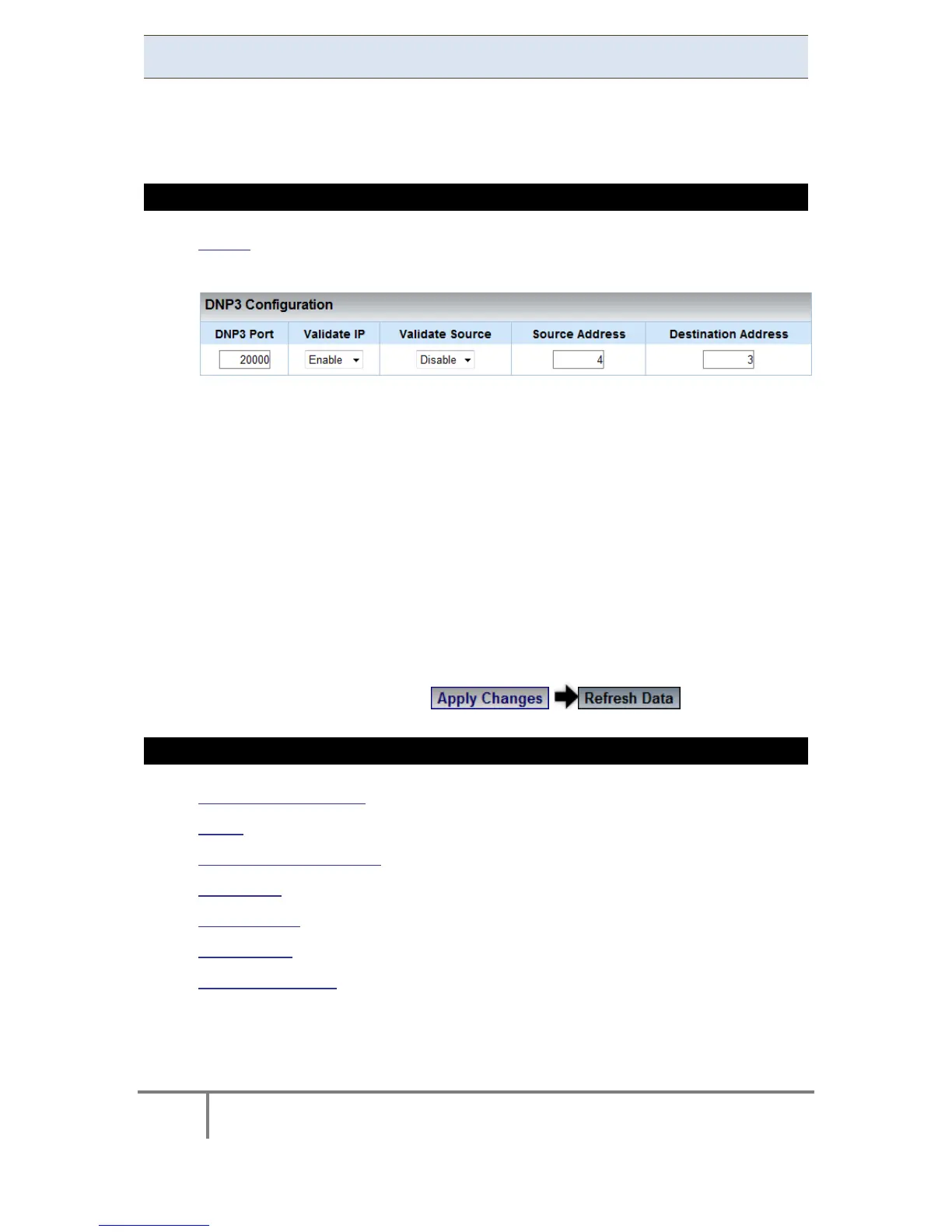
DNP3 Configuration
An Et hernet ( OPC) protocol i s a n a dditional p rotocol th at m ay b e us ed f or d ata
retrieval f rom your G4K Unit via a D NP3 Server. It is within this section that you
configure the settings for the DNP3 Server.
CONFIGURING THE G4K'S PORT SETTINGS FOR A DNP3 SERVER
Access the Network Window
In the DNP3 Configuration Section you have the following settings:
DNP3 Port: TCP port for the DNP3 protocol
Validate IP: When t his o ption is Enabled (default), it i s p ossible t o v erify
that the IP address o f t he UDP broadcast messages (if present) is eq ual to
the c urrent a ctive TCP c onnection a ddress i n o rder to a void unw anted
inbound access
Validate Source: When this option is Enabled, it is possible to check if the
source ad dress ( the ad dress o f t he c lient w hich se nt t he m essage t o t he
G4k) of a message (any message) is equal to the destination address that the
user inserts
Source Address: The local DNP Address of your G4K Unit
Destination Address: In order to “Validate Source”
To apply your changes select to review them
SEE ALSO
About Network Setup
LAN 1
LAN 2 / LCD Port Setup
Port Setup
Outer Access
Modbus TCP
Status Summaries
www.GlobalTestSupply.com
Find Quality Products Online at: sales@GlobalTestSupply.com



 To Next Page