210
ELSPEC
G
G
4
4
K
K
F
F
i
i
x
x
e
e
d
d
P
P
o
o
w
w
e
e
r
r
Q
Q
u
u
a
a
l
l
i
i
t
t
y
y
A
A
n
n
a
a
l
l
y
y
z
z
e
e
r
r
U
U
S
S
E
E
R
R
&
&
I
I
N
N
S
S
T
T
A
A
L
L
L
L
A
A
T
T
I
I
O
O
N
N
G
G
U
U
I
I
D
D
E
E
Outer Access
In this section you will be able to configure your G4K BLACKBOX for sending data to
an IP Address outside its LAN 1 & setting an IP Address for sending Notification E-
Mails.
CONFIGURING THE G4K BLACKBOX FOR OUTER ACCESS
Access the Network Window
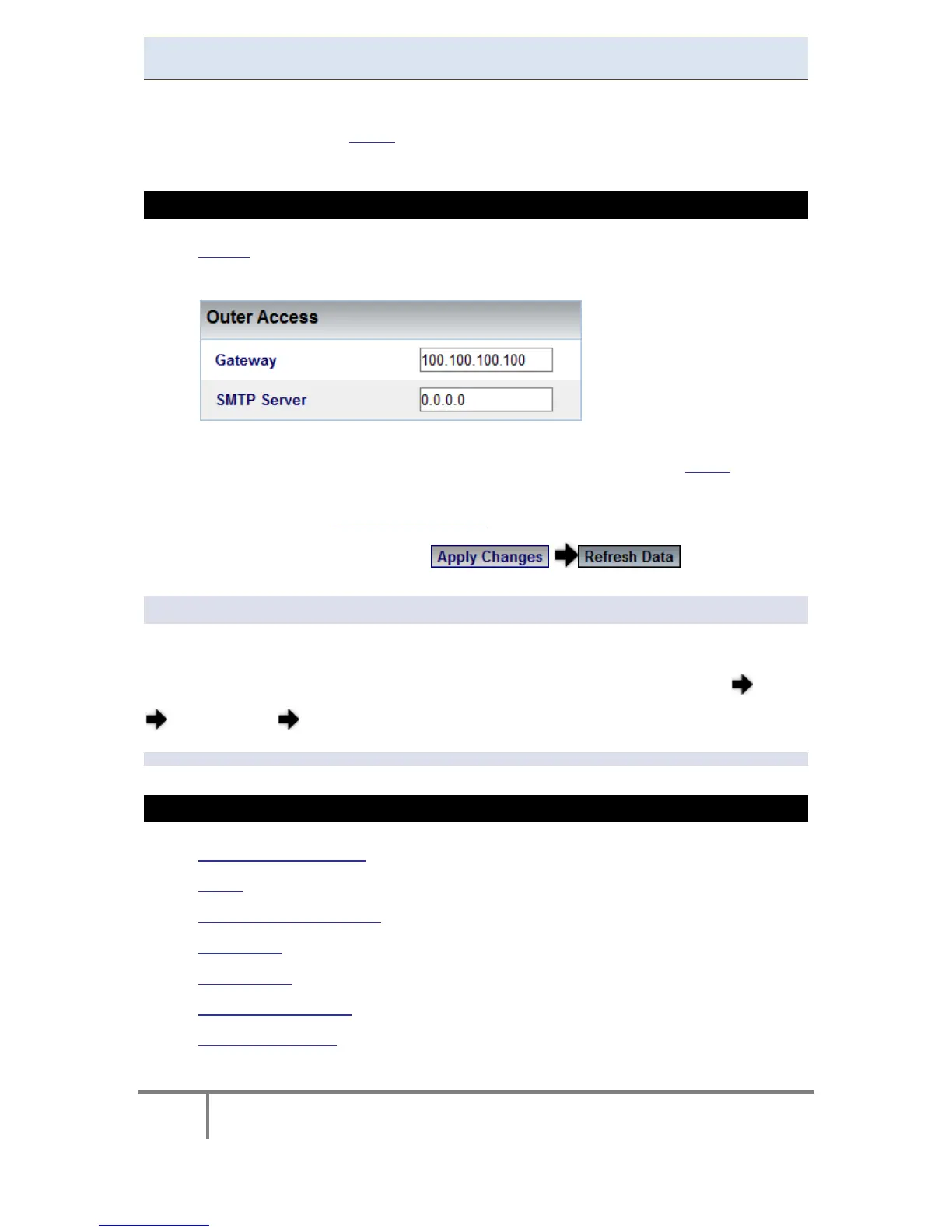
In the Outer Access Section you have the following settings:
Gateway: Is utilized for setting the BLACKBOX’S default Gateway IP
addresses in order to send data to an IP addresses outside its LAN 1
SMTP Server: Is used for setting an IP Address for an E-Mail Server to be
used for sending E-Mail Notifications
To apply your changes select to review them
NOTE NOTE NOTE
Configurations need to be duplicated & configured in Elspec's PQSCADA. (In the F1
Help Wizard of the PQSCADA, f ollow t he Components Server
Configuration E-Mail procedure).
SEE ALSO
About Network Setup
LAN 1
LAN 2 / LCD Port Setup
Port Setup
Modbus TCP
DNP3 Configuration
Status Summaries
www.GlobalTestSupply.com
Find Quality Products Online at: sales@GlobalTestSupply.com



 To Next Page