199
ELSPEC
G
G
4
4
K
K
F
F
i
i
x
x
e
e
d
d
P
P
o
o
w
w
e
e
r
r
Q
Q
u
u
a
a
l
l
i
i
t
t
y
y
A
A
n
n
a
a
l
l
y
y
z
z
e
e
r
r
U
U
S
S
E
E
R
R
&
&
I
I
N
N
S
S
T
T
A
A
L
L
L
L
A
A
T
T
I
I
O
O
N
N
G
G
U
U
I
I
D
D
E
E
Security
In this window you can set either Entry Passwords to the Web Interface and/or
Provide Access to the FTP Server for your G4K unit.
Access the G4K Device via Elspec's Web Interface log on as the
Administrator (Manufacturer’s Default Password is: 12345) select the
Configuration Tab
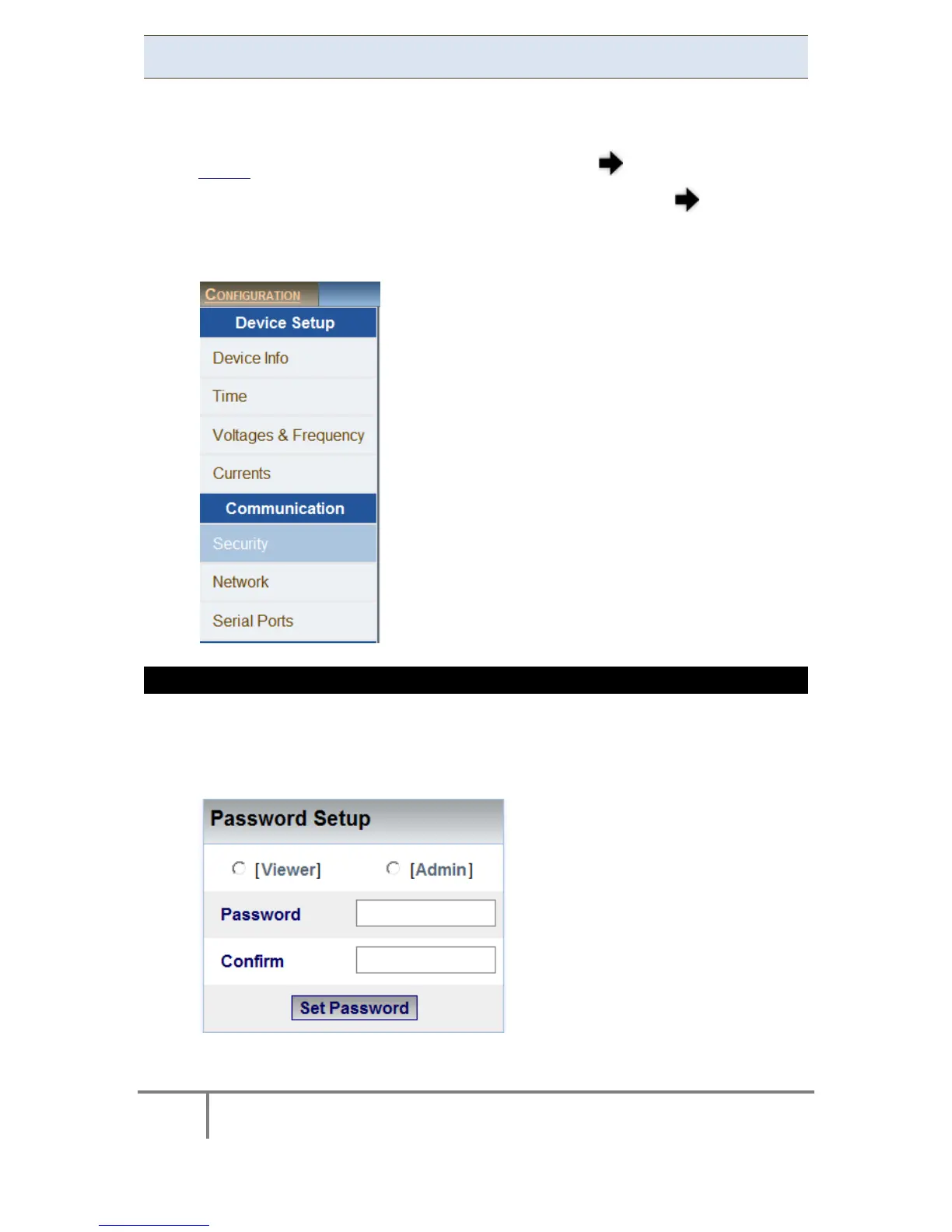
Under Communication select the Security Tab:
PASSWORD SETUP
This section enables the Administrator to change or reset the passwords of Viewer
& Administrator levels at one option at a time:
Select either the Viewer or Admin option:
www.GlobalTestSupply.com
Find Quality Products Online at: sales@GlobalTestSupply.com



 To Next Page