272
ELSPEC
G
G
4
4
K
K
F
F
i
i
x
x
e
e
d
d
P
P
o
o
w
w
e
e
r
r
Q
Q
u
u
a
a
l
l
i
i
t
t
y
y
A
A
n
n
a
a
l
l
y
y
z
z
e
e
r
r
U
U
S
S
E
E
R
R
&
&
I
I
N
N
S
S
T
T
A
A
L
L
L
L
A
A
T
T
I
I
O
O
N
N
G
G
U
U
I
I
D
D
E
E
Upgrade G4K Software - Firmware Upgrade
The internal software of the G4K BLACKBOX device series is named Firmware (FW).
On every upgrade (every couple of months) Elspec will announce the new release
accompanied by the features, benefits, access & upgrade instructions. The latest
version is located on Elspec's Website. It is recommended that you take advantage
of every new upgrade, but it is not compulsory. In the Firmware Upgrade window
you will be able to:
Upgrade the FW directly using the FTP, or
Upgrade the FW locally (Recommended)
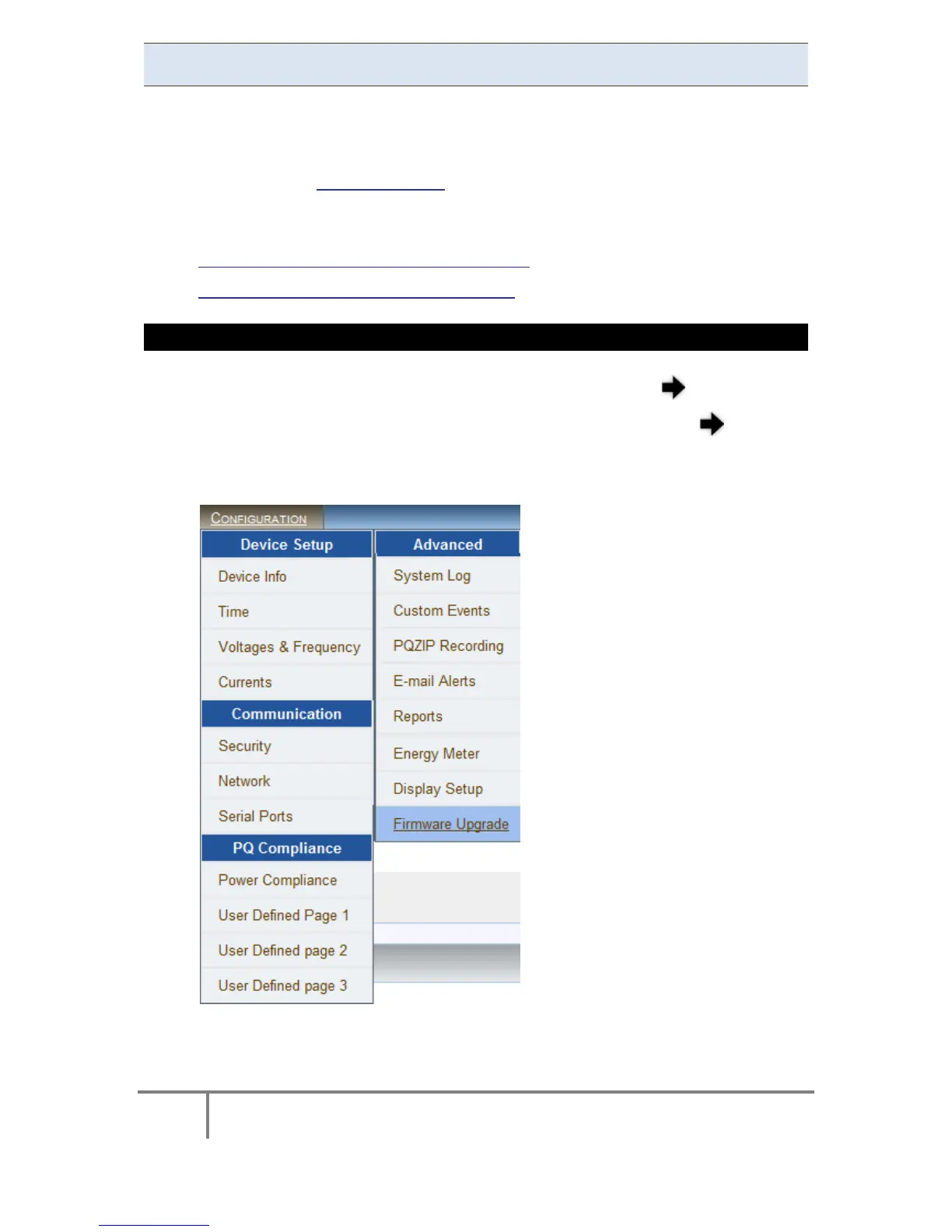
ACCESS THE FIRMWARE UPGRADE WINDOW
Access y our G 4K D evice v ia Elspec's Web Interface log o n a s t he
Administrator (Manufacturer’s D efault P assword i s: 12345) select t he
Configuration Tab
Under the Advanced section select the Firmware Upgrade Tab:
www.GlobalTestSupply.com
Find Quality Products Online at: sales@GlobalTestSupply.com



 To Next Page