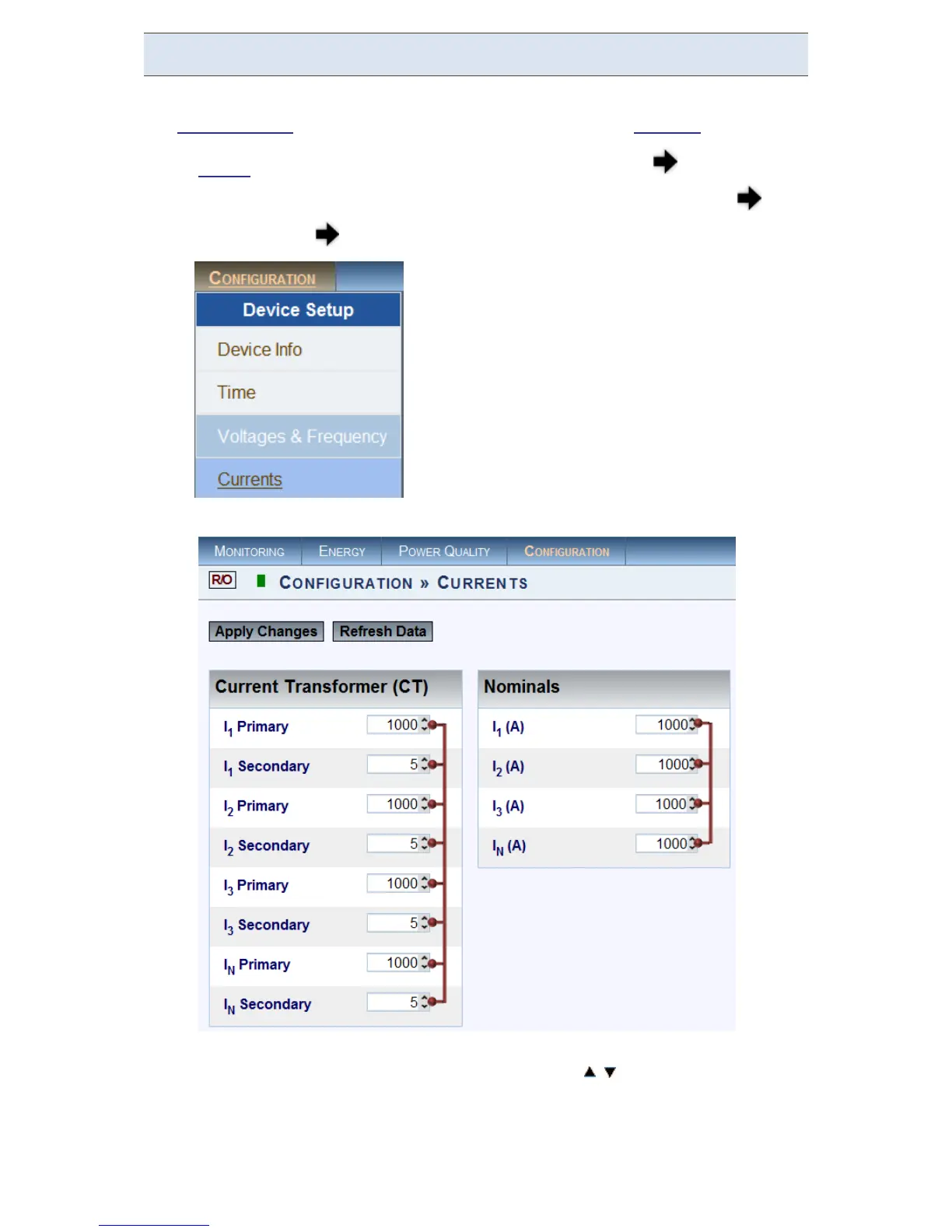
Currents
In the Current Window you will be able to define all the major configurations for
the Current Values, for a more comprehensive procedure see Currents.
Access your G 4K D evice v ia Elspec's Web Interface log o n a s t he
Administrator (Manufacturer’s D efault P assword is : 12345) under
Configuration Device Setup select the Currents Tab:
In the Currents Window:
Set t he co rrect Primary & Secondary Transformation Ratios for all
the C urrent c hannels from I
1
to I
N
(with / ) - according t o t he CT
Manufacturer's Specifications & not just the Ratio:
www.GlobalTestSupply.com
Find Quality Products Online at: sales@GlobalTestSupply.com



 To Next Page