211
ELSPEC
G
G
4
4
K
K
F
F
i
i
x
x
e
e
d
d
P
P
o
o
w
w
e
e
r
r
Q
Q
u
u
a
a
l
l
i
i
t
t
y
y
A
A
n
n
a
a
l
l
y
y
z
z
e
e
r
r
U
U
S
S
E
E
R
R
&
&
I
I
N
N
S
S
T
T
A
A
L
L
L
L
A
A
T
T
I
I
O
O
N
N
G
G
U
U
I
I
D
D
E
E
Modbus TCP
Modbus TCP allows your G4K unit to communicate in Modbus protocol, as well as,
serve as a M odbus slave over the Ethernet. This protocol is used to retrieve data
from t he d evice. S ee H ow t o R ead an d W rite M ODBUS P arameters f or G 4K
BLACKBOX Device Series, for a detailed procedure on this integration.
MODBUS CONFIGURATION
Access the Network Window
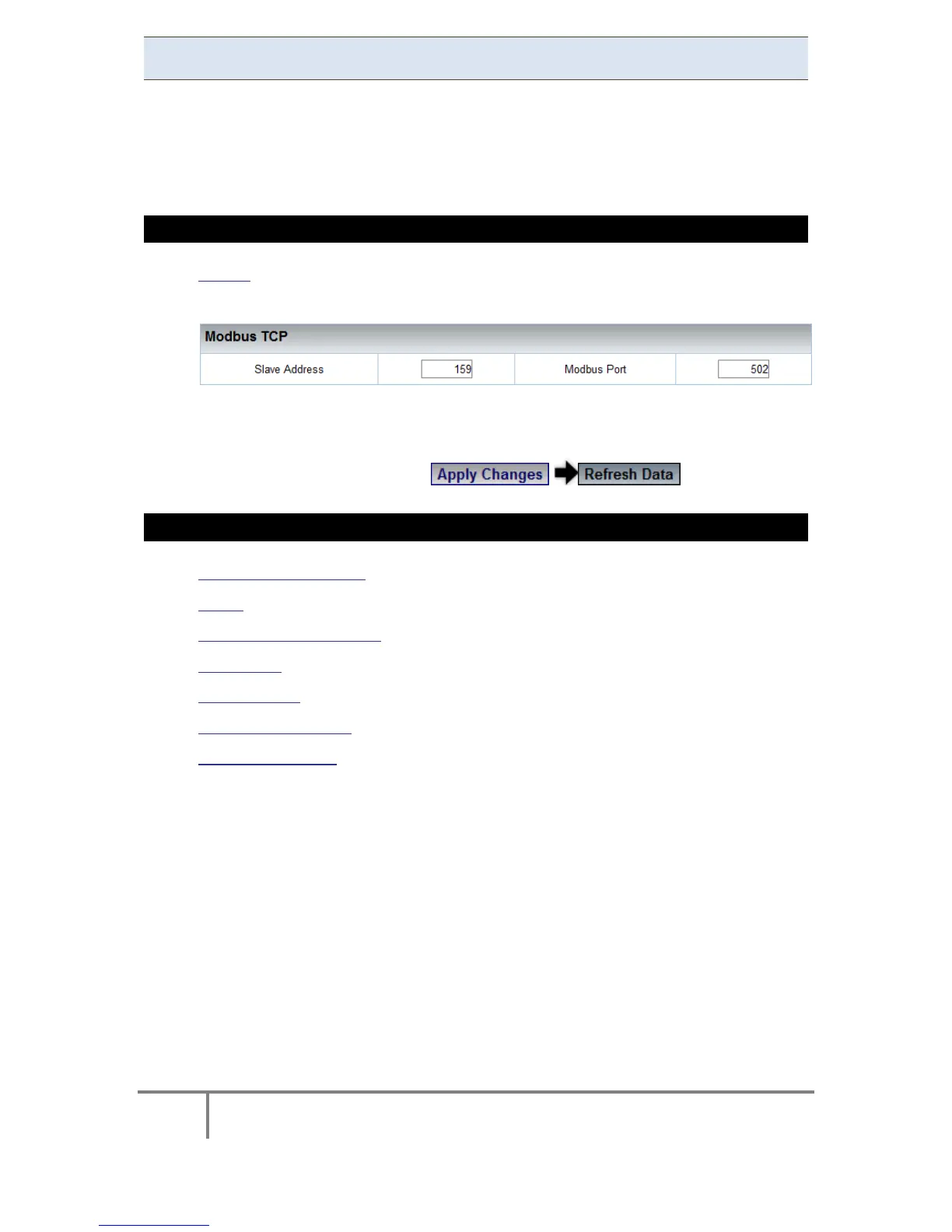
In the Modbus TCP Section you have the following settings:
Slave Address: ID Address of a unit on a Modbus network
Modbus Port: TCP Port on which the Modbus Protocol Operates
To apply your changes select to review them
SEE ALSO
About Network Setup
LAN 1
LAN 2 / LCD Port Setup
Port Setup
Outer Access
DNP3 Configuration
Status Summaries
www.GlobalTestSupply.com
Find Quality Products Online at: sales@GlobalTestSupply.com



 To Next Page