157
ELSPEC
G
G
4
4
K
K
F
F
i
i
x
x
e
e
d
d
P
P
o
o
w
w
e
e
r
r
Q
Q
u
u
a
a
l
l
i
i
t
t
y
y
A
A
n
n
a
a
l
l
y
y
z
z
e
e
r
r
U
U
S
S
E
E
R
R
&
&
I
I
N
N
S
S
T
T
A
A
L
L
L
L
A
A
T
T
I
I
O
O
N
N
G
G
U
U
I
I
D
D
E
E
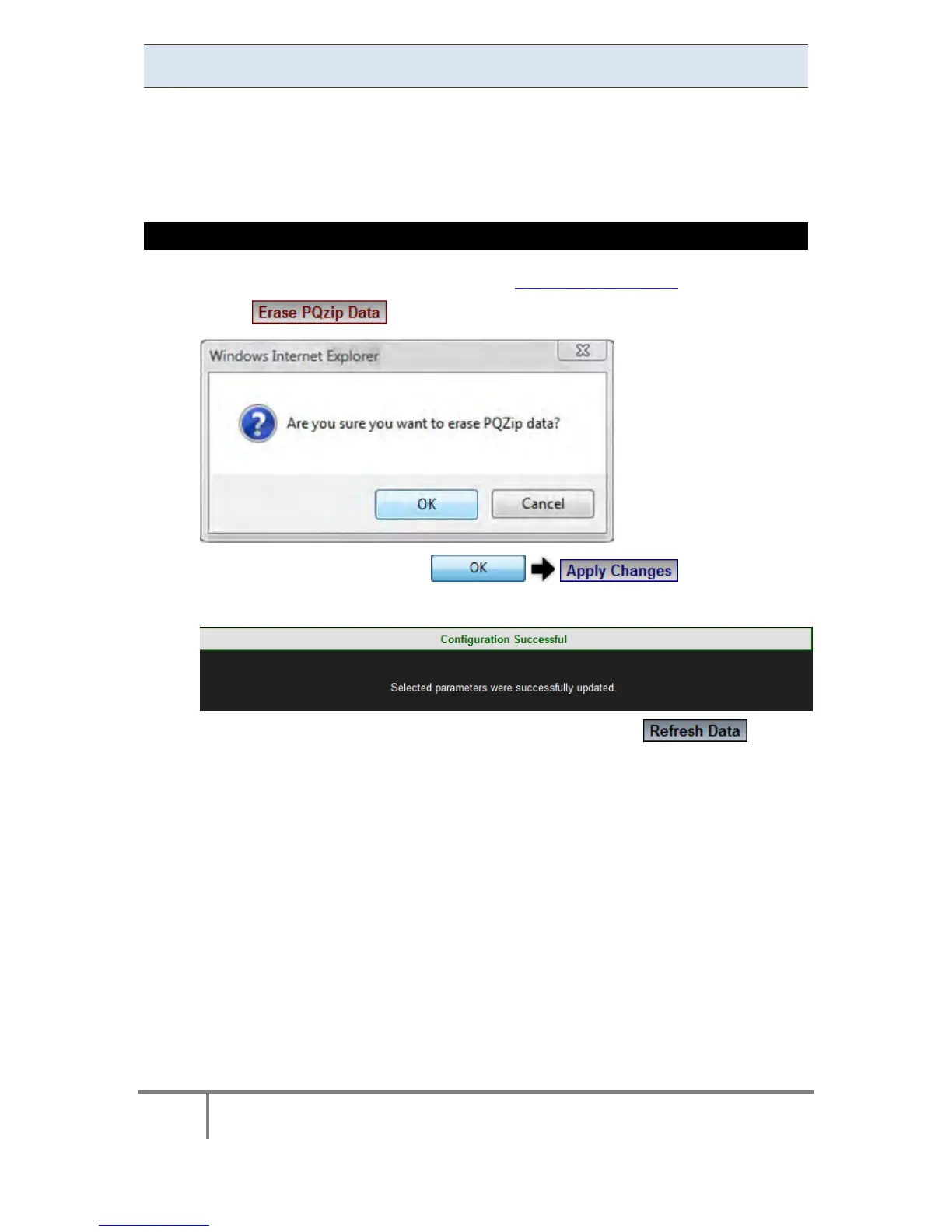
Erase All PQZIP Data
This function will allow you to delete all the PQZIP files from your G4K BLACKBOX's
internal C ompact F lash M emory. Prior to p roceeding e nsure th at y ou've
downloaded all the PQZIP files you needed from your G4K unit, as the procedure
cannot be reversed.
ERASE PQZIP DATA
Access G4K PQZIP Configuration via the PQZIP Recording Tab
Select & you will receive the following message:
To apply your changes select
You will receive the following success message:
To view your changes (refresh your current view) select
www.GlobalTestSupply.com
Find Quality Products Online at: sales@GlobalTestSupply.com



 To Next Page