Enable PQZIP Recording
In order to record actual data for further analysis by PQSCADA & Investigator, you
must first enable the PQZIP Recording.
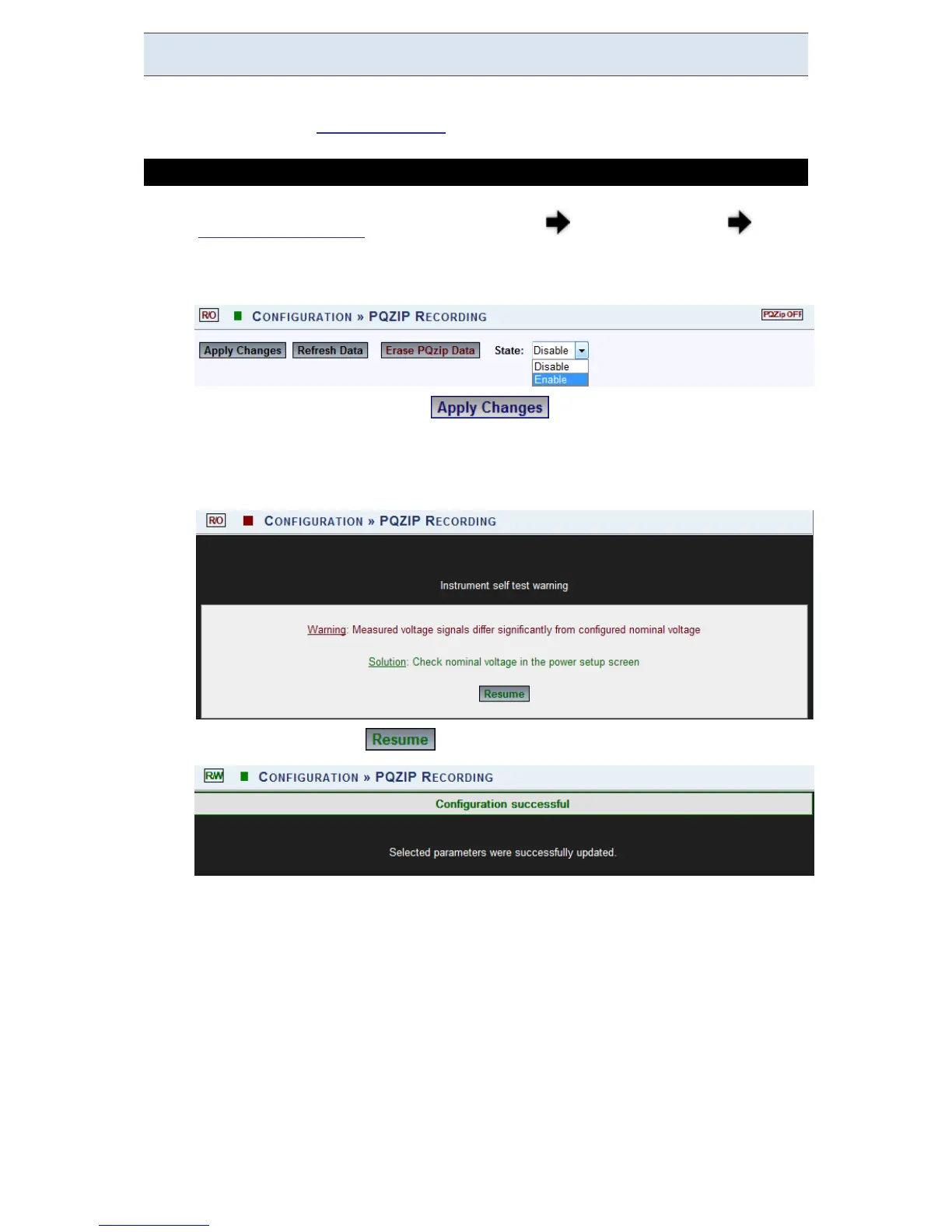
HOW TO ENABLE PQZIP RECORDING
Access your G4K Unit via the Web Interface Open Configuration PQZIP
Recording
In the State drop-down selection select Enable:
To apply your changes select
The f ollowing w arning m ay ap pear if some p arameter r eadings a re
inconsistent w ith t he configuration. I n t his case m ake s ure a ll p arameters
are correct before enabling the PQZIP:
Confirm by selecting & the following success message will appear:
www.GlobalTestSupply.com
Find Quality Products Online at: sales@GlobalTestSupply.com



 To Next Page