287
ELSPEC
G
G
4
4
K
K
F
F
i
i
x
x
e
e
d
d
P
P
o
o
w
w
e
e
r
r
Q
Q
u
u
a
a
l
l
i
i
t
t
y
y
A
A
n
n
a
a
l
l
y
y
z
z
e
e
r
r
U
U
S
S
E
E
R
R
&
&
I
I
N
N
S
S
T
T
A
A
L
L
L
L
A
A
T
T
I
I
O
O
N
N
G
G
U
U
I
I
D
D
E
E
G4K Unit Access
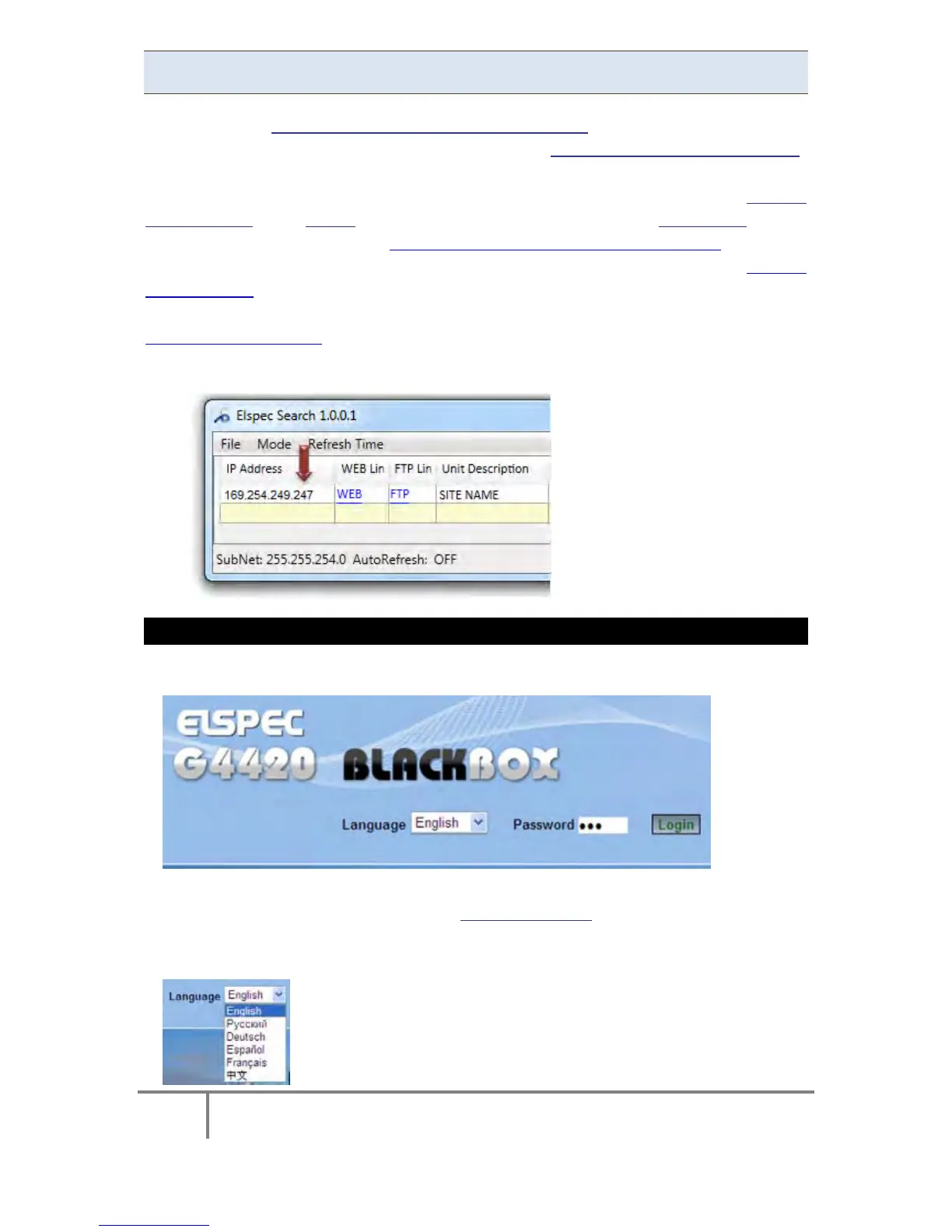
Once you have Connected the Device for the 1st Time, you may access your G4K
Unit b y s imply c licking the W EB H yperlink b utton in y our E lspec's S earch U tility.
Alternatively y ou can s imply ac cess t he d evice d irectly via Internet E xplorer by
inserting t he D evice's I P ad dress d irectly ( address is al so in dicated in Elspec's
Search Utility). The Utility also provides you with access to your PQZIP Files via the
FTP Se rver.: Once y ou ha ve Connected t he D evice f or t he 1 st T ime, y ou m ay
access your G4K Unit by simply clicking the WEB Hyperlink button in your Elspec's
Search Utility. Alternatively you can simply access the device directly via Internet
Explorer b y inserting the D evice's IP address directly (address is also indicated in
Elspec's S earch U tility. The D efault I P A ddress for a newly supplied G4 K u nit i s:
169.254.249.247.
ACCESS INSTRUMENT VIA THE WEB HYPERLINK [RECOMMENDED]
Select the Web link for your device, Elspec's Web Interface will now open:
In order to view the different languages in the Web Interface, you will need to
upload the l anguage feature f rom Elspec's W ebsite when i nstalling y our ne w
Firmware. Once uploaded, s imply s elect t he a pplicable interface l anguage
from the drop-down list:
www.GlobalTestSupply.com
Find Quality Products Online at: sales@GlobalTestSupply.com



 To Next Page