177
ELSPEC
G
G
4
4
K
K
F
F
i
i
x
x
e
e
d
d
P
P
o
o
w
w
e
e
r
r
Q
Q
u
u
a
a
l
l
i
i
t
t
y
y
A
A
n
n
a
a
l
l
y
y
z
z
e
e
r
r
U
U
S
S
E
E
R
R
&
&
I
I
N
N
S
S
T
T
A
A
L
L
L
L
A
A
T
T
I
I
O
O
N
N
G
G
U
U
I
I
D
D
E
E
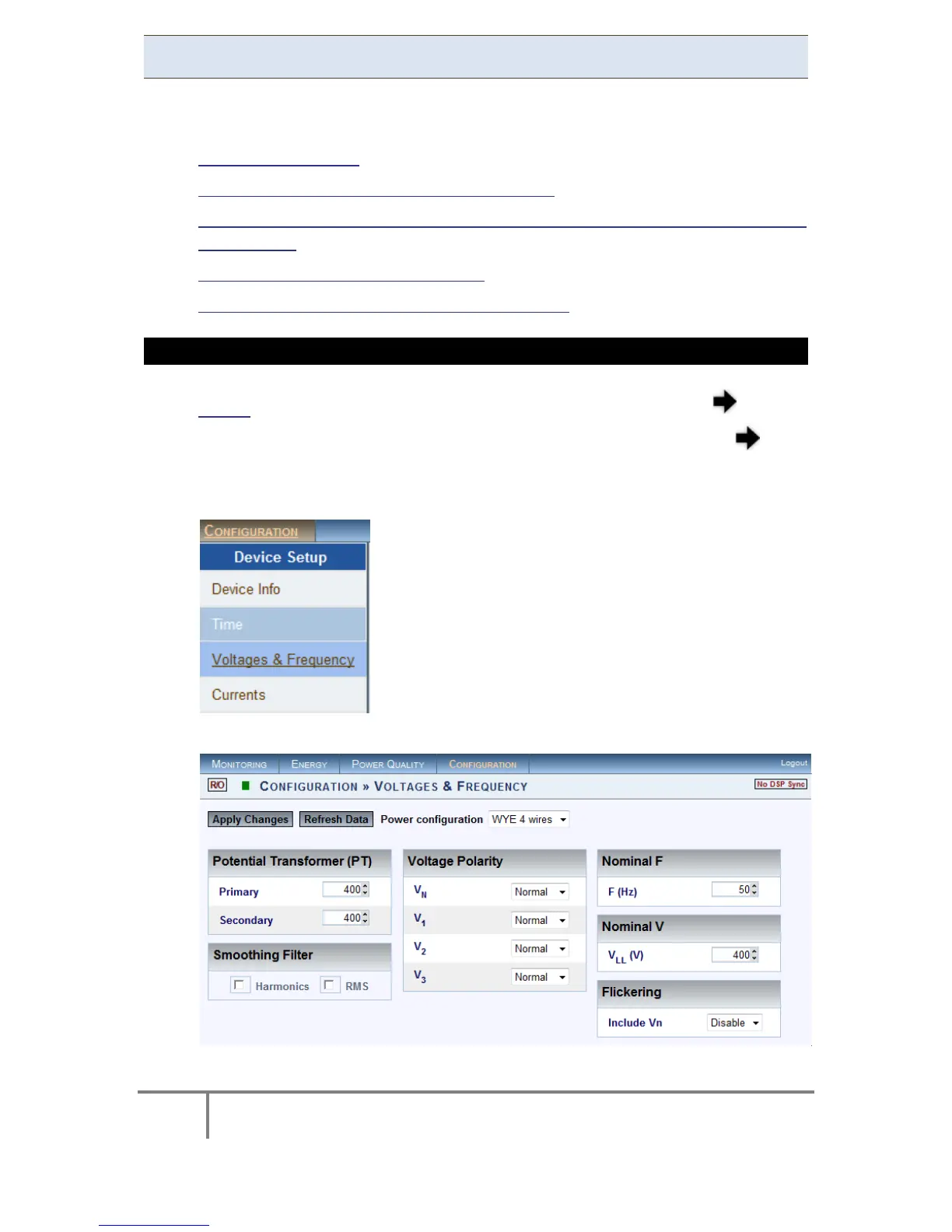
Voltage & Frequency
The V oltage & F requency W indow d efines all t he m ajor c onfigurations r egarding
the Voltage & Frequency values. In this window you will be able to:
Configure the Power
Configure the Potential Transformation Ratio
Smooth the curve i n s ignificant c hange o f P Q P arameter (IEC61000-4-7
Compliance)
Toggle the polarity without rewiring
Define nominal values for Voltage & Frequency
OPEN THE VOLTAGE & FREQUENCY WINDOW
Access the G4K Device Configuration via Elspec's Web Interface log on as
the Administrator (Manufacturer’s D efault P assword i s: 12345) select
the Configuration Tab
Under Device Setup select the Voltage & Frequency Tab:
The Voltage & Frequency Window will now open:
www.GlobalTestSupply.com
Find Quality Products Online at: sales@GlobalTestSupply.com



 To Next Page