186
ELSPEC
G
G
4
4
K
K
F
F
i
i
x
x
e
e
d
d
P
P
o
o
w
w
e
e
r
r
Q
Q
u
u
a
a
l
l
i
i
t
t
y
y
A
A
n
n
a
a
l
l
y
y
z
z
e
e
r
r
U
U
S
S
E
E
R
R
&
&
I
I
N
N
S
S
T
T
A
A
L
L
L
L
A
A
T
T
I
I
O
O
N
N
G
G
U
U
I
I
D
D
E
E
Time Settings
The Time section is used to set and co ntrol t he t ime. In additions it may a lso b e
used f or displaying & l ogging o f th e d ata & e vents. W ithin t his w indow y ou'll b e
able to:
Control the time synchronization of external time sources with Network
Time
Set & control the internal clock of the G4K unit with Setup the Time
Automatically adjust the G4K Unit with Daylight Saving Time
ACCESS TIME CONFIGURATION
Access the G4K Device Configuration via Elspec's Web Interface log on as
the Administrator (Manufacturer’s Default Password is: 12345) select
the Configuration Tab
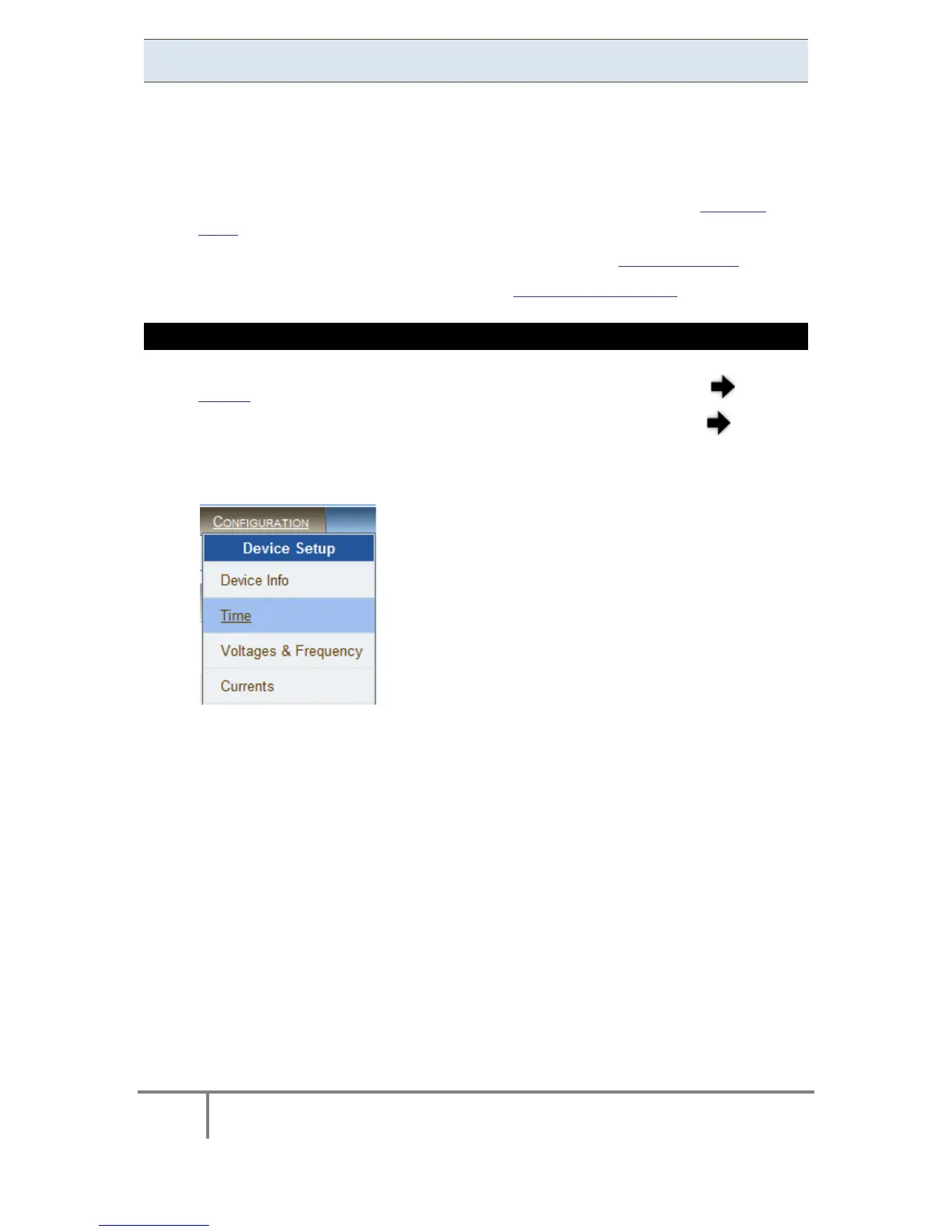
Under Device Setup select the Time Tab:
www.GlobalTestSupply.com
Find Quality Products Online at: sales@GlobalTestSupply.com



 To Next Page