225
ELSPEC
G
G
4
4
K
K
F
F
i
i
x
x
e
e
d
d
P
P
o
o
w
w
e
e
r
r
Q
Q
u
u
a
a
l
l
i
i
t
t
y
y
A
A
n
n
a
a
l
l
y
y
z
z
e
e
r
r
U
U
S
S
E
E
R
R
&
&
I
I
N
N
S
S
T
T
A
A
L
L
L
L
A
A
T
T
I
I
O
O
N
N
G
G
U
U
I
I
D
D
E
E
User Defined Pages
In a ddition to r eal-time ev aluations f or a n umber o f Power Q uality C ompliance
standards, the G4K's built-in PQ engine supports a u ser-compliance mode in which
all c ompliance p arameters can b e se lf-edited & m odified. T his s elf-editing &
modification allows t he user to set parameters that will meet unique conditions,
rules, measurement intervals at different observation periods. The windows consist
of:
User D efined P age 1 - Which e ncompasses: V oltage F requencies, V oltage
Dips Supply, Long Interruptions & Temporary Overvoltage (Swells)
User Defined Page 2 - Which encompasses: Voltage Variations, Rapid Voltage
Changes, Unbalanced Voltage & Voltage Flickering
User D efined P age 3 - Which en compasses: V oltage H armonics ( Including
individual Harmonics)
OPEN & ACTIVATE THE USER DEFINED PAGES
Access the G4K Device via Elspec's Web Interface log on as the
Administrator (Manufacturer’s Default Password is: 12345) select
Configuration Tab PQ Compliance Tab
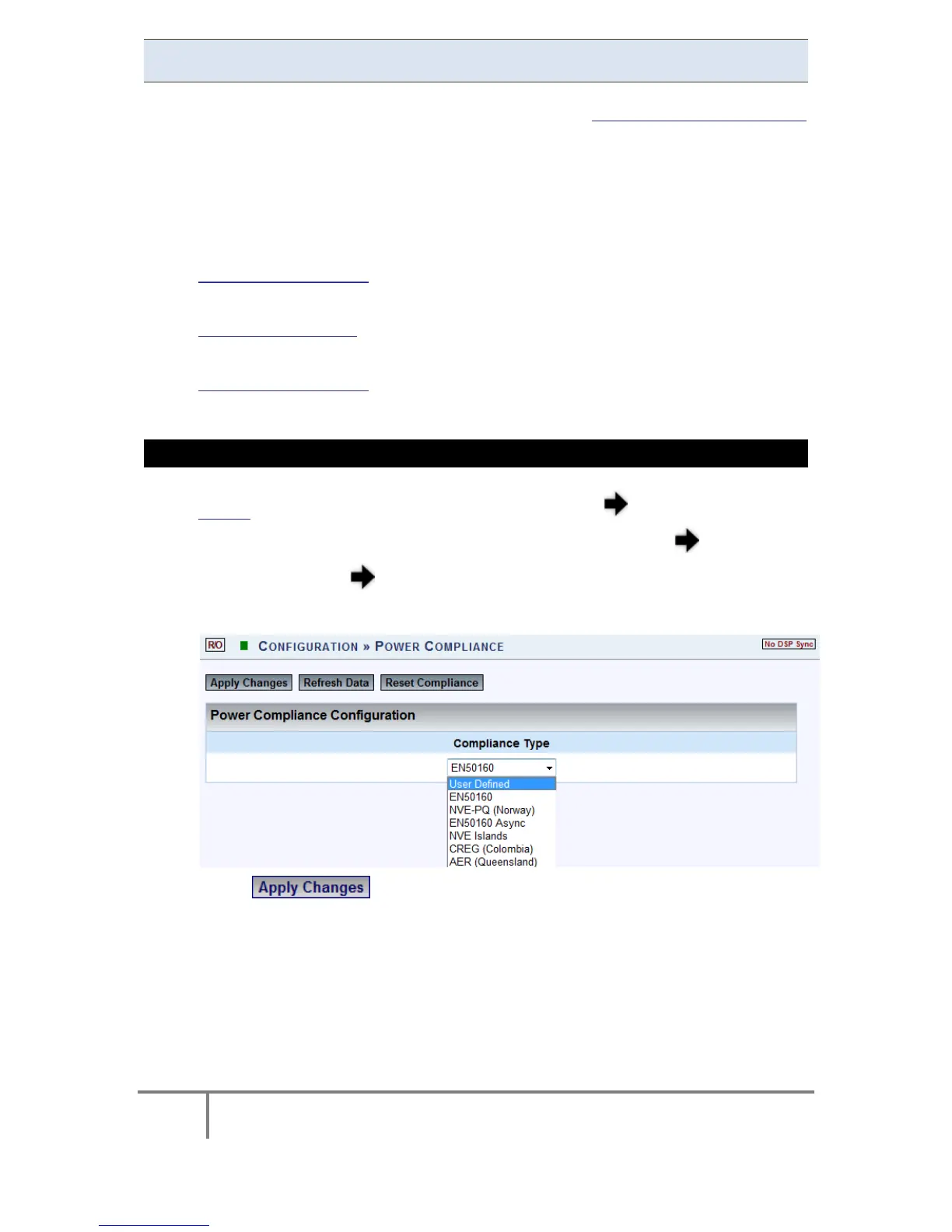
In the Power Compliance window select User Defined:
Select & the following Message Box will appear in order to
Restart the Compliance Evaluations by the G4K:
www.GlobalTestSupply.com
Find Quality Products Online at: sales@GlobalTestSupply.com



 To Next Page