252
ELSPEC
G
G
4
4
K
K
F
F
i
i
x
x
e
e
d
d
P
P
o
o
w
w
e
e
r
r
Q
Q
u
u
a
a
l
l
i
i
t
t
y
y
A
A
n
n
a
a
l
l
y
y
z
z
e
e
r
r
U
U
S
S
E
E
R
R
&
&
I
I
N
N
S
S
T
T
A
A
L
L
L
L
A
A
T
T
I
I
O
O
N
N
G
G
U
U
I
I
D
D
E
E
After selecting Create New Events naming the event in Description
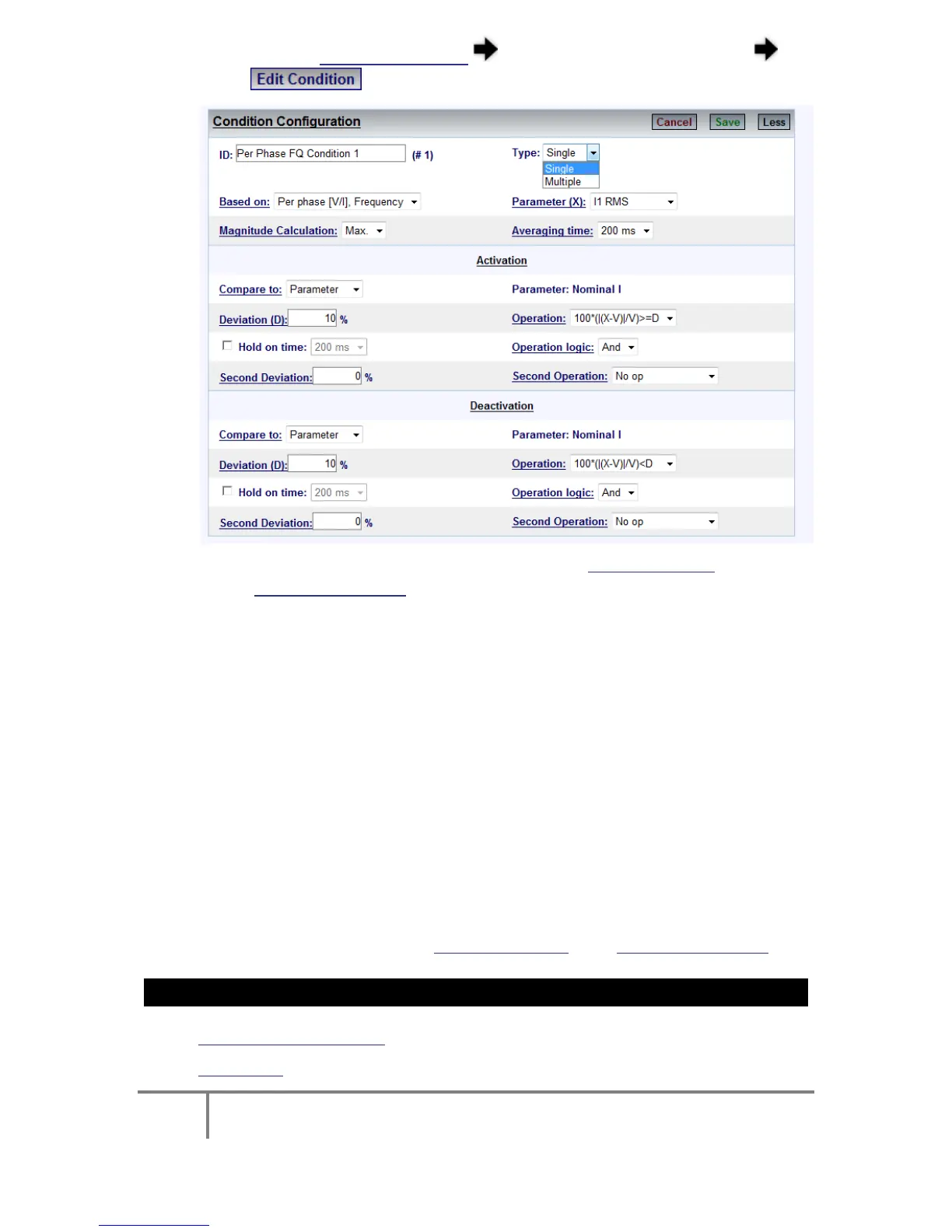
select to open the Condition Window:
Name the Condition & you will need to create a Single Condition in order to
create Multiple Conditions:
ID: The ID Condition is identified by a text ID. Two conditions cannot
be set to the same ID string.
The Single-Type Condition: Defined as t he r esult o f so me r ule
(mathematical o peration on so me sy stem p arameters). Fo r instance,
a percentage voltage drops below the threshold or a change of digital
input & so on. The condition has 2 logic states, Activated (1) and De-
activated ( 0). T ransition t o each s tate is f ully co nfigurated b y t he
user.
A Multiple-Type Condition: Is the c ombination o f 2 o ther s ub
conditions. A M ultiple-type co ndition m ust b e li nked t o 2 su b
conditions, each o f t hese 2 sub conditions can be either M ultiple o r
Single ty pe. T herefore, t he M ultiple-type condition c an b e u sed t o
create a complex hierarchy of conditions.
Go to the next steps creating Single Conditions &/or Multiple Conditions
SEE ALSO:
Creating Custom Events
Events List
www.GlobalTestSupply.com
Find Quality Products Online at: sales@GlobalTestSupply.com



 To Next Page