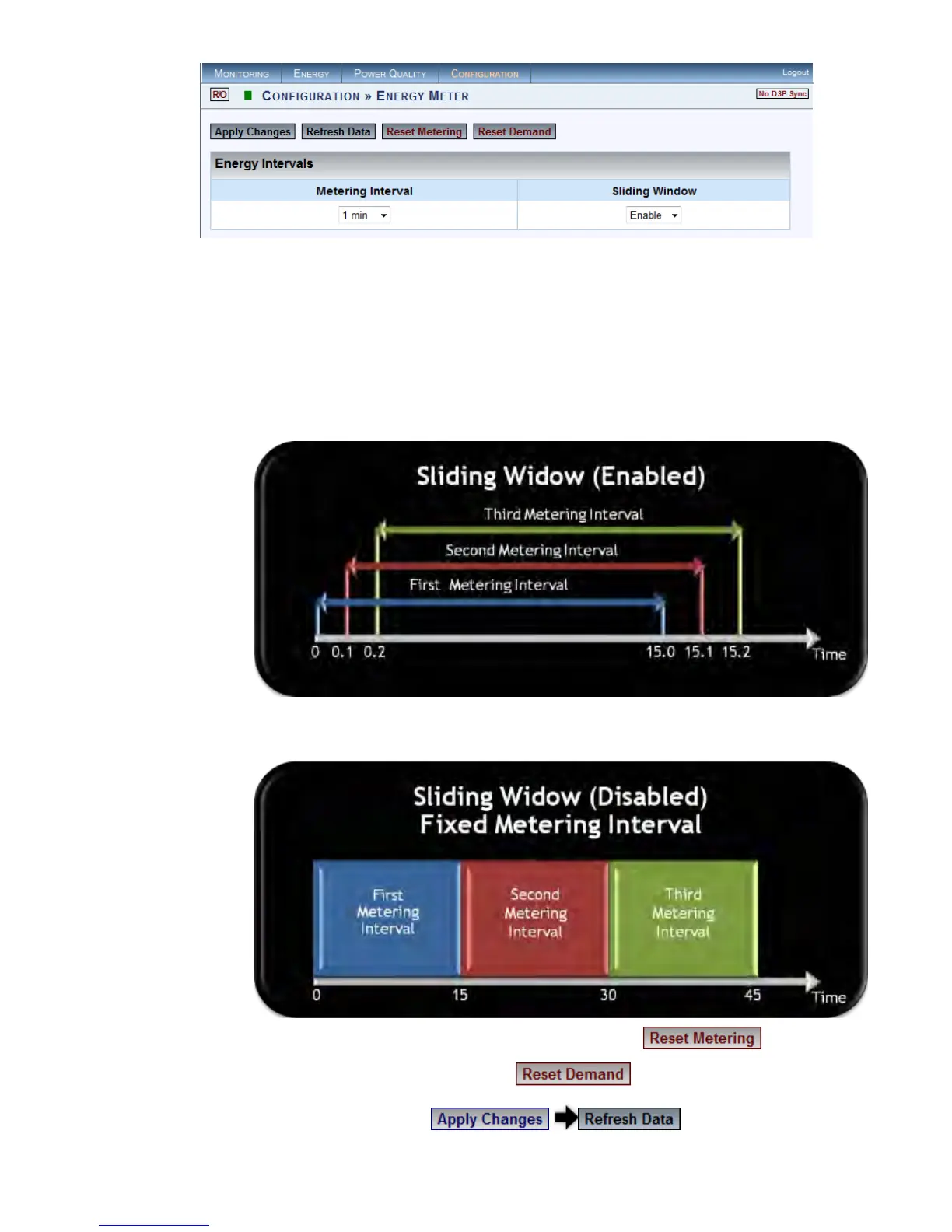
The Energy Intervals window for the Energy Meters will now open:
In the 2 Sections Select:
Metering Interval: This sets the meters to measure energy according to
a preset interval (1, 2, 5, 10, 15, 30 & 60 minutes)
Sliding Window (Applicable For The Demand Meter): The en ergy i s
calculated using moving average time intervals (1 second). Options:
Enable: The e nergy i s c alculated u sing a sli ding w indow. T he f igure
below illustrates the time increment as 1 second:
Disable: The energy is calculated using fixed interval for each meter -
illustration:
To ensure that you have reset the All the Meters select
To reset only the Demand Meter select
To apply your changes select to review them
www.GlobalTestSupply.com
Find Quality Products Online at: sales@GlobalTestSupply.com



 To Next Page