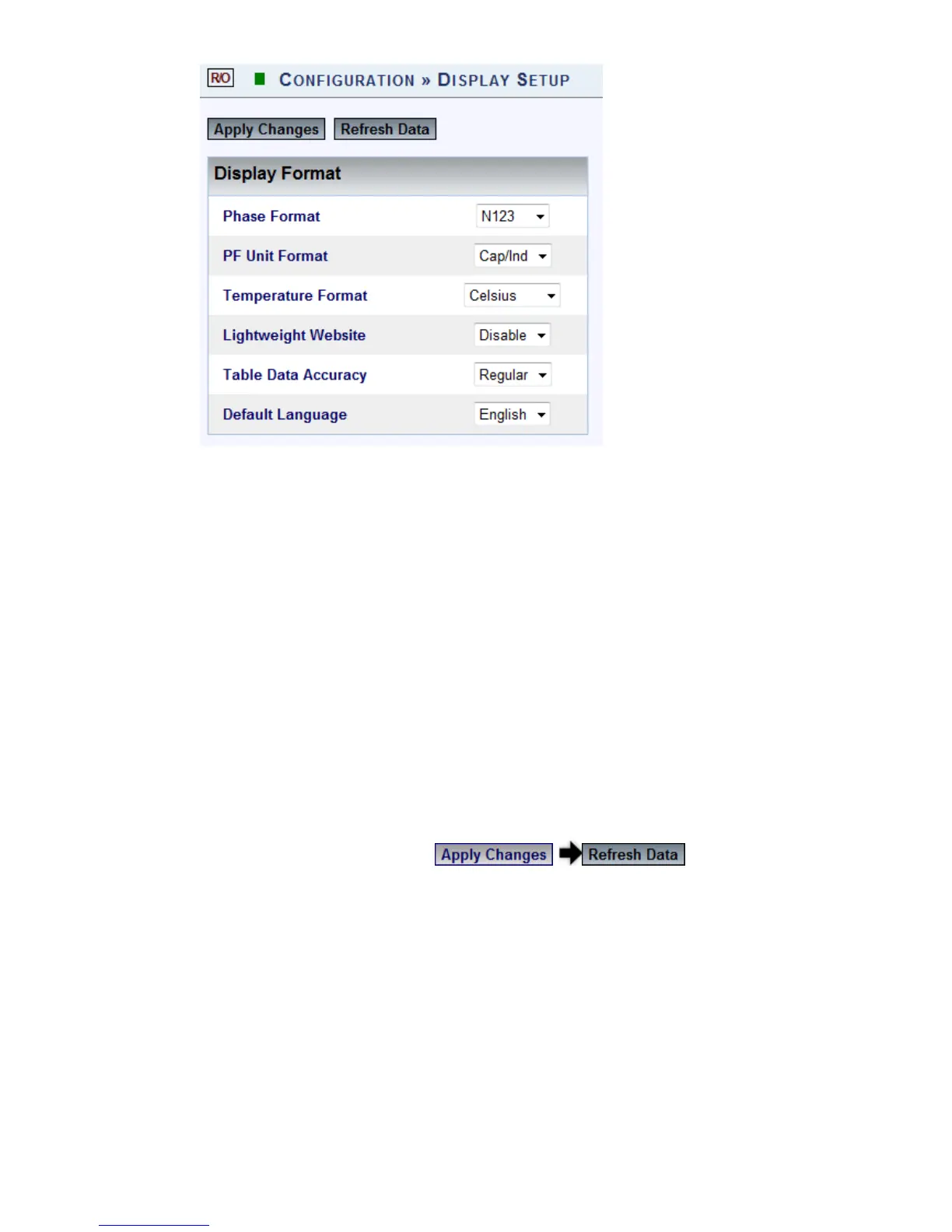
The Display Setup window will now open:
Configuration Options:
Phase Format: Format t hat w ill b e u sed t o i ndicate p hases. Fo r
example: V1,V2,V3 ; VA,VB,VC; Vx Vy, Vz; etc.
PF Unit Format: Format that will be used to indicate the PF Unit. For
example: For Capacitive/Inductive select Cap/Ind
Temperature Format: Preferred t emperature m easurements i n
either Celsius / Farenheit
Lightweight Website: When d isabled, t he web interface doesn't u se
any i mages ( and also flash o n t he lo gin page) i n or der t o s peed u p
your connection. It is recommended when the network connection to
the unit is weak.
Table Data Accuracy: Extra will ex tend t he d isplay t o 7 d igits
(230.5612) & Regular will extend the display to 5 digits (230.56)
Default Language: Select your default system language
To apply your changes select to review your
changes
www.GlobalTestSupply.com
Find Quality Products Online at: sales@GlobalTestSupply.com



 To Next Page