ACCESS INSTRUMENT VIA THE WEB HYPERLINK (RECOMMENDED):
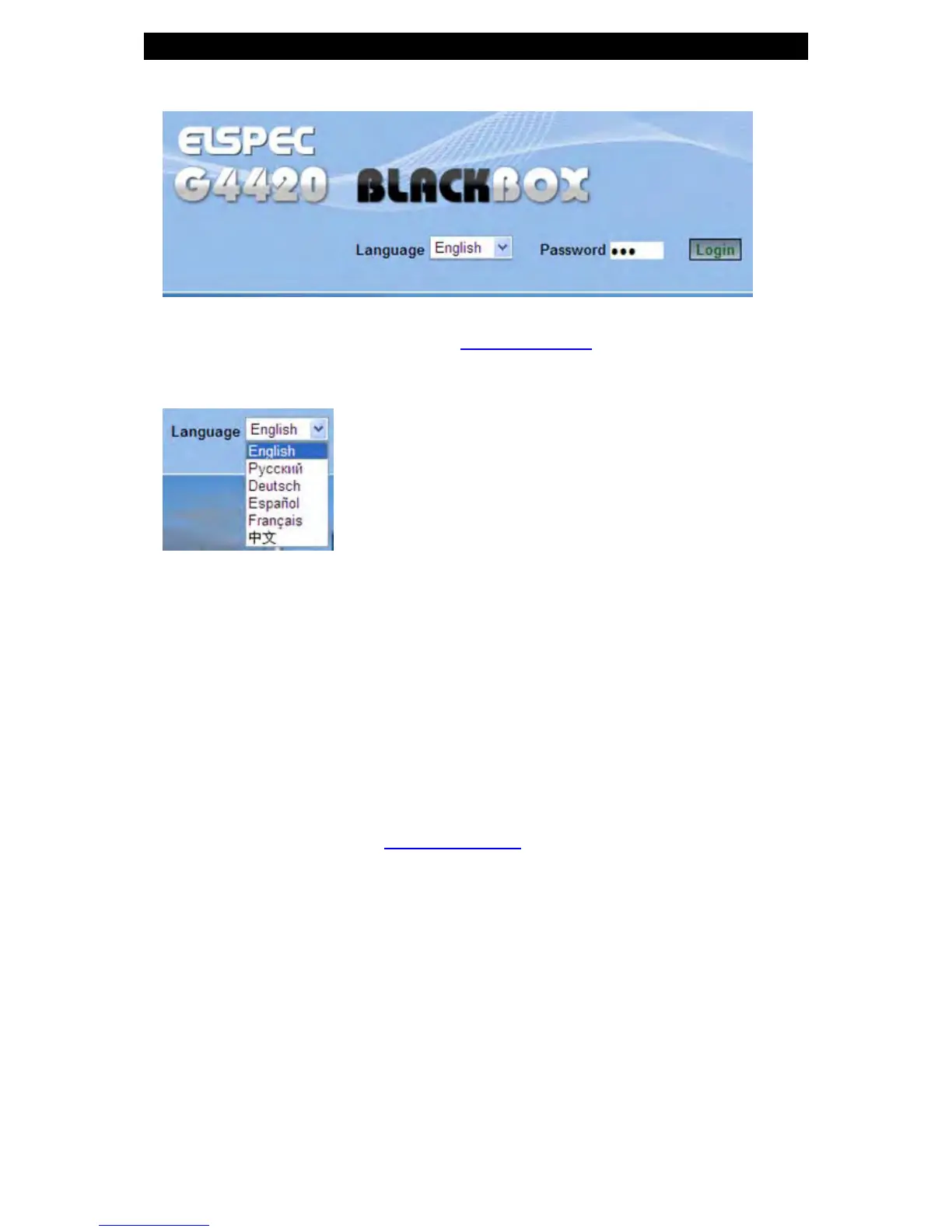
Select the Web link for your device, Elspec's Web Interface will now open:
In order to view the different languages in the Web Interface, you will need to
upload the l anguage feature f rom Elspec's W ebsite when i nstalling y our ne w
Firmware. Once uploaded, s imply s elect t he a pplicable interface l anguage
from the drop-down list:
The supported languages are:
English (Default)
Russian
German
Spanish
French
Chinese
(For other languages – please contact your local Elspec distributor)
The Password field defines user level/privileges. The user levels are Viewer
/ Administrator (See Security S ettings). The d efault p assword in cluding
privileges for each level are:
Viewer is 123 (Read only, can choose in terface l anguage on ly, n o
operations related changes are allowed)
Administrator is 12345 (Administration, setup & full control)
www.GlobalTestSupply.com
Find Quality Products Online at: sales@GlobalTestSupply.com



 To Next Page