90
ELSPEC
G
G
4
4
K
K
F
F
i
i
x
x
e
e
d
d
P
P
o
o
w
w
e
e
r
r
Q
Q
u
u
a
a
l
l
i
i
t
t
y
y
A
A
n
n
a
a
l
l
y
y
z
z
e
e
r
r
U
U
S
S
E
E
R
R
&
&
I
I
N
N
S
S
T
T
A
A
L
L
L
L
A
A
T
T
I
I
O
O
N
N
G
G
U
U
I
I
D
D
E
E
Graph & Table: Display either the graph / table / both:
Point Label Orientation: Auto / Vertical / Horizontal / Slanted
Mark Data Points: Displays data points on graph
Show Annotations: Displays annotations data descriptions
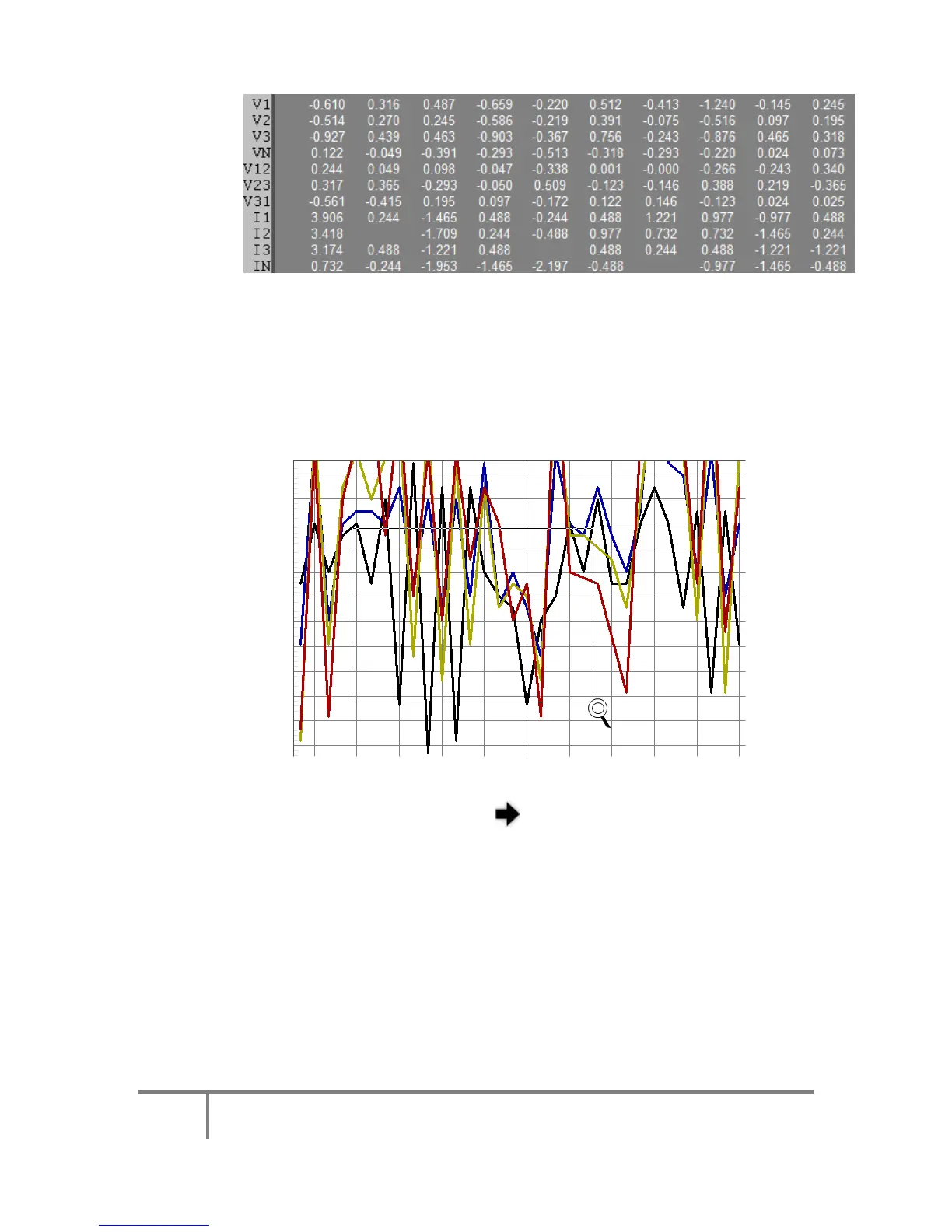
Zoom / Undo Zoom - Zoom in /out on your graph:
From the main Waveform window, select an area to zoom in.
Left-click and drag the mouse to define the area:
The enlarged area will now appear in the window
Zoom out by right/click & select Zoom out
Maximize: Maximize / Minimize graph
www.GlobalTestSupply.com
Find Quality Products Online at: sales@GlobalTestSupply.com



 To Next Page