RECLOSER CONTROL EVRC2A-N6,NT http://www.entecene.co.kr
31
ENHANCED
TECHNOLOGY
3.1.8. Menu Control Section
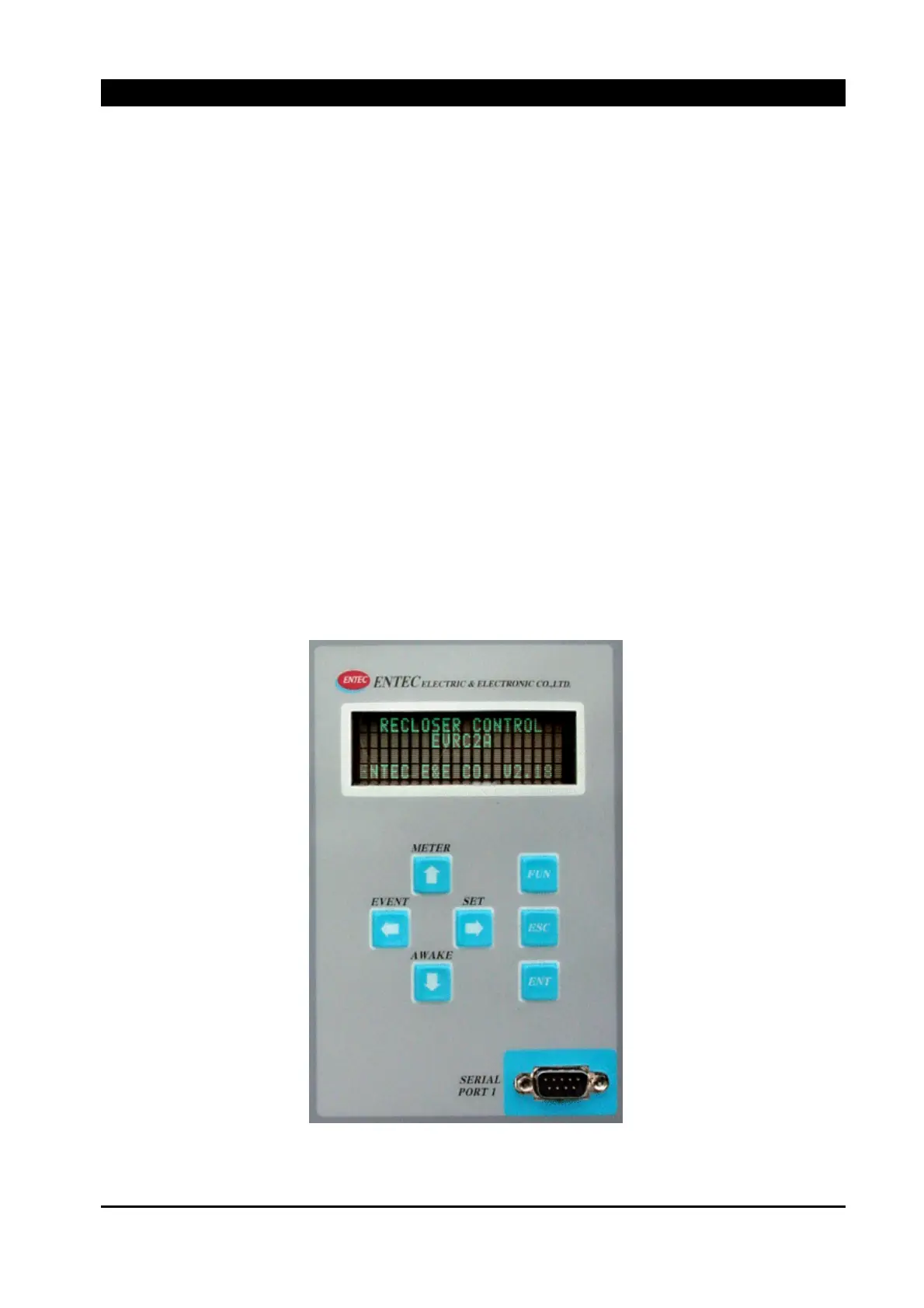
The Liquid Crystal Display (LCD) of the EVRC2A displays four lines of twenty characters each.
LCD DISPLAY
4x20 Characters display
CONTROL KEYS
[▲] [▼] [◀] [▶]
Arrow keys are used for moving through the menu window and the changing of the setting value
[▲] (METER) : Up arrow key is used to move to the meter menu, operable in menu starting mode
[▼] (AWAKE) : Down arrow key is used for panel awake from sleep mode
[◀] (EVENT) : Left arrow key is used to move to the event menu, operable in menu starting mode
[▶] (SET) : Right arrow key is used to move to the setting menu, operable in menu starting mode
[FUN] : To move to main menu when present mode is in starting mode
[ESC] : To cancel for data input mode or return the display to the previous level
[ENT] : To select sub menu or data input
Figure 3-10. Menu Control Section



 To Next Page