C8-B/C12-B Service Manual Maintenance Disclosure Scope: Maintenance Trained Personnel Only
(C) Seiko Epson Corporation 2-153 Rev.1
POINT
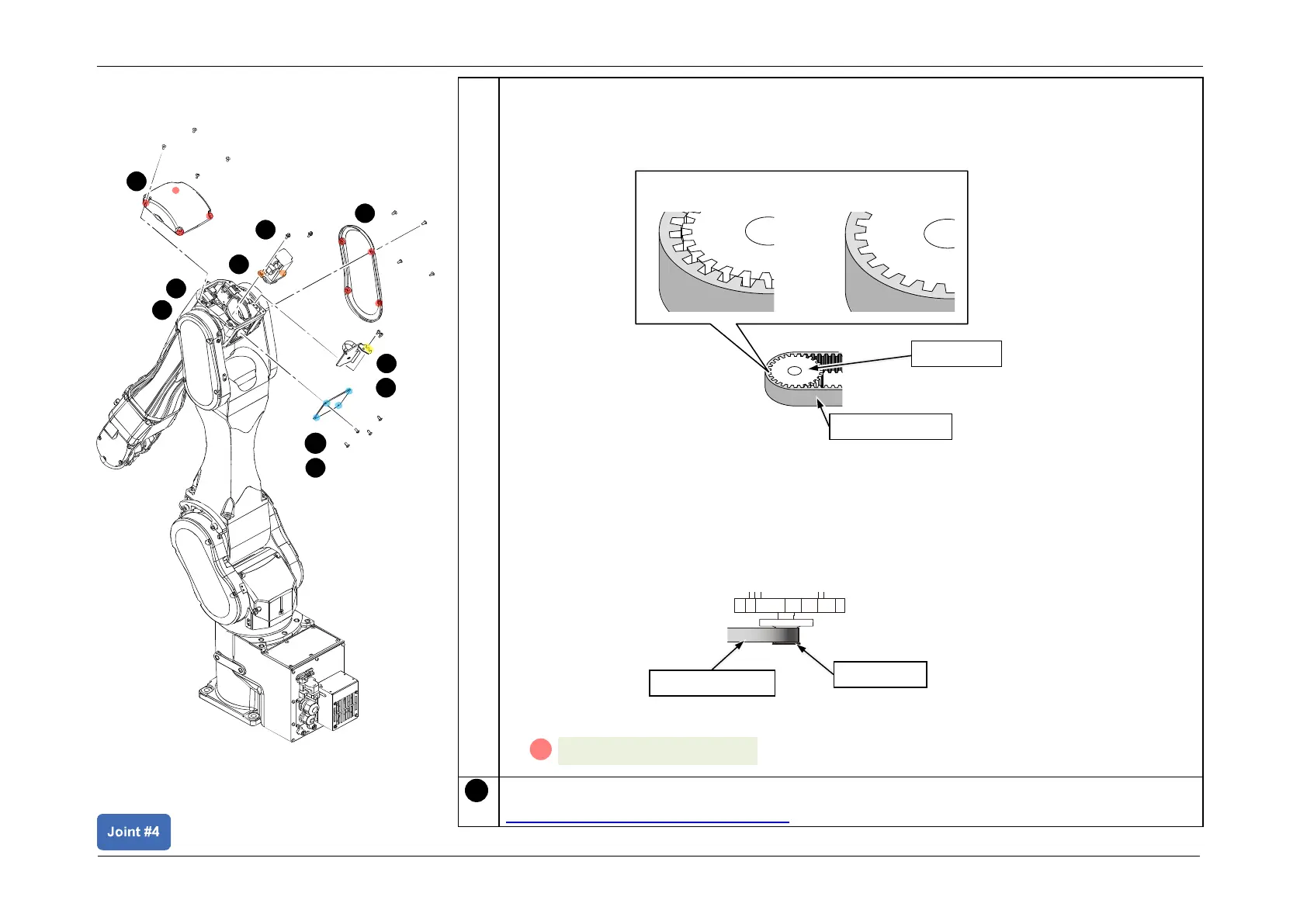
• Make sure that the teeth of the Timing Belt and the pulley are properly engaged.
Check from the three locations of the Arm2 side cover, Arm3 maintenance cover, and
Arm3 cover.
• The standard for temporary fastening is where the Motor Unit can be moved by hand
and will not tilt when pulled. If this is either too loose or too tight, it will not provide the
proper tension to the belt.
CAUTION
If the Timing Belt is placed on the flange, correct tension will not be obtained during belt
tension adjustment.
3. Temporarily secure the J4 Motor unit.














 To Next Page