C8-B/C12-B Service Manual Maintenance Disclosure Scope: Maintenance Trained Personnel Only
(C) Seiko Epson Corporation 2-162 Rev.1
Removing the Reduction Gear Unit
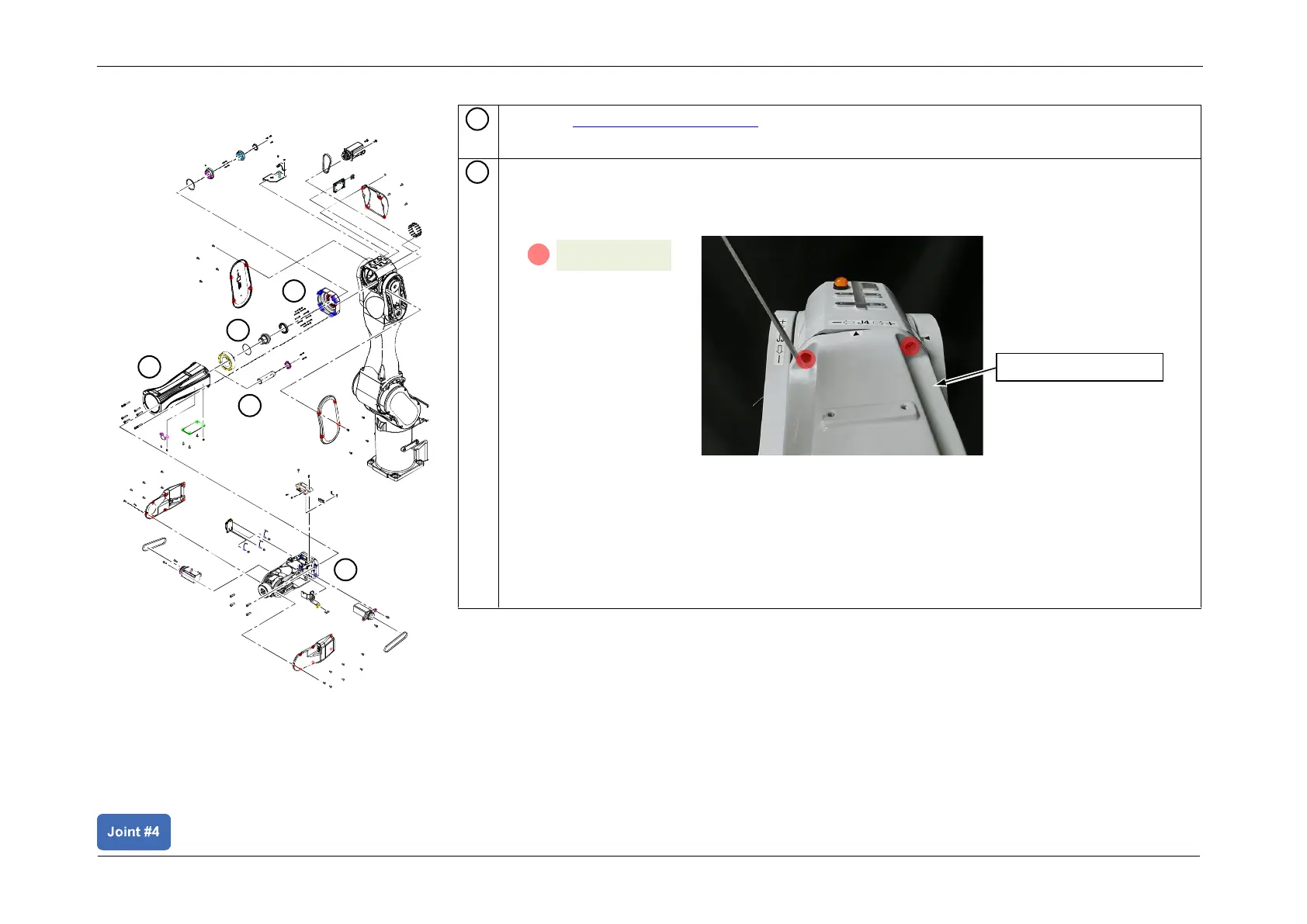
Remove the Arm4 extension part.
1. Rotate the Arm4 extension part and shift its position to make the bolt head visible.
2. Remove the bolt with the exposed head.
3. Similarly, rotate the Arm4 extension part and shift its position to make the other bolt
head visible. Use this same method to remove all the bolts.
4. Pull out the Arm4 extension part from Arm3.
POINT
Arm3 and the Arm4 extension part have a mating surface configuration. Pull out the Arm4
extension part while moving it slightly up and down, and back and forth.














 To Next Page