C8-B/C12-B Service Manual Maintenance Disclosure Scope: Maintenance Trained Personnel Only
(C) Seiko Epson Corporation 2-237 Rev.1
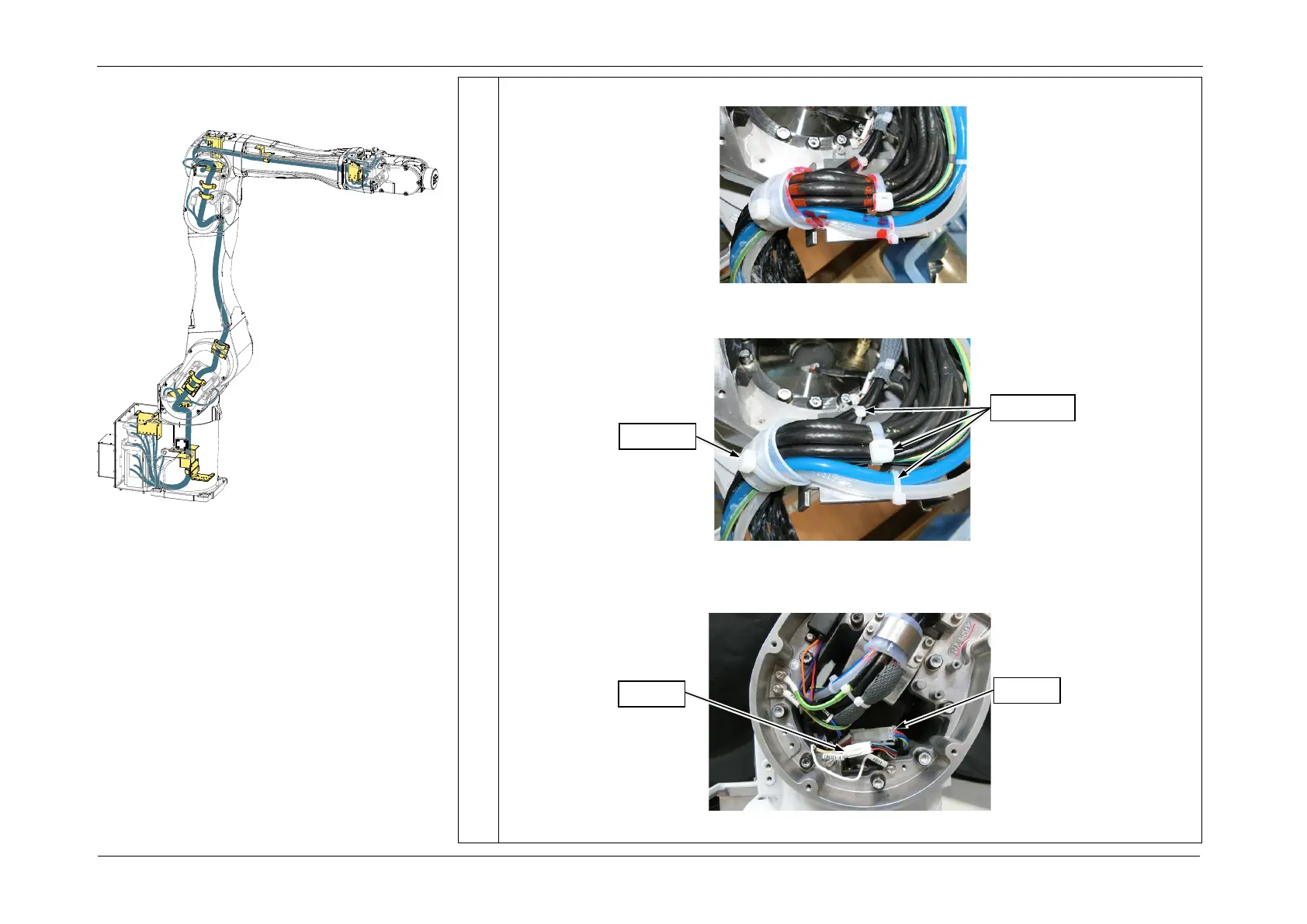
6. Mark the cables so that the wire tie position is obvious.
7. Cut the four wire ties, and remove the cable fixing plate.
8. If the J2 Motor unit is not removed, disconnect the following connectors.
CN121, CN321, CN420, CN421














 To Next Page