C8-B/C12-B Service Manual Maintenance Disclosure Scope: Maintenance Trained Personnel Only
(C) Seiko Epson Corporation 2-18 Rev.1
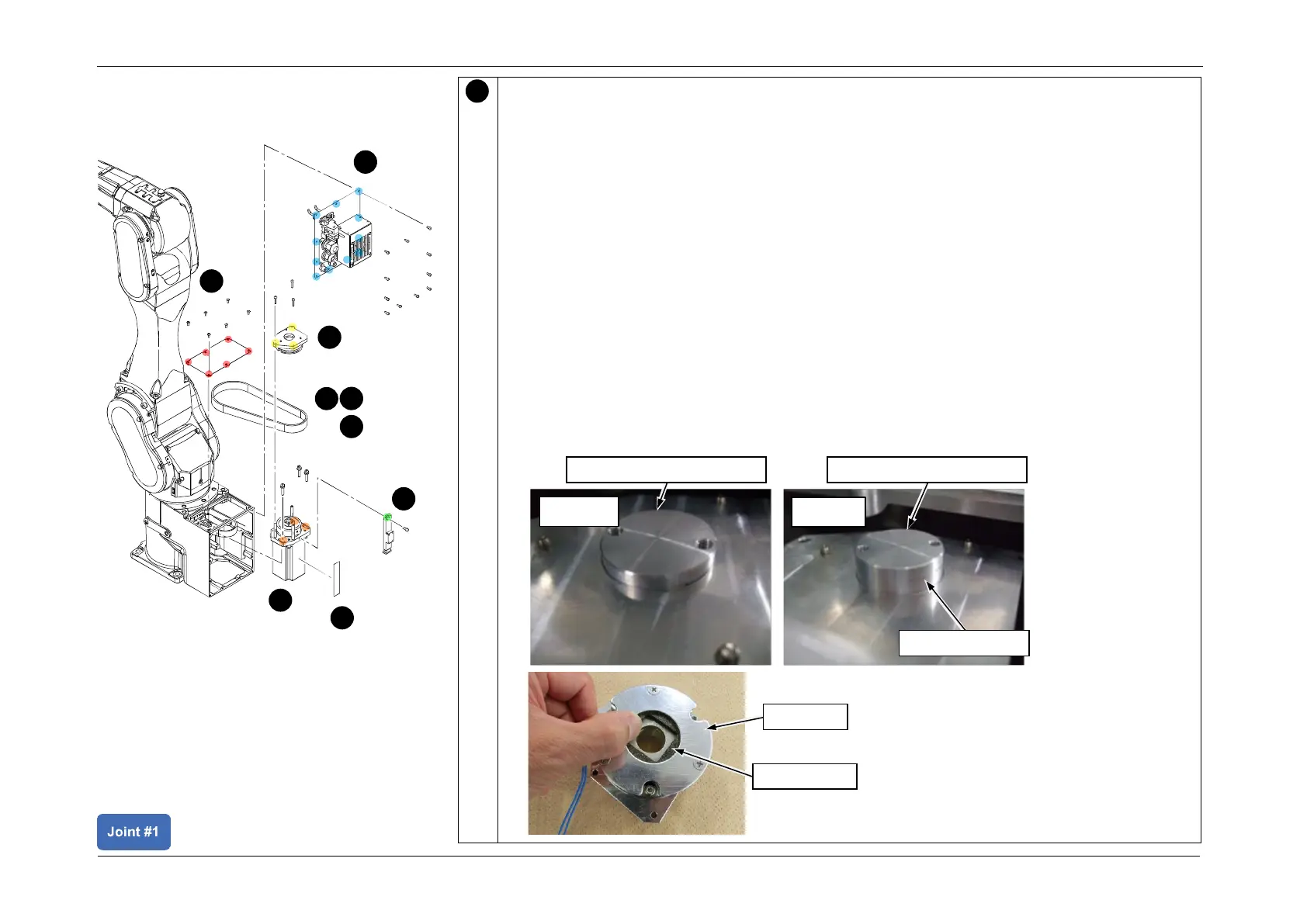
Check that the motor and the brake center are aligned.
CAUTION
Use dedicated tools to check that the motor and the brake center are aligned.
Misalignment of the brake center may cause abnormal sounds or apply abnormal torque
on the brake, which may result in malfunction of the brake.
1. Insert the J1 brake positioning jig into the brake plate hole.
Check that the jig can be inserted until the line marked on the curved surface of the jig is
aligned with the surface of the brake plate.
If the line is not aligned with the surface of the brake plate but is above it, the motor and
brake are misaligned, and the brake friction plate must be adjusted. Follow the
procedure below to make the adjustment.
2. Use the brake release unit (optional part) to release the brake.
3. Adjust the position of the brake friction plate. Insert the jig into the hole in the brake
plate, and when the line marked on the curved surface of the jig is aligned with the
brake plate surface, the friction plate positioning is complete.
4. Remove the brake release unit.














 To Next Page